Overview of Playwright and Selenium
Playwright and Selenium are both popular open-source tools primarily used for browser automation and end-to-end (E2E) testing of web applications. They allow developers and testers to simulate user interactions like clicking buttons, filling forms, and navigating pages across multiple browsers. Playwright, developed by Microsoft and released in 2020, is designed for modern web apps with a focus on speed and reliability. Selenium, which originated in 2004, is a more established framework with broad compatibility but some legacy overhead.
Similarities
- ☑️ Purpose and Core Functionality: Both tools excel at automating browser actions for testing, scraping, or automation tasks. They support cross-browser testing (e.g., Chrome, Firefox, Edge) and can run in headless mode for faster, resource-efficient execution.
- ☑️ Language Support: Both offer bindings for popular languages like JavaScript/TypeScript, Python, and Java, enabling integration into diverse tech stacks.
- ☑️ Open-Source Nature: They’re free to use, with active development and community contributions.
- ☑️ Testing Features: Both handle parallel test execution, screenshot capture, and integration with CI/CD pipelines (e.g., Jenkins, GitHub Actions).
- ☑️ Headless and Visual Testing: They can run without a visible browser window and support extensions for visual regression testing.
Differences
- ☑️ Architecture and Performance: Playwright uses direct browser protocols (e.g., WebSocket with Chrome DevTools Protocol) for faster, more reliable control, reducing flakiness from timing issues. Selenium relies on the WebDriver protocol (JSON over HTTP), which introduces latency and requires manual handling of waits, making it slower (Playwright is often 3-5x faster in benchmarks).
- ☑️ Setup and Usability: Playwright auto-downloads browser binaries and includes built-in auto-waiting, making tests less brittle. Selenium requires separate driver setups (e.g., ChromeDriver) and more explicit code for stability.
- ☑️ Browser and OS Support: Selenium supports a wider range of browsers (including legacy ones like Internet Explorer) and OSes (e.g., Solaris). Playwright focuses on modern browsers (Chromium, Firefox, WebKit) and common OSes (Windows, macOS, Linux).
- ☑️ Advanced Features: Playwright has native support for mobile emulation, network interception, and tools like a trace viewer for debugging. Selenium needs extensions (e.g., Appium for mobile) and can feel more fragmented.
- ☑️ Test Reliability and Stability: Playwright’s auto-waiting and event-driven design lead to more stable tests (e.g., 92% stability in some data vs. Selenium’s 72%). Selenium often requires custom retries.
Comparison Table
Here’s a side-by-side comparison based on the specified criteria:
| Criteria | Playwright | Selenium |
| Ease of Learning | Moderate to gentle learning curve; modern, intuitive API with excellent documentation and tools like the Playwright Inspector and code generator. Beginner-friendly for JavaScript/TypeScript devs, but requires async programming knowledge. | Moderate to steep; requires understanding manual waits, driver management, and protocol quirks. Extensive tutorials available, but setup complexity can overwhelm newcomers. |
| Support | Backed by Microsoft with responsive development team, comprehensive official docs, and active issue resolution. Includes built-in debugging tools like trace viewers. | Commercial support via sponsors in the Selenium ecosystem, plus self-help docs. Strong global backing from organizations, but relies more on community forums for troubleshooting. |
| Community | Smaller but rapidly growing (e.g., 74K+ GitHub stars); active on platforms like Stack Overflow, Reddit, and Discord. Fewer resources than established tools, but high-quality contributions. | Large, mature community (20+ years old) with massive plugin ecosystem, extensive tutorials, and forums. High enterprise adoption leads to abundant shared knowledge. |
| Cost and Open Source | Completely free and open-source (Apache 2.0 license). No licensing fees; potential costs only in training or CI/CD integration. | Completely free and open-source (Apache 2.0 license). Similar to Playwright, costs may arise from maintenance, training, or add-ons like Selenium Grid. |
| Job Opportunities | Growing demand, especially in modern stacks (e.g., Node.js, React apps) and teams adopting newer tools. Rising rapidly in startups and tech-forward companies, but fewer listings than Selenium overall. | High demand due to long-standing enterprise adoption; more job postings mention Selenium (e.g., in legacy systems or large orgs). Established skills are transferable, but market share is slowly shifting. |
Why Playwright is Dominating in 2026?
- ☑️ Expansion of automation testing and greater demand for rapid testing
- ☑️ The current migration from Selenium to Playwright
- ☑️ Satisfying modern web apps testing speed and performance
- ☑️ Benefits of multi-browser support and running tests at the same time
- ☑️ API testing with less need for 3rd-party solutions
- ☑️ GitHub Actions and Jenkins used for CI/CD with Playwright
- ☑️ Easy to learn and good for self-maintenance
- ☑️ Automation with AI and what’s next in testing
- ☑️ Adopting Playwright in enterprise solutions and its actual industry use
- ☑️ What remains to be seen in Playwright in 2026 and potential job openings
Other Considerations
- ☑️ Performance and Scalability: If speed is critical (e.g., large test suites in CI/CD), Playwright’s efficiency and lower flakiness make it preferable. Selenium suits massive-scale enterprises with existing infrastructure.
- ☑️ Integration and Ecosystem: Selenium integrates with more tools (e.g., TestNG, JUnit) and has plugins for everything. Playwright is more opinionated but shines in modern workflows like AI-assisted testing or component testing.
- ☑️ Team Skills and Project Needs: Choose Playwright for greenfield projects or JavaScript-heavy teams. Selenium is better for polyglot environments or when supporting older browsers/apps.
- ☑️ Future-Proofing: In 2026, Playwright is gaining traction for its alignment with modern web (e.g., SPAs, PWAs) and features like built-in API mocking. Selenium remains reliable but may require more maintenance as web tech evolves.
- ☑️ Total Cost of Ownership: Beyond free licensing, factor in onboarding time (lower for Playwright) and maintenance (higher for Selenium due to flakiness).
Ultimately, Playwright is often recommended for new projects in 2026 due to its speed and ease, while Selenium excels in established setups with broad requirements.
Here’s a practical roadmap for learning Playwright in 2026. This path is designed for most people (manual testers transitioning to automation, developers adding E2E testing skills, or anyone starting fresh). It balances speed with depth so you become productive quickly while building habits for maintainable, real-world test suites.
The roadmap assumes you’re targeting JavaScript/TypeScript (the most popular and best-supported choice in 2026), but notes Python/Java/.NET alternatives where relevant. Expect 2–4 months to reach solid intermediate level if you dedicate 8–15 hours/week.
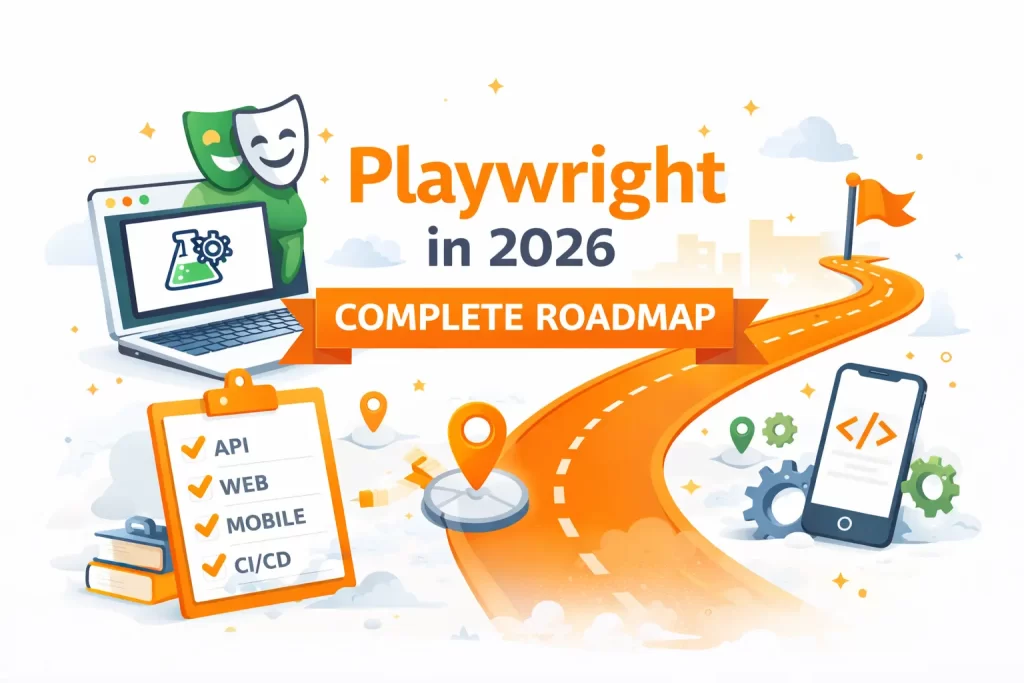
Complete Playwright Roadmap 2026
Due to the rise of frequent software updates, automation testing has become essential with modern applications. With the unprecedented pace of web application development, future manual testing will become impractical. Fast, smart automation tools, like Playwright, have offered a solution to companies by significantly improving the speed of testing, and thereby improving the quality of the software.
For a long time, Selenium was the automation tool of choice and relied upon for browser automation. Though Selenium is still commonly used, the current standards for browser automation are higher performance, stable execution, cross-browser support, and low-effort maintenance. The demand for Playwright has surged for these reasons. Playwright helps testers with speed, dynamic elements and cross-browser support.
The rise of Playwright has also been fueled by Playwright’s ease of integrations with CI/CD, cloud testing, and API testing, all of which, along with Playwright, provide a complete testing and automation solution. The ease of Playwright’s use with GitHub Actions and Jenkins has created a positive demand for Playwright. From a testing and automation perspective, Playwright is one of the best tools to learn in 2026.
Phase 0: Prerequisites
Before writing any Playwright code, build these foundations — skipping them causes 80% of early frustration.
- ☑️ JavaScript / TypeScript basics (choose one):
- ✅ Variables, functions, async/await, promises, objects/arrays
- ✅ Modern ES6+ features (destructuring, spread, modules)
- ✅ TypeScript fundamentals (types, interfaces, generics basics) — strongly recommended for 2026 jobs
- ☑️ Git basics — cloning, branching, committing, pull requests
- ☑️ Node.js & npm/yarn/pnpm — installing packages, understanding package.json, scripts
- ☑️ Basic understanding of browsers & DOM — what are selectors (CSS, XPath), how events work, what is headless mode
Goal: Be comfortable reading & writing small async JS/TS snippets.
Phase 1: Playwright Fundamentals
Goal: Write, run, and debug simple reliable tests.
- ☑️ Official Getting Started
- ✅ https://playwright.dev/docs/intro
- ✅ Install Playwright (npm init playwright@latest)
- ✅ Run the example test
- ✅ Explore UI Mode (npx playwright test –ui)
- ☑️ Core Concepts
- ✅ Pages, Contexts, Browsers
- ✅ Auto-waiting & why it’s revolutionary (no more sleep/Thread.sleep)
- ✅ Locators (best practice: use page.getByRole, getByTestId, getByText over CSS/XPath)
- ✅ Interactions: click, fill, press, selectOption, hover, etc.
- ✅ Assertions: expect(locator).toBeVisible(), toHaveText(), toHaveValue(), etc.
- ✅ Navigation & waiting: waitForURL, waitForLoadState
- ✅ Handling multiple pages/tabs, dialogs, frames/iframes
- ☑️ Debugging tools you must master early
- ✅ Playwright Inspector (npx playwright test –debug)
- ✅ Trace viewer (npx playwright show-trace)
- ✅ VS Code Playwright extension (auto-complete, run/debug in IDE)
Best free resources:
- ☑️ Official docs: https://playwright.dev/docs/writing-tests (read sequentially)
- ☑️ Microsoft Learn: Create Your First End-to-End Test Using Playwright
Practice: Automate 5–8 simple scenarios on https://the-internet.herokuapp.com or your own simple app (login, form submission, dynamic table, file upload).
Phase 2: Real-World Test Patterns
Goal: Write maintainable tests for complex apps.
- ☑️ Page Object Model (POM) — create clean page classes
- ☑️ Fixtures & test hooks (test.beforeEach, test.afterEach, custom fixtures)
- ☑️ Handling authentication (cookies, storage state, API login)
- ☑️ Network interception & mocking (route, mock API responses)
- ☑️ Component testing (if you work with React/Vue/Angular)
- ☑️ Testing APIs directly with request fixture
- ☑️ Parallel execution & sharding
- ☑️ Configuration: playwright.config.ts (projects, retries, workers, reporters)
Practice project: Build a small POM-based suite for a real app
Resources:
- ☑️ Official best practices: https://playwright.dev/docs/best-practices
- ☑️ YouTube channels: automatewithamit, Rahul Shetty Academy, Testing Talks
Phase 3: Framework Design & CI/CD
Goal: Production-grade setup used in companies.
- ☑️ Advanced folder structure & organization
- ☑️ Custom reporters (Allure, Playwright HTML + trace attachment)
- ☑️ Environment variables & multi-environment config
- ☑️ Data-driven testing (CSV/JSON fixtures)
- ☑️ Visual regression testing (toHaveScreenshot)
- ☑️ Mobile & device emulation
- ☑️ CI/CD integration (GitHub Actions is easiest starting point)
- ☑️ Handling flakiness: retries, soft assertions, tracing on failure
Milestone project: Create a reusable framework template (POM + fixtures + utils + CI workflow) and push to GitHub.
Phase 4: Advanced & Future-Proof Topics
- ☑️ Shadow DOM & piercing selectors
- ☑️ Accessibility testing integration
- ☑️ Performance testing basics (page.route timing)
- ☑️ Hybrid UI + API testing patterns
- ☑️ Self-healing / AI-assisted locators (emerging in 2026 via Playwright MCP & community tools)
- ☑️ Contributing to Playwright or open-source test utils
Quick Tips for Success in 2026
- ☑️ Always prefer auto-waiting — fight the urge to add explicit waits
- ☑️ Use getByRole / getByTestId → most resilient selectors
- ☑️ Commit to TypeScript early — it pays off in large suites
- ☑️ Write tests as if someone else will maintain them (POM + comments + traces)
- ☑️ Build a small public GitHub repo — great for interviews
AI Automation with Playwright
- ☑️ Beginner-level knowledge of HTML/CSS/JS, DOM, Async and Await, Node.js, and Git
- ☑️ Beginning knowledge of Playwright, including locators, assertions, fixtures, hooks, Page Object Model, and data-driven testing
- ☑️ Knowing CI/CD pipelines, Docker, cloud execution, reporting dashboards, and AI-powered testing
- ☑️ Learning based on a real-world example of automation testing and mistakes a beginner will make
- ☑️ In Playwright automation testing, guidance and prognosis of a learner’s career growth for the year 2026
API Testing Using Playwright
The authors of this study open by stating that today, automated testing is no longer limited to writing simple test cases, which means a systematic, step-by-step learning roadmap must be built for anyone learning Playwright in 2026. We have set three progressive sets of requirements: in the entry stage, learners master prerequisite fundamentals such as HTML and CSS; in the core stage, they fully grasp key modules including locators and assertions; in the advanced stage, they expand their capabilities to cover skills such as CI/CD. When supported by project-based learning, regular practice, and professional guidance, most beginners can master solid practical skills within a few months, which meets the requirements of modern automated testing positions in 2026.
Mobile Automation with Playwright
The authors of this study begin by stating that nowadays automated testing is not only about writing simple test cases, which implies that anyone learning Playwright in 2026 must create a systematic step-by-step learning roadmap. We have defined 3 progressive sets of requirements: In the entry stage, learners learn prerequisite fundamentals such as HTML and CSS; In the core stage, they have a full understanding of key modules such as locators and assertions; and in the advanced stage, they extend their capabilities to include skills such as CI/CD. Most beginners can acquire solid practical skills in a few months, thanks to project-based learning, consistent practice, and professional guidance. This meets the needs for modern automated testing positions in 2026.
CI/CD Integration with Playwright
- Introduction to AI-based automation testing in modern software development
- How Playwright helps build AI-ready testing workflows
- Test cases generated by AI and reduced manual scripting effort
- Self-healing automation and intelligent locator handling
- Debugging with AI and faster discovery of issues.
- How to use ChatGPT, GitHub Copilot, Cursor, Claude tools in automation testing
- Browser Automation for Autonomous Workflows and AI Agents
- Why AI Automation is Crucial for Faster Software Release and Test Maintenance
- Future outlook of smart automation systems and AI-driven testing
- Why AI automation skills are becoming important for testers and developers in 2026
GitHub Actions with Playwright
AI automation is one of the biggest changes in software testing, because companies want faster testing and less manual work. Modern automation tools like Playwright are slowly moving towards AI-ready workflows where testers can create, manage and maintain automation scripts more efficiently. AI tools like GitHub Copilot, Cursor, clau-de, and .ChatGTP are assisting testers to write test cases, find errors, enhance debugging, and minimize repetitive scripting tasks. AI-powered automation also aids in smart locators, self-healing test execution and easier maintenance when applications change frequently. As browser automation continues to grow, AI agents and intelligent workflows are expected to play a major role in future testing environments, making AI automation skills highly valuable for testers and developers in 2026.
MCP and AI Agents with Playwright
The modern software testing is not only limited to UI validation, as companies now expect testers to verify backend workflows, APIs, authentication systems and response handling as part of complete automation testing. This is one of the main reasons why API testing with Playwright is becoming very important in 2026. Testers can easily perform GET and POST requests, validate tokens, check response data and combine API and UI workflows inside a single framework. It helps teams manage automation in a more connected and efficient way than when using separate tools like Postman or REST Assured. As modern applications are increasingly API-driven, learning API automation becomes an essential skill for both automation testers and developers.
Final Thoughts
Mastering Playwright is not just about learning a new automation tool—it’s about adapting to modern testing practices that focus on speed, reliability, and real-world application performance. As Playwright continues to grow as a powerful framework for end-to-end testing across multiple browsers, building strong hands-on skills becomes essential for anyone looking to succeed in automation testing.
By following a structured roadmap, practicing consistently, and understanding how Playwright fits into real-time projects, you can confidently step into high-demand automation roles.
At Payilagam, recognized as the Best Playwright Testing Training Institute in Chennai, learners gain practical exposure, real-time project experience, and interview-focused training that helps them stay ahead in today’s competitive IT industry.
FAQs on Playwright
Is Playwright better than Selenium in 2026?
Playwright is becoming more popular in 2026 because it offers faster execution, better handling of modern web applications, built-in API testing, and strong cross-browser support. Many companies now prefer Playwright for modern automation workflows.
Is Playwright easy to learn?
Yes, Playwright is beginner-friendly for people who already know basic HTML, CSS, and JavaScript. With proper practice and real-time projects, beginners can learn Playwright step by step.
What is the future scope of Playwright?
The future scope of Playwright is very strong because companies are moving toward faster automation, AI-powered testing, CI/CD pipelines, and cloud-based testing workflows.
Does Playwright support API testing?
Yes, Playwright supports API testing along with UI automation. Testers can perform GET and POST requests, validate responses, and combine API and browser workflows inside one framework.
Can Playwright automate mobile browsers?
Yes, Playwright supports mobile browser automation using device emulation and responsive testing features for Android and iPhone browsers.
Is Playwright used in companies?
Yes, many startups and enterprise companies use Playwright for browser automation, regression testing, API validation, and continuous testing workflows.
Can beginners learn Playwright?
Yes, beginners can learn Playwright by starting with web development basics like HTML, CSS, JavaScript, and then moving into automation concepts gradually.
Which language is best for Playwright?
JavaScript and TypeScript are widely used with Playwright because the framework is built around modern web technologies, but it also supports Python, Java, and C#.
Can Playwright work with AI agents?
Yes, Playwright is becoming important for AI agents and intelligent browser automation workflows because it can control browsers efficiently and automate real-time web interactions.
How long does it take to learn Playwright?
The learning time depends on the learner’s background, but many beginners can understand Playwright basics within a few weeks and build strong automation skills with continuous practice and projects.