

Kaviya
3 months ago
I had a really great experience with this institute. Honestly, compared to other institutes I’ve been to, this one feels completely different and much better. The coaching here is excellent, and you can clearly see the professionalism and experience of the staff. One thing I really appreciate is the individual attention given to every student, which makes a big difference in learning.

Sowmiya Sowmiya
3 months ago
I completed my Web Designing internship at Payilagam, and it was a very good learning experience. The training was practical, well-structured, and focused on real-time industry requirements. I learned front-end technologies like HTML and CSS
One of the best parts of the course was the hands-on project work, which helped me apply my knowledge and improve my problem-solving skills. The trainers were supportive, experienced, and explained concepts clearly.
Payilagam provides a great environment for students who want to start a career in full stack development. The practical training, real-time projects, and career guidance made this internship highly valuable for me. I would strongly recommend Payilagam to anyone looking to learn full stack development and gain industry-ready skills.

Sai Tejashwini U
3 months ago
I did a 2 week internship here and this was my first experience as well... but it did not go in vain... the teaching was wonderful and got familiar with a new programming language as well.... loved every bit of it.

Pavithra
3 months ago
I attended a 15-day free internship in Web designing, after completing my 2nd year semester. It was my first internship, and I had a great learning experience. The sir taught every topic in a very simple and easy-to-understand way, which helped me understand the concepts clearly and gave me the confidence to do projects on my own.
During the internship, I completed many projects, including cloning my college website. On the last day, experienced IT professionals cleared all my doubts and shared useful career guidance.
Thank you to the entire team for this wonderful opportunity. I learned many new things, improved my skills, and gained confidence. I highly recommend this institute.

Hari krishnana K.R
3 months ago

Sadhana K
4 months ago
I completed a 15-day internship at this institute. The learning experience was very good and useful. Both Digital Marketing and Python classes were taught in a clear and easy-to-understand manner.
The trainers explained every topic step by step and patiently clarified doubts. Even if someone didn't understand a concept immediately, they took the time to explain it again until it was clear.
In Digital Marketing, I learned about WordPress, GitHub, blog writing, and various digital marketing concepts. The sessions were practical and informative.
The Python classes were also excellent. The trainer used simple examples and real-time explanations, which made learning easy and interesting.
Overall, it was a great learning experience, and I would recommend this institute to anyone looking to improve their skills.
Trainers: Yogeshwaran Sir and Muthu sir
Courses: Digital marketing and python

Teja J
4 months ago
I had a great learning experience during my internship at Payilagam. The sessions were very practical and easy to understand. I learned about SEO, Digital Marketing, and how to write blogs effectively. The trainers also taught us how to use WordPress, which is widely used for website development.
In addition, I learned how to create a website, push projects to GitHub, deploy them on Render, and understand the process of purchasing and connecting a domain. All the sessions were conducted clearly and were easy to follow.
The Python classes conducted during the internship were also very useful and helped me understand the concepts well. Overall, this internship was highly beneficial and provided me with valuable practical knowledge and skills. Thank you to Payilagam for this wonderful learning opportunity.

LAKSHMI G
5 months ago
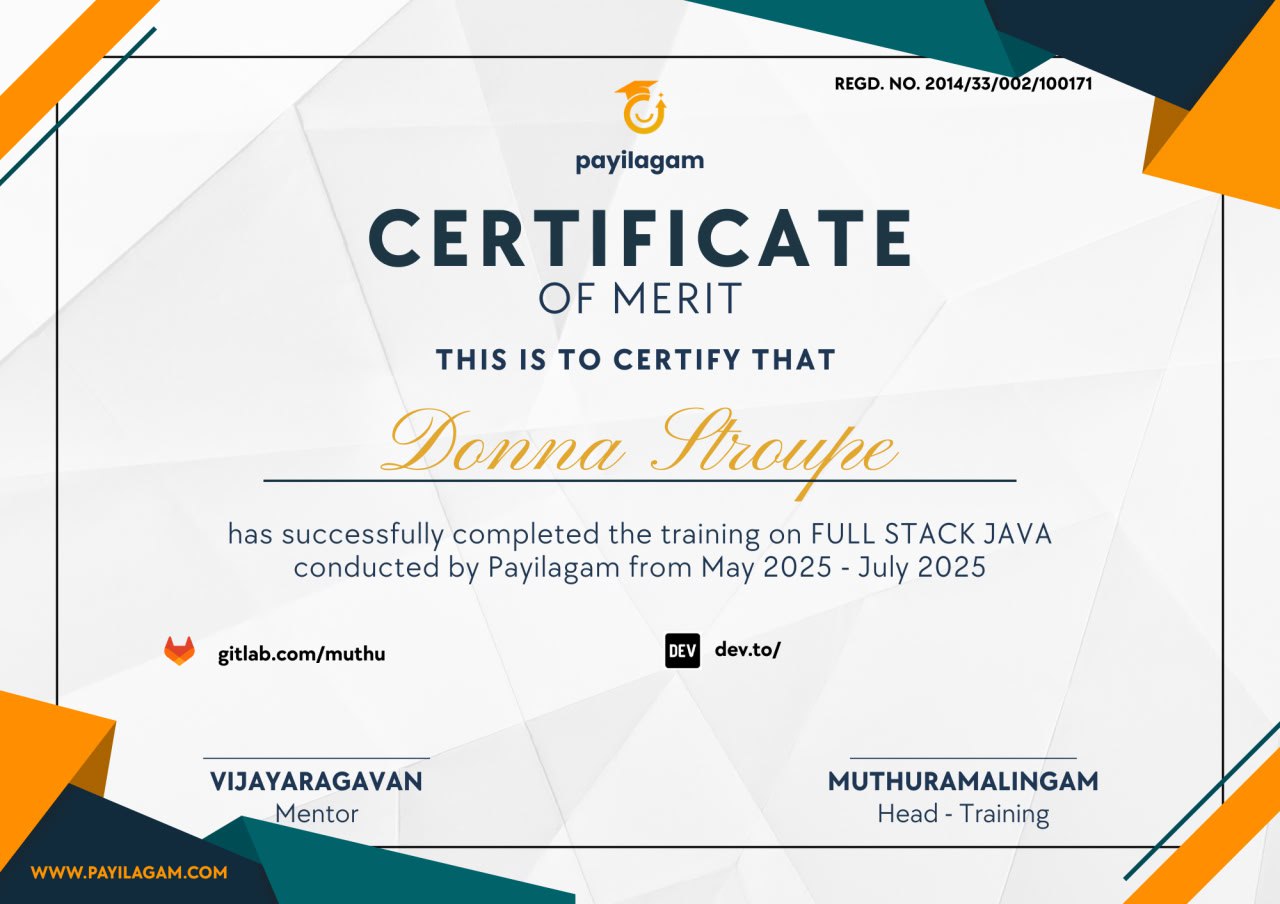
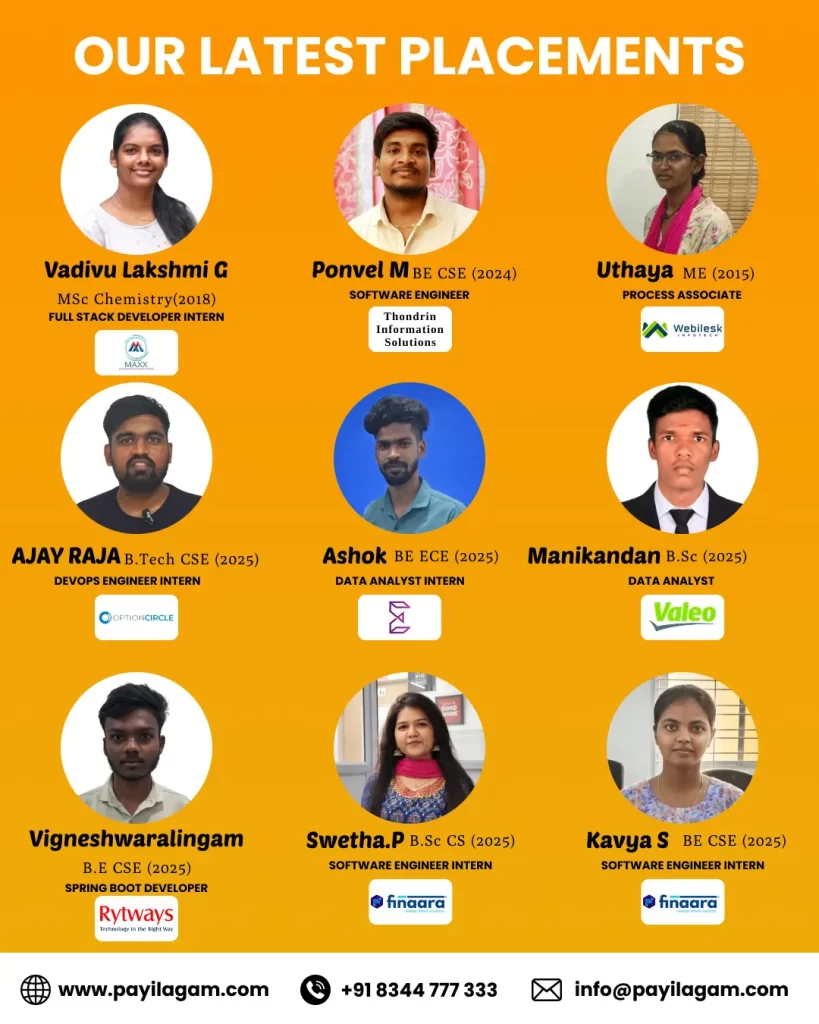
My name is VadivuLakshmi Govindan, and I recently completed my Full Stack Java training at Payilagam Institute, Chennai. It has been one of the most valuable and life-changing experiences for me.
My trainer, Vijay Sir, played a major role in my learning journey. He taught everything step by step, starting from the basics. First, he guided us in HTML and CSS, explaining clearly how to build a website from scratch. Then he moved on to JavaScript and React JS, where he showed us how to create dynamic and responsive web applications. Finally, he trained us in Java, Spring Boot, and database integration, helping us understand complete full stack development.
Initially, I struggled a lot to understand full stack concepts, especially coming from a non-IT background. But Vijay Sir continuously motivated me, gave practical tasks, and guided me personally. Every day, he would check on my progress, ask if I had any doubts, and support me patiently until I understood the concepts.
They provided around 10 to 15 real-time tasks and projects, which helped me practice building full stack applications. Slowly, after completing 3 to 5 projects, I gained confidence and was able to understand and develop full stack websites independently.
One of the biggest advantages of Payilagam Institute, which I have not seen in other institutes, is their flexibility and support for students. There is no strict rule that you must leave after class hours. Even after class, we can stay there, practice, and continue learning. The trainers never force us to leave; instead, they encourage us to spend more time and improve our skills.
Personally, I used to go in the morning around 10 AM and stay until 8 PM most days. That environment helped me focus, practice more, and grow step by step. Coming from a non-IT background with a long career gap (I am from the 2018 batch), I faced many struggles, but the continuous support from the institute and trainers helped me overcome all challenges. This became a beautiful memory in my life.
From an interview perspective, Muthu Sir trained us exceptionally well. He focused on identifying each student’s strengths and conducted mock interviews, which helped improve my confidence and communication skills with HR.
For communication and aptitude, Salman Sir guided us very effectively. He motivated us every day and constantly encouraged us to stay confident and positive throughout the placement journey. He helped me build a strong resume and guided me on how to search for jobs on platforms like Naukri and LinkedIn. He also trained us on how to approach HR professionals, make calls, and enquire about job opportunities, which was very useful in real-world situations. His continuous support played an important role in my success.
After facing many rejections and failures, I finally achieved my goal and got placed. This journey taught me patience, persistence, and self-belief.
I am truly grateful to Vijay Sir, Muthu Sir, and Salman Sir for their constant support, motivation, and guidance throughout my journey.
Payilagam Institute is not just a training center for me it has become a beautiful and unforgettable part of my life. I will always cherish the memories and the knowledge I gained here.

Sri Raam
5 months ago
I'm pursuing Java Fullstack course in Payilagam for the past one year. Their guidance played a major role in my career path. They encourage us to question the tutors and learn by sharing our perspectives with our colleagues which impacts our social skills as well.

Kamalesh Baskar
5 months ago
I would like to sincerely thank Payilagam for helping shape my career. I feel fortunate to have found Payilagam and successfully achieved my learning goal for the year.
They offer both offline and online courses on Spring Boot and Microservices in Chennai, and I was especially encouraged to make use of their classroom facilities. One of the best aspects is that the core concepts are taught in Tamil, which makes understanding much easier and more practical.
A special thanks to my trainer, Prithviraj, who is excellent at explaining concepts in a simple and practical way. The classes were highly hands-on, and recordings along with code repositories were shared regularly. He made sure every student stayed on track and achieved their milestones to successfully complete the course.
I would also like to thank Muthu sir for his guidance and support. Congratulations to him for his continuous journey in upskilling youth and helping many freshers get their first job opportunities.
Overall, I had a wonderful learning experience and would highly recommend Payilagam to anyone looking to build a strong foundation in Spring Boot and Microservices.

Dharshini E
6 months ago
I completed the Full Stack Java course at Payilagam and had a great learning experience. The course was well-structured and easy to follow. I worked on multiple real-time projects, which helped improve my coding skills and confidence.
The mock interviews were very useful and gave me a clear idea about the interview process. Trainers were supportive and explained concepts clearly. Overall, it’s a good place to learn and prepare for a career in full stack development.

ponvel
6 months ago
My name is Ponvel M, and I have completed my Bachelor of Engineering in Computer Science. I joined Payilagam to pursue a Java Full Stack Developer course.
I had a really great experience with this institute. Honestly, compared to other institutes I’ve been to, this one feels completely different and much better. The coaching here is excellent, and you can clearly see the professionalism and experience of the staff. One thing I really appreciate is the individual attention given to every student, which makes a big difference in learning.
I would especially like to mention Vijay sir. He has been very motivating and supportive throughout my journey in improving my technical knowledge. What I like the most is his patience—no matter how many times I ask the same doubt, he calmly explains it until I fully understand, and only then moves on to the next topic.
I also want to thank Muthu sir for his guidance. He helped me a lot with interview preparation, sharing practical tips and real-world insights from the IT industry. His advice on personal and career improvement has been really valuable for me.
One more thing I strongly feel—if someone comes to this institute with an IT dream and is ready to put in real effort and stay consistent, then they will definitely achieve their goal. With the right guidance provided here and genuine hard work from the student’s side, getting a job is absolutely easy.
Overall, this institute is not just about teaching—it truly helps in building confidence, skills, and preparing for a successful career.

Sugumar
6 months ago
The best Spring Boot Training in Chennai is provided by Payilagam. I was very impressed with the highly skilled trainers, and they delivered an excellent real-time learning experience.

guru samy
6 months ago
I recently completed the Spring Boot course, and it was a very valuable learning experience. Prithivi explained the concepts in a simple and practical way, which made it easy to understand even complex topics.
What worked well for me was the hands-on approach, real-time examples, and the clear explanation of project structure, REST APIs, configuration, and deployment concepts. The sessions were interactive, and all doubts were clarified patiently.
Overall, this course gave me a strong foundation in Spring Boot, and I would highly recommend it to anyone looking to learn backend development.
Thank you, Prithvi, and thanks to Payilagam Muthuramalingam for giving me this opportunity.

MANIKANDA T
6 months ago
Payilagam is not just like any other institute; it is very special to me. The reason I say this is because the trainers here behave more like friends than college staff. They appreciate your questions and doubts. I have asked many doubts on the same topic, but the trainers never hesitate to clarify them.
If you have the interest to learn, this is the right place for you. No one in the institute will ask you to leave after the class is over. My class time was from 9 to 10:30, but I used to stay the whole day. On some days, I even used to close the institute before leaving.
I have complected java full stack here and got placed one month ago
Note: After joining, don’t forget why you joined. After three months, you may lose focus and start having self-doubt. Stay consistent.
Thanks to Salman Sir, Vijay Sir, Prithvi Sir, Vallarasu Sir, Shiva Sir, Lokesh bro and Muthuramalingam Sir for guiding me during tough times.

Karthick Selvamani
6 months ago
Thank you Prithvi sir for training us in Spring Boot. We got to understand real-world application, covering microservices, API, security, and database connectivity rather than just theory. Feel much more confident in my skills as a developer thanks to you.

vijayalakshmy p
6 months ago
I recently completed the Python Selenium Automation course at Payilagam Institute, Chennai(online), and it has been a truly valuable learning experience. I received excellent training throughout the course, and all my doubts were clarified instantly whenever I needed support.
Vallarasu Sir first understood my capability and then trained me according to my level, which made a huge difference in my learning journey. The way he explained concepts was not just about “what” but focused deeply on “how and why,” covering everything from basic to advanced levels in a very clear manner. The documentation provided was also well-structured and will be very useful for my future reference.
Coming from a non-IT background and working as a manual tester, I initially found coding challenging. But now, I am confident in writing code on my own. The continuous practice sessions, regular homework, and constant encouragement from my trainer really helped me improve my skills and confidence.
I especially appreciate how Vallarasu Sir motivated me during difficult times and encouraged me to keep improving. I have never seen such a dedicated training approach before.
Thank you so much, Vallarasu Sir, for your support and guidance!

KEERTHIGA P
6 months ago
I joined the Full Stack Java course at Payilagam, Velachery, and it was truly a valuable learning experience. Through this course, I gained a lot of technical knowledge and hands-on experience, which really helped me improve my skills.
Vijay Sir’s teaching is excellent—he gives individual attention to each student and ensures that everyone understands the concepts clearly. Muthu Sir is very motivating, and his mock interviews were extremely useful for all students. Blog writing exercises were also very helpful for learning. Salman Sir conducted aptitude classes in a clear and engaging way, making it easy for everyone to follow.
Overall, it was a great learning experience, especially for freshers. I highly recommend Payilagam for anyone looking to improve their technical skills and career readiness.

Nethaji
6 months ago
I would like to share my feedback about the Spring Boot and Microservices training by Prithvi in Chennai..
Initially, I had doubts about whether I would be able to understand the concepts via course.. After attending multiple sessions gained confidence and now feel capable of attending interviews in Spring Boot and Microservices.
Prithvi teaches every topic in a very effective and structured way, making even complex concepts easy to understand with clear and in-depth explanations. His approach made me more interested in learning, especially core Spring Boot concepts, security, JPA, and Microservices architecture. The way he explains with suitable real-time examples is highly impressive.
Thank you for the effort and time you have taken to understand each topic for us..
Wishing you good health, success, and many more achievements in the future sir.
I would rate this training 5 out of 5 from my side..
Thanks a lot, Prithvi sir, for playing an one of important part in my career.

Sasireka
6 months ago
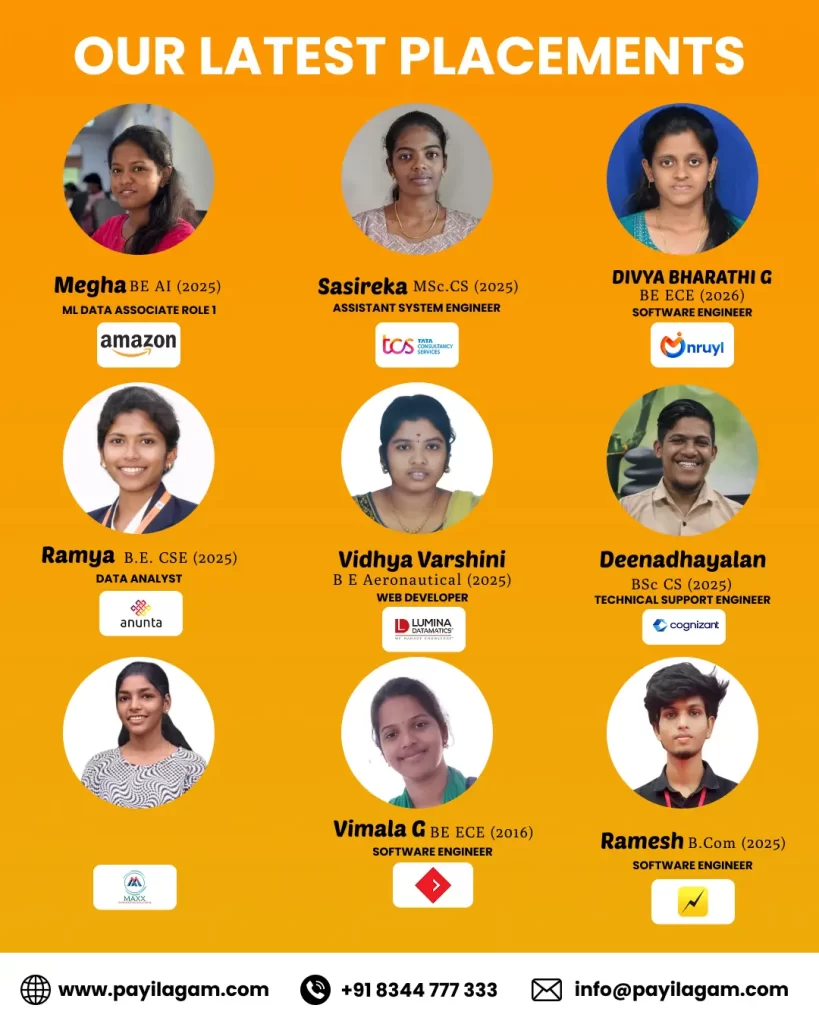
I had a wonderful experience with Payilagam. Joined Full Stack java Training in Chennai Payilagam Velachery and got placed. The training was well-structured and easy to understand even for beginners. The mentors guided me throughout the journey and helped me gain confidence. Thanks to the entire team for the strong placement support.

Ajay Raja
6 months ago
I recently Joined Full Stack java Training in Chennai Payilagam Velachery and got placed, and I’m sharing my honest experience.
They covered technologies like HTML, CSS, React, and Java basics, which helped in understanding both frontend and backend concepts. In between the sessions, they also conducted classes on Agile methodology, Software Development Life Cycle (SDLC), SQL, and also gave some insights about SEO, which was useful for gaining overall knowledge.
They also provide aptitude classes and English communication sessions, which can help in improving basic problem-solving skills and communication.
The trainers explain the concepts with examples, which makes it easier to understand the topics.
They also encouraged students to attend meetups once a month, which helps in networking and exposure to industry environments.
Overall, the course gives a general understanding of Full Stack Java and related concepts.

BhuvanaSri R
7 months ago
I have completed my Java Full Stack course at Payilagam Training Institute, and it has been a great learning experience.
The teaching provided by Vijay sir is excellent. He explains concepts clearly and always helps to clear our doubts patiently. We also built frontend and backend projects during the course, which were very helpful and easy to understand.
The institute also conducts mock interviews, which are very useful. Muthu sir guided us well and helped improve our confidence.
Additionally, aptitude and communication sessions handled by Shalman sir were very helpful in improving our soft skills.
The environment is very comfortable and supportive for learning.

Ashok Kumar
7 months ago
“Learning is a waste of time, and then standing still is a good thing.”
I had a great learning experience at Data Analytics Training in Chennai Payilagam Velachery. The training covers SQL, Python, Excel, Power BI and real-time projects with clear explanations and strong practical focus. Trainers are supportive and industry-oriented.

Arun Kumar
7 months ago
I completed my java Full Stack Development course at Payilagam Software Training Institute, Velachery. and it was a great learning experience.
The training quality is excellent, and the syllabus is industry-oriented.
Our trainers Vijai Sir and Muthu Sir explained concepts clearly with real-time project examples.
They focus on practical knowledge, which helped me understand React and backend technologies deeply,
Especially, their Java Training in Chennai Velachery is well-structured and industry-focused.
The institute provides strong support for interview preparation and resume building.
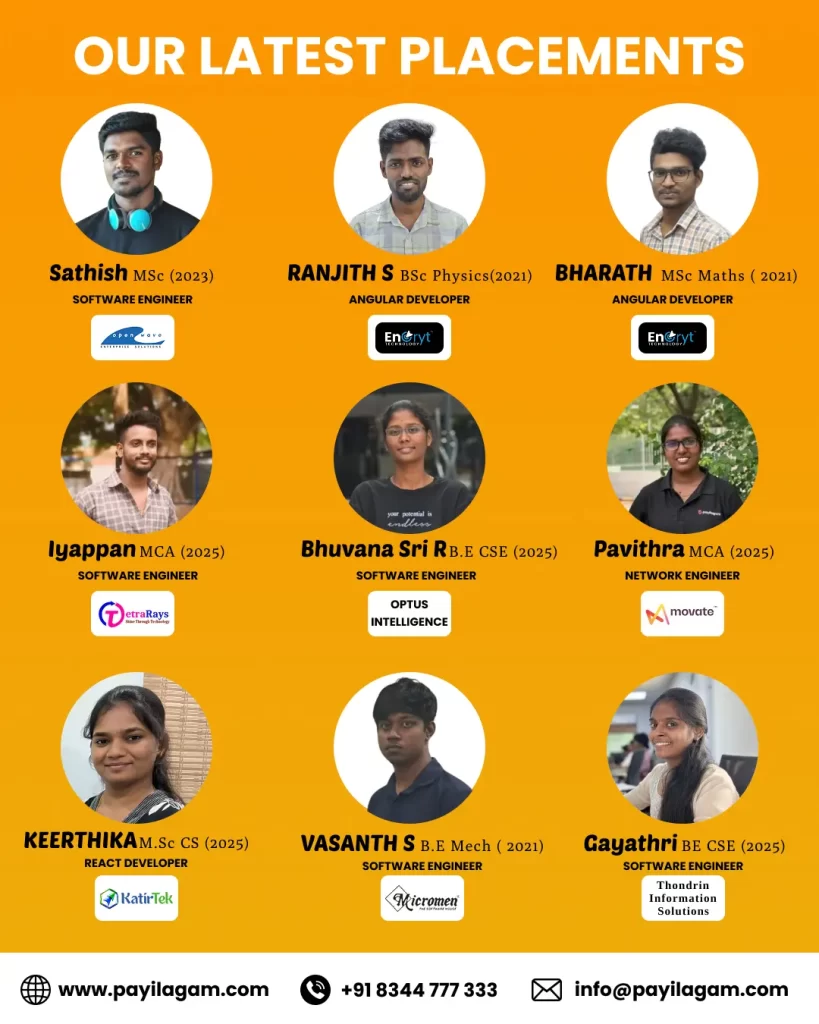
Because of their guidance, I got placed as a React Developer at Optus Innovation Company, Chennai.
I am a B.E (ECE) graduate, and this course helped me transition into the IT field confidently.
The teaching method is beginner-friendly and suitable for both freshers and career switchers.
If you are looking for the best full stack development training in Chennai,
The learning atmosphere at Payilagam is excellent peaceful, motivating, and perfect for spending long hours studying and practicing. Overall, it was a great experience, and I highly recommend Payilagam to anyone looking to build a strong career in software development.
Thank you, Payilagam, for helping me shape my career!

Prasanth
8 months ago
I completed my Full Stack Java training at Payilagam Institute, Chennai, and I had a wonderful learning experience. My trainer, Muthu Sir, explained all the concepts very clearly and was always available whenever I needed support.
Coming from a non-IT background, I faced many difficulties at the beginning of the course. However, with continuous guidance and practice, I have seen great improvement in my coding skills.
From an interview perspective, Muthu Sir trained me excellently by identifying the strengths of each student. He conducted mock interviews, which helped me improve my self-confidence and communication skills during HR interviews.
In every class, he made us perform specific tasks that encouraged interaction among students and boosted our confidence.
Payilagam is one of the best institutes for Java training and placement assistance in Chennai, Velachery

VIDHYA VARSHINI
8 months ago
I recently completed my Full Stack Java training at Payilagam Institute, Chennai and I had a wonderful learning experience. My trainer, Vijay Sir, explained all the concepts very clearly and was always available whenever I needed support.Coming from a non-IT background, I faced many difficulties at the beginning of the course. However, with continuous guidance and practice, I have seen great improvement in my coding skills.
From an interview perspective, Muthu Sir trained me excellently by identifying the strengths of each student. He conducted mock interviews, which helped me improve my self-confidence and communication skills with HR.
For communication and aptitude classes, Salman Sir guided me in a very effective way. In every class, he made us perform specific tasks that encouraged interaction among students and boosted our confidence. He also taught many shortcut tricks in aptitude, which helped me clear aptitude rounds easily. Additionally, he trained us on how to approach HR professionals, make calls, and enquire about job opportunities, which was a completely new and valuable experience for me.
After facing many rejections and failures, I finally got placed. I am extremely thankful to my mentors Vijay Sir, Muthu Sir, and Salman Sir for their constant guidance, support, and motivation throughout my journey. In the end, I feel very happy to have joined Payilagam Institute. For me, Payilagam is not just an institute—it has become a beautiful part of my life. I will always cherish this journey and the unforgettable memories I gained here.

kanaga vimala
9 months ago
I joined Payilagam to pursue a Python Full Stack Development course and later had to discontinue my career due to marriage, which resulted in a career break.
Based on a referral from my friend and the positive feedback about Payilagam, I rejoined the institute to restart my career. Initially, I had no prior coding knowledge, but with continuous guidance and support, I have now gained the confidence to build a website independently.
I sincerely appreciate the support from all the trainers and would like to express my special thanks to Vijay Sir and Muthu Sir for their valuable guidance and mentorship.

Bharath kumar
9 months ago
I completed my Java Full Stack Development training at Payilagam Institute, Velachery. The trainers were knowledgeable and the coordinator guided me very well throughout the course. Overall, it was a great learning experience.
I completed my M.Sc Mathematics in 2021.I faced many struggles during my journey, but with proper support from the coordinator and trainers, I was able to move towards achieving my placement goals.
The trainers always motivated me whenever I struggled, especially during interview preparation. I also received valuable tips and guidance which helped me improve.
The training was very helpful for students. It helped us learn technology correctly through teamwork, doubt clearance, and real-time coding examples.
Thank you to All trainers ( Muthu Sir , Vijay Sir , Prithvi Sir , Salman Sir , Vallarasu Sir ) , Non Teaching Employees And friends......

Ranjith Ranjith
9 months ago
I am ranjith .I completed the Java Full Stack course at Payilagam and got selected for an internship.
Before this, I worked as a salesman at GRT for 4.5 years. I wanted to move into the IT field, so I decided to study. I am very happy about it.
I studied well without any pressure. I went in the morning and returned only at night. I spent most of my time at Payilagam.
They taught not only the course, but also about IT work culture. They guided me step by step.
Along with studies, there were fun activities and aptitude classes, so learning was easy and enjoyable. The trainers guided me personally and supported me very well.
During the course, I attended many interviews through Payilagam and gained a lot of experience. Now I have no fear of interviews. Payilagam helped me overcome my fear and gave me confidence.
Thanks to Payilagam.

Vasanth S
9 months ago
I recently completed my Java Full Stack Development course in Payilagam Software Training Institute, Velachery, Chennai. The trainers explained the concepts in a clear and simple way. They treated all students well and supported us in learning. All important Java full stack technologies were covered. Practical sessions helped me understand new concepts easily. The learning environment was friendly and motivating. Overall, it was a good experience and helpful for my career.

Sathish
9 months ago
I recently completed my Java Full Stack course at Payilagam, Velachery. It is really a life-changing place for me. When I first came to Chennai, I did not know much about technical things. But now, I have worked on many hands-on projects, and it improved my confidence and skills.
Payilagam gives very good teaching, especially for middle-class students like me. I faced many interview failures in my journey, but those failures helped me learn and improve myself. I am very thankful to Muthu Sir because he always motivated me and supported me during difficult times.
While studying at Payilagam, I worked on live projects, which were very useful for me. That experience helped me a lot in interviews. Clearing interviews was not easy, but regular learning and practice helped me succeed. My friends and family were my biggest support in this journey.
One special thing about Payilagam is the Sunday special sessions conducted by Muthu Sir. He explained topics like Agile, Testing, and SDLC in a simple way, which helped me understand how the real IT industry works.
I also want to thank my trainer Vijay Sir. He is very calm, friendly, and encouraging. His way of teaching made learning easy and comfortable for me.
Writing about Payilagam does not feel like the end of my journey. Payilagam is not just an institute for me; it is a part of my life. Simply saying, Java Full Stack training in Chennai is best at Payilagam.
Finally, I want to say thanks to all my mentors: Muthuramalingam, Vijayaragavan, Siva, Arun, Prithivi, Salman, and Vallarasu. These people shaped me, guided me, and helped sharpen my skills.

Dhanush Kumar
9 months ago
I recently completed my Full Stack Java Training in Chennai Velachery at Payilagam, and it was a very valuable experience. I came from an Electronics background with no prior web development knowledge, but the structured teaching from basics to advanced concepts made learning easy and confidence-building. The hands-on real-time project training helped me understand frontend, backend, and Java concepts clearly.
Payilagam also provides aptitude training, mock interviews, and communication guidance, which helped me to prepare for interviews professionally. Weekend tech meetups and conferences gave me good exposure to the real IT environment. I highly recommend Payilagam for freshers and non-IT students aiming for a software career.

SURIYA PRABAKARAN.S
10 months ago
I had a wonderful learning experience at Payilagam.
The staff here are extremely friendly, supportive, and always approachable.
They explain every concept with so much patience, using simple examples and real-time scenarios that make understanding very easy.
The tutors communicate in a very kind and clear way, and they never hesitate to repeat or clarify doubts — whether small or big.
Their guidance, motivation, and practical teaching style truly helped me grow in confidence throughout my course.
I really appreciate the positive environment they create, where students feel comfortable to ask questions and learn freely.
Overall, Payilagam is a great place for anyone looking for quality training, real-time examples, and caring instructors.
Highly recommended! 🌟

swetha palani
11 months ago
I learned frontend and backend development at Payilagam Software Training Institute. My trainer, Vijay Sir, taught every topic very clearly and matched my learning speed, which helped me understand concepts easily. For interview preparation, Muthu Sir trained me from a beginner level and supported me a lot.
For aptitude and communication training, Salam Sir guided me very well. I did not just learn aptitude and communication—I also gained confidence, discipline, and strong motivation. All the trainers supported me throughout my learning journey. They also taught me how to apply for jobs, how to approach HR, and how to handle interviews effectively.
Because of their guidance, I have now secured a job at Avacend Solutions Private Limited, Ticle Park, Thiruvanmiyur, as a Frontend Developer and SEO Specialist.
Thank you so much to everyone. These are my best moments at Payilagam Software Training Institute. I learned not only technical education but also teamwork, communication, confidence, and real project skills.

Preethi Nandhagopal
11 months ago
I recently completed an online course at Payilagam Institute for selenium and I am extremely happy with the training. The course was well structured, and the trainer(Nantha Kumar sir) explained every concept clearly with real-time examples. I felt fully satisfied with the way they guided me throughout the sessions.
The institute was very supportive and always available to clarify doubts whenever needed. Their encouragement and guidance really helped me build confidence in the subject.
Overall, it was a great learning experience and I would definitely recommend Payilagam to anyone looking for quality training and proper career guidance.And my gratitude to Muthuramalingam sir.