Introduction
Have you ever created a Java object, changed one value in another object, and then wondered why the original object’s data also changed? This is a common challenge for many beginners learning Java. It usually happens because both objects are referring to the same memory location instead of having separate copies. As your applications become larger, this problem can lead to unexpected bugs and make your code difficult to manage.
To solve this, Java provides different ways to create copies of objects, and one of the simplest and most reliable approaches is the copy constructor in Java. Although Java does not include a built-in copy constructor like some other programming languages, developers can easily create one to duplicate an object’s data while keeping the original object unchanged.
Understanding the copy constructor in Java is an important step in learning Java object-oriented programming because it helps you manage objects safely, avoid accidental data changes, and write cleaner code. It also improves your understanding of Java constructors, Java class design, and Java object manipulation, which are essential skills for building real-world applications.
In this blog, you will learn what a copy constructor in Java is, why it is useful, how to write one using the correct syntax, and how it works with practical examples. We will also compare copy constructors with the clone() method, understand the difference between deep copy and shallow copy, explore common mistakes to avoid, and discuss the best practices for implementing copy constructors in Java. By the end of this guide, you will have a clear understanding of when and how to use a copy constructor in Java in your own programs.
What is a Copy Constructor in Java?
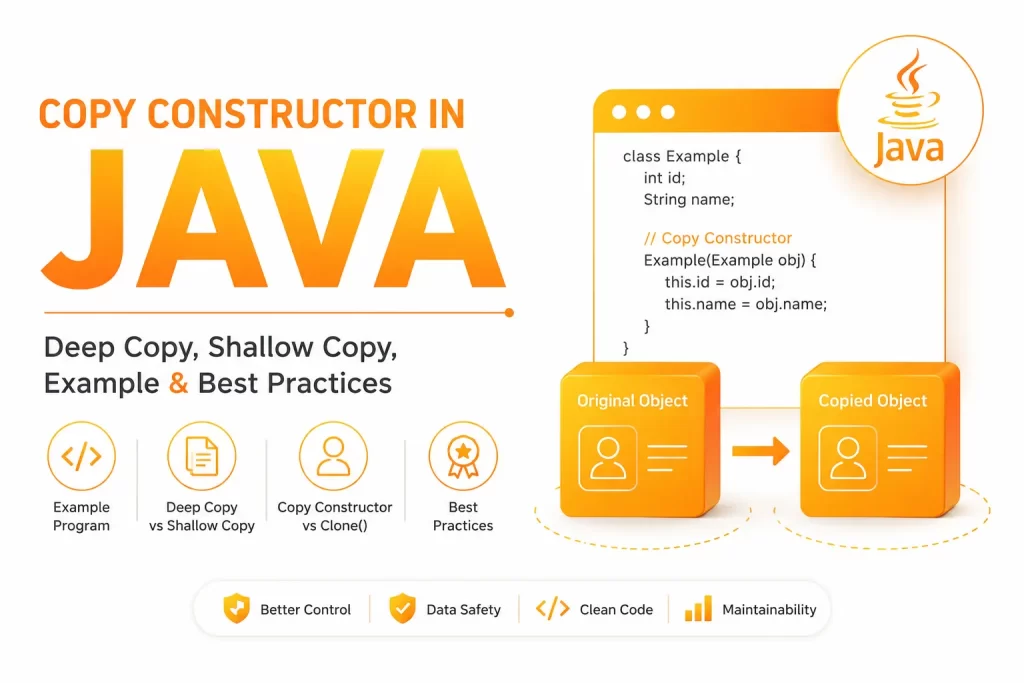
A copy constructor in Java is a special constructor that initializes a new object by using the data stored in another object of the same class. This allows you to create an independent copy without writing separate code to assign each value manually. Instead of assigning one object reference to another, a copy constructor creates a separate object with the same data. This allows both objects to work independently without affecting each other.
- ☑️ A copy constructor in Java creates a new object by copying the data from an existing object.
- ☑️ It accepts an object of the same class as its parameter.
- ☑️ Java does not provide a built-in copy constructor like C++, so developers must create it manually.
- ☑️ A copy constructor helps duplicate an object’s state without sharing the same object reference.
- ☑️ Changes made to the copied object do not affect the original object when the copied values are handled correctly.
- ☑️ It is commonly used in Java object-oriented programming to create safe and independent copies of objects.
- ☑️ A copy constructor improves Java class design by giving developers complete control over how object data is copied.
- ☑️ It is useful when working with custom classes, collections, and objects that need to be reused with different values.
- ☑️ Understanding the copy constructor in Java is an important step before learning advanced topics such as deep copy vs shallow copy, object cloning, and design patterns.
With a clear understanding of what a copy constructor is, the next step is to learn why developers use it and the problems it solves in real-world Java applications.
Why Do We Need a Copy Constructor?
- ☑️ A copy constructor helps create a new object with the same data as an existing object.
- ☑️ It prevents multiple objects from sharing the same reference when separate objects are required.
- ☑️ It allows you to modify the copied object without affecting the original object.
- ☑️ It reduces the need to assign each field manually, making the code shorter and easier to maintain.
- ☑️ It improves code readability by providing a clear and structured way to duplicate objects.
- ☑️ It gives developers better control over how object data is copied, especially for custom classes.
- ☑️ It supports safe Java object manipulation by avoiding unexpected changes to the original object.
- ☑️ It is useful when working with mutable objects that require independent copies.
- ☑️ It simplifies object creation in applications that frequently duplicate data, such as student records, employee details, product information, and configuration settings.
- ☑️ It plays an important role in Java object-oriented programming by promoting clean and reusable code.
- ☑️ It helps developers implement Java programming best practices by creating well-managed object copies.
- ☑️ It serves as a reliable alternative to the clone() method in many Java applications because it is easier to understand and customize.
Java Copy Constructor Syntax
The syntax of a copy constructor in Java is simple. It is a constructor that accepts an object of the same class as its parameter and copies the values from that object to the newly created object.
class Student {

    String name;

    int age;

    // Parameterized Constructor

    Student(String name, int age) {

        this.name = name;

        this.age = age;

    }

    // Copy Constructor

    Student(Student obj) {

        this.name = obj.name;

        this.age = obj.age;

    }

}
Explanation
- ☑️ class Student creates a class named Student.
- ☑️ String name and int age are the instance variables that store the object’s data.
- ☑️ The parameterized constructor initializes the object with the given values.
- ☑️ Student(Student obj) is the copy constructor because it receives another object of the same class.
- ☑️ The parameter obj refers to the existing object whose data needs to be copied.
- ☑️ this.name = obj.name; copies the value of the name variable from the existing object to the new object.
- ☑️ this.age = obj.age; copies the value of the age variable in the same way.
- ☑️ When a new object is created using this constructor, it receives the same values as the existing object while remaining a separate object in memory.
This is the basic syntax used to implement a copy constructor in Java. Once you understand this structure, it becomes easier to learn how the constructor copies data internally and creates a new object with the same values.
How Does a Copy Constructor in Java Work?
A copy constructor in Java works by accepting an existing object of the same class and using its values to initialize a newly created object. Instead of pointing to the same object in memory, it creates a separate object with copied data. This makes both objects independent, allowing changes in one object without affecting the other.
Step 1: Create the Original Object
First, an object is created using a constructor, and values are assigned to its variables.
Student s1 = new Student("Rahul", 22);

At this stage, the object s1 contains the values:

Name = Rahul

Age = 22
Step 2: Pass the Existing Object to the Copy Constructor
Next, the existing object is passed as an argument while creating another object.
Student s2 = new Student(s1);Here, s1 is passed to the copy constructor.
Step 3: Copy the Values
Inside the copy constructor, each instance variable is copied from the existing object to the new object.
Student(Student obj) {

    this.name = obj.name;

    this.age = obj.age;

}

In this step:

obj.name is copied to this.name.

obj.age is copied to this.age.
Step 4: Create a New Object
After copying the values, Java creates a completely new object in memory.
Now you have:
s1 → Name = Rahul, Age = 22

s2 → Name = Rahul, Age = 22
Although both objects contain the same data, they are stored separately in memory.
Step 5: Modify the Copied Object
If you update the copied object, the original object remains unchanged.
s2.name = "Arun";

Now the objects contain different values:

s1 → Name = Rahul, Age = 22

s2 → Name = Arun, Age = 22
This happens because the copy constructor in Java creates a new object instead of making both variables refer to the same object.
Copy Constructor in Java Example
The following example demonstrates how a copy constructor in Java creates a new object by copying the values from an existing object. Even though both objects contain the same data, they are stored separately in memory.
Java Program
class Student {

    String name;

    int age;

    // Parameterized Constructor

    Student(String name, int age) {

        this.name = name;

        this.age = age;

    }

    // Copy Constructor

    Student(Student obj) {

        this.name = obj.name;

        this.age = obj.age;

    }

    // Display Method

    void display() {

        System.out.println("Name: " + name + ", Age: " + age);

    }

    public static void main(String[] args) {

        // Creating the original object

        Student s1 = new Student("Rahul", 22);

        // Creating a copy of the original object

        Student s2 = new Student(s1);

        // Changing the copied object

        s2.name = "Arun";

        // Displaying both objects

        s1.display();

        s2.display();

    }

}

Output

Name: Rahul, Age: 22

Name: Arun, Age: 22
Explanation
- ☑️ A Student object named s1 is created using the parameterized constructor.
- ☑️ The object s1 stores the values Rahul and 22.
- ☑️ Another object named s2 is created by passing s1 to the copy constructor.
- ☑️ The copy constructor copies the values of name and age from s1 to s2.
- ☑️ After the object is copied, the value of s2.name is changed to Arun.
- ☑️ Since s2 is a separate object, the change affects only s2.
- ☑️ The original object s1 continues to store the values Rahul and 22.
- ☑️ The output shows that both objects are independent, even though one was created from the other.
This example clearly shows how a copy constructor in Java helps create a new object with the same data while allowing both objects to be modified independently. This approach is commonly used in Java object-oriented programming to duplicate objects safely and maintain clean, reusable code.
Copy Constructor for Custom Classes
A copy constructor in Java is especially useful when working with custom classes. Instead of copying values manually for every object, you can create a copy constructor that duplicates the object’s data in a clean and organized way. This approach improves code readability and makes object creation easier.
Example: Employee Class
class Employee {

    int id;

    String name;

    double salary;

    // Parameterized Constructor

    Employee(int id, String name, double salary) {

        this.id = id;

        this.name = name;

        this.salary = salary;

    }

    // Copy Constructor

    Employee(Employee emp) {

        this.id = emp.id;

        this.name = emp.name;

        this.salary = emp.salary;

    }

    void display() {

        System.out.println(id + " " + name + " " + salary);

    }

    public static void main(String[] args) {

        Employee emp1 = new Employee(101, "Rahul", 50000);

        Employee emp2 = new Employee(emp1);

        emp1.display();

        emp2.display();

    }

}

Output

101 Rahul 50000.0

101 Rahul 50000.0
Explanation
- ☑️ The Employee class contains three instance variables: id, name, and salary.
- ☑️ The parameterized constructor initializes an employee object with the given values.
- ☑️ The copy constructor receives an existing Employee object as its parameter.
- ☑️ It copies the values of id, name, and salary to the newly created object.
- ☑️ Both emp1 and emp2 contain the same employee information after the copy operation.
- ☑️ Even though the values are identical, emp1 and emp2 are two different objects stored separately in memory.
- ☑️ Any changes made to emp2 will not affect emp1, making object management safer and more reliable.
Common Uses of Copy Constructors in Custom Classes
- ☑️ Creating duplicate Employee objects while preserving the original data.
- ☑️ Copying Product objects before updating prices or stock information.
- ☑️ Duplicating Student records for different academic operations.
- ☑️ Creating copies of Bank Account objects before performing transactions.
- ☑️ Working with Customer, Order, or Vehicle classes where independent object copies are required.
- ☑️ Building backup objects before making changes in real-world Java applications.
Using a copy constructor in Java for custom classes helps developers write cleaner, reusable, and maintainable code. It also provides complete control over how object data is copied, making it one of the preferred techniques for duplicating objects in Java applications.
Copy Constructor for Arrays
Arrays are commonly used to store multiple values in Java. When an array is part of a class, simply copying its reference does not create a new array. Instead, both objects will point to the same array, and changes made through one object will also appear in the other. To avoid this problem, the copy constructor should create a new array and copy each element into it.
Example: Copy Constructor for an Array
class Student {

    String name;

    int[] marks;

    // Parameterized Constructor

    Student(String name, int[] marks) {

        this.name = name;

        this.marks = marks;

    }

    // Copy Constructor

    Student(Student obj) {

        this.name = obj.name;

        this.marks = new int[obj.marks.length];

        for (int i = 0; i < obj.marks.length; i++) {

            this.marks[i] = obj.marks[i];

        }

    }

}
Explanation
- ☑️ The Student class contains a name variable and an integer array named marks.
- ☑️ The parameterized constructor initializes both the name and the array.
- ☑️ The copy constructor creates a new array with the same size as the original array.
- ☑️ The for loop reads every value from the existing array and stores it in the newly created array one element at a time.
- ☑️ Since a new array is created, both objects have separate copies of the data.
- ☑️ If the array in the copied object is modified, the original object’s array remains unchanged.
Common Mistakes While Copying Arrays
- ☑️ Assigning the array directly using this.marks = obj.marks; instead of creating a new array.
- ☑️ Forgetting to allocate memory for the new array before copying the elements.
- ☑️ Assuming that copying the array reference creates a separate copy of the array.
- ☑️ Ignoring the difference between copying primitive arrays and arrays that contain objects.
- ☑️ Not checking whether the source array is null before copying its elements.
Using a copy constructor in Java for arrays ensures that each object has its own independent array. This approach prevents accidental data sharing and helps maintain data integrity when working with arrays in Java applications.
Copy Constructor for Collections
Collections are widely used in Java to store and manage groups of objects. Java offers several collection classes to organize and manage groups of data efficiently. Some widely used collections include ArrayList, HashMap, and LinkedList. When a collection is copied by assigning its reference, both objects share the same collection. As a result, changes made through one object will also be visible in the other. A copy constructor helps avoid this by creating a separate collection for the new object.
Example: Copy Constructor for an ArrayList
import java.util.ArrayList;

class Student {

    String name;

    ArrayList<String> subjects;

    // Parameterized Constructor

    Student(String name, ArrayList<String> subjects) {

        this.name = name;

        this.subjects = subjects;

    }

    // Copy Constructor

    Student(Student obj) {

        this.name = obj.name;

        this.subjects = new ArrayList<>(obj.subjects);

    }

}
Explanation
- ☑️ The Student class contains a name variable and an ArrayList named subjects.
- ☑️ The parameterized constructor initializes both the student’s name and the collection.
- ☑️ The copy constructor creates a new ArrayList using the values from the existing collection.
- ☑️ The newly created object receives its own collection instead of sharing the original one.
- ☑️ Adding or removing elements from the copied object’s collection does not affect the original object’s collection.
- ☑️ This approach creates a safer and more reliable way to work with collections in Java.
Collections That Commonly Use Copy Constructors
- ☑️ ArrayList – Used to create a separate list with the same elements.
- ☑️ LinkedList – Helps duplicate linked list data without sharing the same list reference.
- ☑️ HashMap – Creates a new map containing the same key-value pairs.
- ☑️ HashSet – Makes an independent copy of a set while preserving its elements.
- ☑️ Vector – Copies the existing vector into a new object for separate modifications.
Best Practices
- ☑️ Create a new collection instead of assigning the existing collection reference.
- ☑️ Be careful when collections contain mutable objects, as only the collection is copied, not the objects inside it.
- ☑️ Use a deep copy when the collection stores custom objects that should remain completely independent.
- ☑️ Check for null values before copying a collection to avoid runtime errors.
Using a copy constructor in Java for collections helps prevent unwanted data sharing between objects. It also makes your code easier to maintain and ensures that each object manages its own collection safely.
Copy Constructor with Inheritance
In Java, inheritance is a feature that enables a new class to reuse the data members and methods of an existing class. This reduces code duplication and makes programs easier to maintain. When a class extends another class, the copy constructor should copy both the parent class data and the child class data. This ensures that the new object contains all the required information from the original object.
Example: Copy Constructor with Inheritance
class Person {

    String name;

    // Parameterized Constructor

    Person(String name) {

        this.name = name;

    }

    // Copy Constructor

    Person(Person obj) {

        this.name = obj.name;

    }

}

class Student extends Person {

    int age;

    // Parameterized Constructor

    Student(String name, int age) {

        super(name);

        this.age = age;

    }

    // Copy Constructor

    Student(Student obj) {

        super(obj);

        this.age = obj.age;

    }

    void display() {

        System.out.println("Name: " + name);

        System.out.println("Age: " + age);

    }

    public static void main(String[] args) {

        Student s1 = new Student("Rahul", 22);

        Student s2 = new Student(s1);

        s2.display();

    }

}

Output

Name: Rahul

Age: 22
Explanation
- ☑️ The Person class is the parent class and contains the name variable.
- ☑️ The Student class extends the Person class and adds the age variable.
- ☑️ The Person class has its own copy constructor to copy the parent’s data.
- ☑️ Inside the Student copy constructor, super(obj) calls the parent class copy constructor.
- ☑️ The parent constructor copies the name value, while the child constructor copies the age value.
- ☑️ After both constructors complete their work, a new Student object is created with the same values as the original object.
- ☑️ The copied object is stored independently, so changes made to it do not affect the original object.
Best Practices for Copy Constructors with Inheritance
- ☑️ Always call the parent class copy constructor using super(obj) when the parent class contains instance variables.
- ☑️ Copy the parent class data before copying the child class data.
- ☑️ Ensure that each class is responsible for copying only its own instance variables.
- ☑️ Avoid duplicating parent class fields inside the child class copy constructor.
- ☑️ Use this approach to keep your inheritance hierarchy clean, maintainable, and easy to understand.
Using a copy constructor in Java with inheritance ensures that both parent and child class members are copied correctly. This makes object duplication more reliable and helps maintain a well-structured object-oriented design.
Deep Copy vs Shallow Copy in Java
When working with objects in Java, understanding the difference between deep copy and shallow copy is important. Although both techniques create a new object, they handle the object’s internal data differently. Choosing the right approach helps prevent unexpected changes and makes your application more reliable.
| Feature | Shallow Copy | Deep Copy |
| Object Creation | Creates a new object but shares referenced objects. | Creates a new object along with new copies of referenced objects. |
| Reference Variables | Original and copied objects share the same references. | Original and copied objects have separate references. |
| Effect of Changes | Changes to shared objects are visible in both objects. | Changes remain only in the object that was modified. |
| Memory Usage | Uses less memory because referenced objects are shared. | Uses more memory because new objects are created. |
| Performance | Faster due to fewer object creations. | Slightly slower because additional objects are created. |
| Best Use Case | Suitable for immutable data or when shared references are acceptable. | Suitable for mutable objects that require complete independence. |
What is a Shallow Copy?
A shallow copy creates a new object, but the objects referenced by its instance variables are not duplicated. Instead, both the original object and the copied object refer to the same nested objects. If one object modifies the shared data, the other object will also reflect those changes.
What is a Deep Copy?
A deep copy creates a completely independent object by copying both the main object and all of its referenced objects. Since every object has its own copy of the data, changes made to one object do not affect the other.
Example
Suppose a Student object contains an Address object.
- ☑️ In a shallow copy, both Student objects use the same Address object. Updating the address in one object also changes it for the other.
- ☑️ In a deep copy, each Student object has its own Address object. Updating one address does not affect the other.
Which One Should You Choose?
- ☑️ Choose a shallow copy when your class contains immutable data or when sharing referenced objects is acceptable.
- ☑️ Choose a deep copy when your class contains mutable objects that should remain completely independent.
- ☑️ For most real-world applications, a deep copy provides better data safety because it prevents unintended modifications to shared objects.
Understanding the difference between deep copy vs shallow copy in Java makes it easier to implement a copy constructor in Java correctly. It also helps you decide how object data should be copied based on your application’s requirements.
Copy Constructor vs Clone Method
Both the copy constructor and the clone() method are used to create copies of objects in Java. However, they work differently and have their own advantages. Understanding these differences helps you choose the right approach based on your application’s requirements.
| Feature | Copy Constructor | clone() Method |
| Definition | Creates a new object using another object of the same class. | Creates a copy of an object by calling the clone() method. |
| Implementation | Implemented manually by the developer. | Requires implementing the Cloneable interface and overriding the clone() method. |
| Flexibility | Gives full control over which fields should be copied. | Copies objects based on the implementation of clone(). |
| Readability | Easy to understand and maintain. | Can be difficult for beginners to understand. |
| Deep Copy Support | Can easily implement deep or shallow copy based on requirements. | Additional code is needed to perform a deep copy. |
| Exception Handling | Does not require special exception handling. | May throw CloneNotSupportedException if cloning is not supported. |
| Best Use Case | Suitable for custom object copying with complete control. | Useful when object cloning is already implemented and required by the application. |
Copy Constructor
- ☑️ Accepts an object of the same class as its parameter.
- ☑️ Allows developers to decide which fields should be copied.
- ☑️ Makes it easier to implement deep or shallow copying based on the application’s needs.
- ☑️ Does not require implementing the Cloneable interface.
- ☑️ Produces code that is simple to read and maintain.
clone() Method
- ☑️ Creates a copy by calling the clone() method.
- ☑️ Requires the class to implement the Cloneable interface.
- ☑️ By default, it performs a shallow copy.
- ☑️ Needs additional logic if a deep copy is required.
- ☑️ May generate a CloneNotSupportedException if cloning is not properly supported.
Which One Should You Choose?
- ☑️ Use a copy constructor when you need complete control over the object copying process.
- ☑️ Use the clone() method only when your application already relies on Java’s cloning mechanism.
- ☑️ For most Java applications, developers prefer copy constructors because they are easier to implement, understand, and customize.
Knowing the difference between the copy constructor and the clone() method helps you choose the most suitable approach for creating object copies while writing clean and maintainable Java code.
Advantages of Using Copy Constructors
- ☑️ Creates a new object with the same data while keeping it independent from the original object.
- ☑️ Reduces the need to assign each instance variable manually during object duplication.
- ☑️ Gives developers complete control over which fields should be copied.
- ☑️ Makes it easy to implement either a shallow copy or a deep copy based on application requirements.
- ☑️ Produces cleaner and more readable code by centralizing the object-copying logic in one place.
- ☑️ Improves code maintenance because changes to the copying process need to be updated only in the copy constructor.
- ☑️ Helps prevent unintended changes caused by sharing object references.
- ☑️ Works well with custom classes where object copying needs to follow specific business rules.
- ☑️ Does not require implementing the Cloneable interface or overriding the clone() method.
- ☑️ Avoids CloneNotSupportedException, which can occur when using the clone() method incorrectly.
- ☑️ Supports better Java class design by providing a structured and reusable approach to object duplication.
- ☑️ Encourages Java programming best practices by making object creation more predictable and easier to understand.
- ☑️ Makes debugging simpler because the copying process is explicitly defined by the developer.
- ☑️ Provides flexibility to validate or modify data while creating the copied object if required.
- ☑️ Widely used in real-world Java applications where independent object copies are needed for safe data handling.
Limitations of Copy Constructors
- ☑️ Java does not provide built-in support for copy constructors, so developers must create them manually.
- ☑️ Every class that requires object copying needs its own copy constructor implementation.
- ☑️ Writing copy constructors for classes with many fields can increase the amount of code.
- ☑️ Creating a deep copy requires additional logic to duplicate nested objects and reference variables.
- ☑️ If new fields are added to a class, the copy constructor must also be updated to include them.
- ☑️ Forgetting to copy a field may result in incomplete or incorrect object duplication.
- ☑️ Copy constructors cannot automatically handle object copying across an entire inheritance hierarchy unless each class defines its own copy constructor.
- ☑️ Implementing deep copies for complex object structures can make the code more time-consuming to write and maintain.
- ☑️ Copying large objects or multiple nested objects may increase memory usage.
- ☑️ Performance can be slightly affected when many objects need to be copied repeatedly.
- ☑️ Developers need a good understanding of mutable and immutable objects to implement copy constructors correctly.
- ☑️ Copy constructors are less suitable when object copying requirements change frequently, as the implementation must be maintained manually.
When Should You Use a Copy Constructor?
A copy constructor is the right choice when you need to create a new object that contains the same data as an existing object without affecting the original. It is especially useful when working with mutable objects, custom classes, collections, or arrays where independent copies are required. Developers also use copy constructors to avoid shared references, preserve the original object’s state, and implement custom copying rules based on business requirements. If your application needs safe object duplication, better control over the copying process, and cleaner, more maintainable code, using a copy constructor is often a more reliable option than relying on the clone() method.
Common Mistakes While Using Copy Constructors
- ☑️ Copying object references directly instead of creating new objects for mutable fields.
- ☑️ Forgetting to copy all instance variables, resulting in incomplete object duplication.
- ☑️ Assuming a copy constructor automatically performs a deep copy.
- ☑️ Reusing arrays or collections without creating separate copies.
- ☑️ Ignoring nested objects that also need to be duplicated.
- ☑️ Not handling null reference variables before copying them.
- ☑️ Failing to update the copy constructor after adding new fields to the class.
- ☑️ Copying immutable and mutable objects in the same way without considering their behavior.
- ☑️ Skipping the parent class’s copy constructor when working with inheritance.
- ☑️ Accidentally modifying the original object while preparing the copied object.
- ☑️ Writing unnecessary copying logic for immutable data types such as String and wrapper classes.
- ☑️ Assuming a copy constructor behaves the same as the clone() method.
- ☑️ Forgetting to test whether the copied object remains independent after modifications.
- ☑️ Creating shallow copies when the application requires completely separate objects.
- ☑️ Using a copy constructor without understanding the application’s object-copying requirements, which can lead to unexpected behavior.
Final Thoughts
Understanding the Copy Constructor in Java is an important step toward writing clean, reliable, and maintainable Java applications. It allows you to create independent object copies, avoid unintended changes caused by shared references, and implement custom object-copying logic based on your application’s needs. By learning when to use copy constructors, deep copy, and shallow copy, you can build better object-oriented programs with confidence. If you want to strengthen your Java programming skills through practical projects and expert guidance, Payilagam, the Best Software Training Institute in Chennai, offers industry-focused Java Training in Chennai designed to help beginners and aspiring developers gain real-world experience and build successful careers in software development.
FAQs about Copy Constructor in Java
1. What is a copy constructor in Java?
A copy constructor in Java is a constructor that creates a new object by using another object of the same class as input. It copies the required values from the existing object to the new one.
2. Does Java provide a built-in copy constructor?
No. Java does not include a built-in copy constructor. Developers must create and implement it manually whenever object copying is required.
3. Why is a copy constructor used in Java?
A copy constructor is used to create a duplicate object, avoid shared references, and provide better control over how object data is copied.
4. What is the difference between a copy constructor and the clone() method?
A copy constructor is manually implemented and gives complete control over the copying process, whereas the clone() method relies on the Cloneable interface and performs a shallow copy by default.
5. Can a copy constructor perform a deep copy?
Yes. A copy constructor can be designed to perform a deep copy by creating new copies of nested objects instead of copying their references.
6. Can a copy constructor perform a shallow copy?
Yes. If the copy constructor copies only object references instead of creating new objects, it performs a shallow copy.
7. Can a copy constructor be used with inheritance?
Yes. A child class can define its own copy constructor and call the parent class’s copy constructor to copy inherited fields.
8. Can arrays and collections be copied using a copy constructor?
Yes. Arrays and collections can be copied inside a copy constructor. Depending on the implementation, you can create either shallow or deep copies.
9. When should I use a copy constructor instead of the clone() method?
Use a copy constructor when you need complete control over the copying process, better readability, and customized object duplication logic.
10. Is a copy constructor suitable for all Java classes?
A copy constructor is suitable for most custom classes that require object duplication. However, the implementation should be designed based on the class structure and the application’s copying requirements.