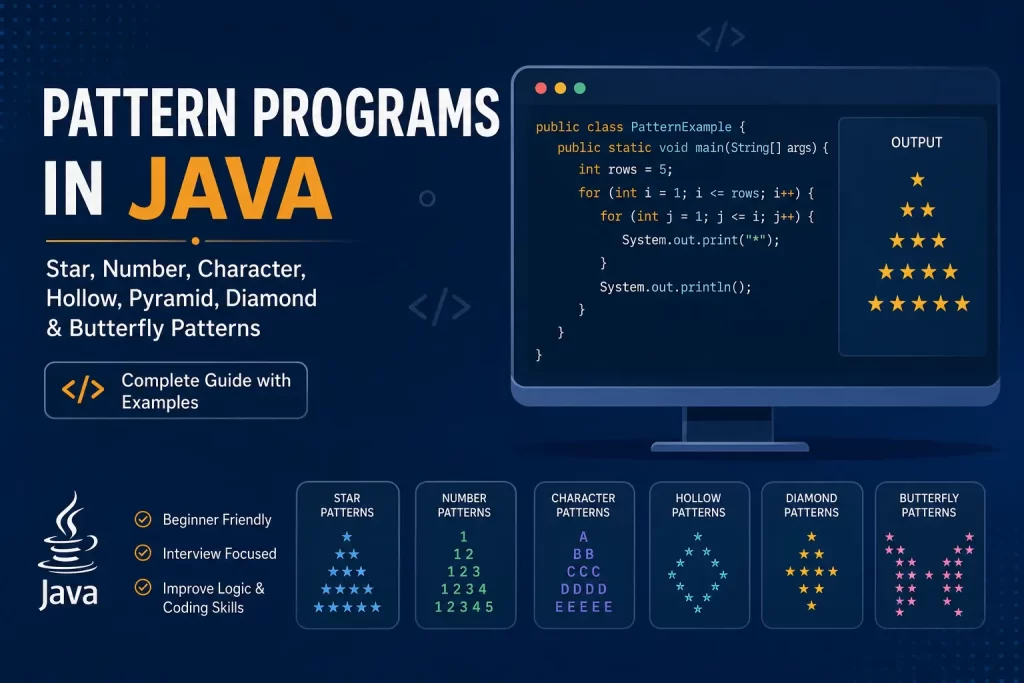
Pattern Programs in Java are one of the best ways to strengthen your programming logic and understand how loops work. Whether you are a beginner learning Java or preparing for technical interviews, practicing different pattern programs helps you build a strong foundation in the core concepts of Java. Most developers begin with simple star patterns and gradually move to number and character patterns to improve their problem-solving skills.
Learning a Java pattern program is not just about printing stars or numbers on the screen. It teaches you how to control the number of rows and columns, work with an outer loop and an inner loop, use nested loops, and decide when to print spaces or symbols. As you practice more patterns using loops, you start to observe the pattern before writing the Java code, making it easier to solve new programming challenges.
In this guide, you’ll learn pattern programs step by step with beginner-friendly explanations and complete Java programs to print different designs. We will cover star pattern programs, number pattern programs, character pattern programs, triangle and diamond patterns, hollow patterns, butterfly patterns, and many other commonly asked programs. Every example includes the pattern logic, Java code, sample output, and explanation, making it easier to understand and practice.
If you are preparing for Java interviews as a fresher or want to improve your Java programming skills, these Pattern Programs in Java from this blog will help you gain more confidence while mastering one of the most important topics in Java programming.
Introduction to Pattern Programs in Java
Pattern programs are among the first coding exercises every Java learner encounters. They may look simple, but they play an important role in developing logical thinking and strengthening the fundamentals of programming. Before moving on to different types of pattern programs, it is important to understand what they are, why they matter, and the Java concepts required to solve them efficiently.
What is a Pattern Program in Java?
A pattern program in Java is a program that displays a specific arrangement of stars, numbers, characters, or symbols by using loops and conditional statements. Instead of working on calculations, these programs focus on creating a visual structure based on a strong and defined logic.
Most Java pattern programs use nested loops, where the outer loop controls the number of rows, and the inner loop determines how many elements are printed in each row. Depending on the type of pattern, the program may also print spaces before displaying stars, numbers, or characters to create the required shape.
For example, you can create patterns such as:
- ☑️ Square patterns
- ☑️ Triangle patterns
- ☑️ Pyramid patterns
- ☑️ Diamond patterns
- ☑️ Hollow patterns
- ☑️ Butterfly patterns
- ☑️ Number patterns
- ☑️ Character patterns
Although these programs are simple, they teach you how to build logic step by step, making them an essential part of learning Java programming.
Why Are Pattern Programs Important?
Many beginners think pattern programs are only about displaying stars or numbers, but they offer much more than that. Pattern programs are important because they improve logical thinking and help you understand how different programming concepts work together.
When you solve different pattern programs in Java, you learn how to:
- ☑️ Work confidently with nested loops.
- ☑️ Control the number of rows and columns.
- ☑️ Decide when to print spaces and when to print symbols.
- ☑️ Build logic using loops and conditional statements.
- ☑️ Observe the structure of the pattern before writing code.
- ☑️ Strengthen the core concepts of Java.
As you practice more common Java pattern programs, you begin to recognize similar logic in other coding problems, making it easier to solve more advanced programming challenges.
Why Do Interviewers Ask Java Pattern Programs?
One of the main reasons interviewers ask Java pattern programs is to evaluate your logical thinking rather than your ability to memorize syntax. A simple star pattern or number pattern can reveal how well you analyze a problem, identify the required logic, and convert that logic into working Java code.
During Java interviews, pattern questions help interviewers assess whether you can:
- ☑️ Break a problem into smaller steps.
- ☑️ Use nested loops correctly.
- ☑️ Control the number of rows and the number of elements in each row.
- ☑️ Write clean and readable Java programs.
- ☑️ Explain your approach while solving a problem.
This is why pattern programs are commonly included in coding rounds for freshers. Even if the pattern looks different, interviewers are more interested in your problem-solving approach than the final output.
Java Concepts You Should Know Before Learning Pattern Programs
Before you start solving Pattern Programs in Java, you should have a basic understanding of a few concepts of Java. These topics will make it much easier to understand the logic behind every pattern.
You should be familiar with:
- ☑️ Variables and data types
- ☑️ for loops
- ☑️ while loops
- ☑️ if statements
- ☑️ Nested loops
- ☑️ Printing output using System.out.print() and System.out.println()
The most important concept is understanding how the outer loop controls the rows while the inner loop prints the required stars, numbers, characters, or spaces for each row. Once you master these basics, you’ll be able to solve various types of pattern programs and gradually move from simple patterns to more advanced ones like diamond patterns, butterfly star patterns, and numeric pattern programs with confidence.
Types of Pattern Programs in Java
Pattern programs can be classified into different categories based on what they print and the logic used to generate them. Once you have seen progress in Java programming, you will notice that most pattern programs in Java use the same concepts such as nested loops, the outer loop, the inner loop, and controlling the number of rows. Learning these categories step by step makes it easier to understand more advanced patterns later.
Star Pattern Programs
- ☑️ The most common type of pattern for beginners.
- ☑️ Prints stars (*) using loops.
- ☑️ Helps understand nested loops and loop execution.
- ☑️ Improves logical thinking and pattern observation.
- ☑️ Covers square, pyramid, triangle, diamond, hollow, and butterfly star pattern designs.
- ☑️ Builds confidence before moving to complex Java programs.
- ☑️ Frequently asked Java pattern programs during Java interviews.
Number Pattern Programs
- ☑️ Uses numbers instead of stars.
- ☑️ Teaches how to print values in a specific sequence.
- ☑️ Improves understanding of counting logic.
- ☑️ Helps control the number of elements in each row.
- ☑️ Includes increasing, decreasing, pyramid, palindrome, Pascal’s Triangle, and number-increasing reverse pyramid pattern examples.
- ☑️ Strengthens logical thinking using patterns using loops.
- ☑️ One of the most popular numeric pattern programs in Java.
Character Pattern Programs
- ☑️ Uses alphabets such as A, B, C, and D to create patterns.
- ☑️ Improves understanding of ASCII values and character manipulation.
- ☑️ Introduces character pattern programs in Java with simple examples.
- ☑️ Covers square, triangle, pyramid, diamond, and hollow character patterns.
- ☑️ Helps improve programming logic while working with characters.
- ☑️ Useful for mastering loops in the Java programming language
Which Pattern Should Beginners Learn First?
- ☑️ Start with the Square Star Pattern.
- ☑️ Move to the Right Half Pyramid Pattern.
- ☑️ Practice the Left Half Pyramid Pattern.
- ☑️ Learn the Reverse Right Half Pyramid Pattern.
- ☑️ Continue with the Reverse Left Half Pyramid Pattern.
- ☑️ Solve simple number pattern programs.
- ☑️ Practice basic character pattern programs.
- ☑️ Learn hollow patterns after mastering solid patterns.
- ☑️ Finally, practice advanced patterns such as Diamond Pattern and Butterfly Star Pattern.
- ☑️ Observe the pattern carefully before writing the Java code.
- ☑️ Practice every pattern multiple times to improve your skills in Java and prepare for Java interview questions.
Star Pattern Programs in Java
Star Pattern Programs are the best place to begin when learning Pattern Programs in Java. These programs help you understand how nested loops, the outer loop, and the inner loop work together to print different shapes. By practicing these patterns, you can improve your logical thinking, master patterns using loops, and prepare for Java interviews with confidence.
Square Star Pattern
The Square Star Pattern is one of the simplest star pattern programs in Java. It prints the same number of stars in every row, making it ideal for beginners to understand how loops work together.
Pattern Logic
- ☑️ The outer loop controls the number of rows.
- ☑️ The inner loop prints the required number of stars in each row.
- ☑️ Every row contains the same number of stars.
- ☑️ Since it is a square pattern, the number of rows and columns are equal.
- ☑️ No spaces are required while printing the pattern.
public class SquareStarPattern {

    public static void main(String[] args) {

        int rows = 5;

        for (int i = 1; i <= rows; i++) {

            for (int j = 1; j <= rows; j++) {

                System.out.print("* ");

            }

            System.out.println();

        }

    }

}

Output

* * * * *

* * * * *

* * * * *

* * * * *

* * * * *
Explanation
This program uses two nested loops. The outer loop executes five times to create five rows, while the inner loop prints five stars in every row. Since both loops run the same number of times, the output forms a perfect square.
Hollow Square Pattern
The Hollow Square Pattern is a variation of the square pattern where only the border is printed with stars, while the inside remains empty. This star pattern helps beginners understand how to combine nested loops with conditional statements to create a hollow pattern.
Pattern Logic
- ☑️ The outer loop controls the number of rows.
- ☑️ The inner loop controls the number of columns.
- ☑️ Print a star for the first and last row.
- ☑️ Print a star for the first and last column.
- ☑️ Print spaces for all remaining positions inside the square.
public class HollowSquarePattern {

    public static void main(String[] args) {

        int rows = 5;

        for (int i = 1; i <= rows; i++) {

            for (int j = 1; j <= rows; j++) {

                if (i == 1 || i == rows || j == 1 || j == rows) {

                    System.out.print("* ");

                } else {

                    System.out.print("  ");

                }

            }

            System.out.println();

        }

    }

}

Output

* * * * *

*       *

*       *

*       *

* * * * *
Explanation
The program uses nested loops to traverse every row and column. A star is printed only when the current position belongs to the border of the square. For all other positions, the program prints spaces, resulting in a hollow square pattern.
Right Half Pyramid Pattern
For beginners, the Right Half Pyramid Pattern is one of the most popular star pattern programs. In this pattern, the number of stars increases by one in each row, helping you understand how the outer loop and inner loop work together to control the pattern.
Pattern Logic
- ☑️ The outer loop controls the number of rows.
- ☑️ From the current row, the inner loop will print stars.
- ☑️ The current row number and the number of stars printed are equal.
- ☑️ Each new row contains one additional star.
- ☑️ No spaces are required before printing the stars.
public class RightHalfPyramidPattern {

    public static void main(String[] args) {

        int rows = 5;

        for (int i = 1; i <= rows; i++) {

            for (int j = 1; j <= i; j++) {

                System.out.print("* ");

            }

            System.out.println();

        }

    }

}

Output

*

* *

* * *

* * * *

* * * * *
Explanation
The outer loop runs once for each row, while the inner loop prints stars based on the current row number. As the row number increases, the number of stars also increases, forming a right half pyramid.
Left Half Pyramid Pattern
The Left Half Pyramid Pattern is similar to the right half pyramid, but the stars are aligned to the right by printing spaces before the stars. This pattern teaches you how to print spaces along with stars using nested loops.
Pattern Logic
- ☑️ The outer loop controls the number of rows.
- ☑️ The required spaces will be printed from the first inner loop.
- ☑️ The second inner loop prints the stars.
- ☑️ The number of spaces decreases in every row.
- ☑️ In each row, the number of stars increases by one.
public class LeftHalfPyramidPattern {

    public static void main(String[] args) {

        int rows = 5;

        for (int i = 1; i <= rows; i++) {

            for (int j = 1; j <= rows - i; j++) {

                System.out.print("  ");

            }

            for (int j = 1; j <= i; j++) {

                System.out.print("* ");

            }

            System.out.println();

        }

    }

}

Output

        *

      * *

    * * *

 * * *  *

* * * * *
Explanation
This program uses two inner loops. The first loop prints the leading spaces, while the second loop prints the stars. As the number of spaces decreases and the number of stars increases, the output forms a left half pyramid.
Reverse Right Half Pyramid Pattern
The Reverse Right Half Pyramid Pattern is the opposite of the right half pyramid. Instead of increasing the number of stars in each row, the pattern starts with the maximum number of stars and decreases by one in every row. It helps you understand how to reverse loop conditions in Java programming.
Pattern Logic
- ☑️ The outer loop controls the number of rows.
- ☑️ The inner loop prints stars for each row.
- ☑️ The first row prints the maximum number of stars.
- ☑️ Each subsequent row prints one less star.
- ☑️ No leading spaces are required.
public class ReverseRightHalfPyramidPattern {

    public static void main(String[] args) {

        int rows = 5;

        for (int i = rows; i >= 1; i--) {

            for (int j = 1; j <= i; j++) {

                System.out.print("* ");

            }

            System.out.println();

        }

    }

}

Output

* * * * *

* * * *

* * *

* *

*
Explanation
The outer loop starts from the maximum number of rows and decreases after every iteration. The inner loop prints stars equal to the current row value, creating a reverse right half pyramid.
Reverse Left Half Pyramid Pattern
The Reverse Left Half Pyramid Pattern is a mirrored version of the reverse right half pyramid. It combines spaces and stars to create a left-aligned reverse triangle, making it a useful exercise for understanding patterns using loops and controlling both spaces and symbols.
Pattern Logic
- ☑️ The outer loop controls the number of rows.
- ☑️ The first inner loop prints leading spaces.
- ☑️ The second inner loop prints stars.
- ☑️ The number of spaces increases in every row.
- ☑️ From each row, the number of stars will decrease by one.
public class ReverseLeftHalfPyramidPattern {

    public static void main(String[] args) {

        int rows = 5;

        for (int i = rows; i >= 1; i--) {

            for (int j = 1; j <= rows - i; j++) {

                System.out.print("  ");

            }

            for (int j = 1; j <= i; j++) {

                System.out.print("* ");

            }

            System.out.println();

        }

    }

}

Output

* * * * *
 * * * *
  * * *
   * *
    *
Explanation
The program uses two nested loops inside the outer loop. The first loop prints spaces that increase with each row, while the second loop prints a decreasing number of stars. Together, they create the reverse left half pyramid pattern.
Triangle Pattern
The Triangle Pattern is one of the most common star patterns in Java. Unlike a half pyramid, the stars are centered by printing spaces before each row. This pattern helps you understand how to balance spaces and stars using nested loops.
Pattern Logic
- ☑️ The outer loop controls the number of rows.
- ☑️ The first inner loop prints the leading spaces.
- ☑️ The second inner loop prints the stars.
- ☑️ The number of spaces decreases with each row.
- ☑️ The number of stars increases by two in every row to keep the pattern symmetrical.
public class TrianglePattern {

    public static void main(String[] args) {

        int rows = 5;

        for (int i = 1; i <= rows; i++) {

            for (int j = 1; j <= rows - i; j++) {

                System.out.print(" ");

            }

            for (int j = 1; j <= (2 * i - 1); j++) {

                System.out.print("*");

            }

            System.out.println();

        }

    }

}

Output

    *
   ***
  *****
 *******
*********
Explanation
The outer loop creates each row. The first inner loop prints the required spaces, while the second inner loop prints an odd number of stars (2 × row – 1). This combination forms a centered triangle pattern.
Hollow Triangle Pattern
The Hollow Triangle Pattern prints stars only along the edges of the triangle and on the last row, leaving the inside empty. It is a good exercise for learning how to combine loops with conditional statements to create a hollow pattern.
Pattern Logic
- ☑️ The outer loop controls the number of rows.
- ☑️ The first inner loop prints leading spaces.
- ☑️ The second inner loop prints stars or spaces.
- ☑️ Print stars only on the left edge, right edge, and last row.
- ☑️ Print spaces for all positions inside the triangle.
public class HollowTrianglePattern {

    public static void main(String[] args) {

        int rows = 5;

        for (int i = 1; i <= rows; i++) {

            for (int j = i; j < rows; j++) {

                System.out.print(" ");

            }

            for (int j = 1; j <= (2 * i - 1); j++) {

                if (j == 1 || j == (2 * i - 1) || i == rows) {

                    System.out.print("*");

                } else {

                    System.out.print(" ");

                }

            }

            System.out.println();

        }

    }

}

Output

    *

   * *

  *   *

 *     *

*********
Explanation
This program first prints the leading spaces and then checks whether the current position belongs to the border of the triangle. If it does, a star is printed; otherwise, a space is displayed, creating a hollow triangle.
Mirror Image Triangle Pattern
The Mirror Image Triangle Pattern is a right-aligned version of the half pyramid. It prints leading spaces before the stars, making the triangle appear as a mirror image. This pattern helps you understand how to control the alignment of a star pattern using nested loops.
Pattern Logic
- ☑️ The outer loop controls the number of rows.
- ☑️ The required spaces will be printed from the first inner loop.
- ☑️ The second inner loop prints the stars.
- ☑️ The number of spaces decreases in each row.
- ☑️ The number of stars increases by one in every row.
public class MirrorImageTrianglePattern {

    public static void main(String[] args) {

        int rows = 5;

        for (int i = 1; i <= rows; i++) {

            for (int j = 1; j <= rows - i; j++) {

                System.out.print(" ");

            }

            for (int j = 1; j <= i; j++) {

                System.out.print("*");

            }

            System.out.println();

        }

    }

}

Output
    *
    **

   ****

  ******

 ********

**********
Explanation
The program uses two nested loops. The first loop prints the leading spaces, and the second loop prints the stars. As the spaces decrease and the stars increase, the output forms a mirror image triangle.
Hollow Reverse Triangle Pattern
The Hollow Reverse Triangle Pattern is an inverted hollow triangle where only the boundary stars are printed. The inside of the triangle remains empty, making it a good exercise for learning patterns using loops and conditional statements.
Pattern Logic
- ☑️ The outer loop controls the number of rows.
- ☑️ The first inner loop prints leading spaces.
- ☑️ The second inner loop prints stars or spaces.
- ☑️ Print stars only on the first row, left edge, and right edge.
- ☑️ Print spaces inside the triangle.
public class HollowReverseTrianglePattern {

    public static void main(String[] args) {

        int rows = 5;

        for (int i = rows; i >= 1; i--) {

            for (int j = 1; j <= rows - i; j++) {

                System.out.print(" ");

            }

            for (int j = 1; j <= (2 * i - 1); j++) {

                if (i == rows || j == 1 || j == (2 * i - 1)) {

                    System.out.print("*");

                } else {

                    System.out.print(" ");

                }

            }

            System.out.println();

        }

    }

}

Output

*********

 *      *

  *     *

   *   *

     *
Explanation
The outer loop starts from the maximum number of rows and decreases in every iteration. The first inner loop prints the leading spaces, while the second loop prints stars only on the boundary positions. The remaining positions are filled with spaces, producing a hollow reverse triangle.
Pyramid Pattern
The Pyramid Pattern is one of the most commonly asked star pattern programs in Java. It creates a centered pyramid by printing spaces before the stars. This pattern helps you understand how to build symmetrical shapes using nested loops and control the number of rows effectively.
Pattern Logic
- ☑️ The outer loop controls the number of rows.
- ☑️ The first inner loop prints the leading spaces.
- ☑️ The second inner loop prints the stars.
- ☑️ The number of spaces decreases in every row.
- ☑️ The number of stars increases by two in each row to maintain symmetry.
public class PyramidPattern {

    public static void main(String[] args) {

        int rows = 5;

        for (int i = 1; i <= rows; i++) {

            for (int j = 1; j <= rows - i; j++) {

                System.out.print(" ");

            }

            for (int j = 1; j <= (2 * i - 1); j++) {

                System.out.print("*");

            }

            System.out.println();

        }

    }

}

Output

      *

    ***

  *****

 *******

*********
Explanation
The outer loop creates each row, while the first inner loop prints the required spaces to center the pyramid. The second inner loop prints an odd number of stars in every row, forming a perfectly symmetrical pyramid.
Inverted Pyramid Pattern
This pattern program will be the reverse of the pyramid pattern. It begins with the maximum number of stars and gradually reduces them in each row while increasing the leading spaces. This pattern is useful for learning how to reverse loop logic in Java programming.
Pattern Logic
- ☑️ The outer loop controls the number of rows.
- ☑️ The first inner loop prints the leading spaces.
- ☑️ The second inner loop prints the stars.
- ☑️ The number of spaces increases in every row.
- ☑️ The number of stars decreases by two in each row.
public class InvertedPyramidPattern {

    public static void main(String[] args) {

        int rows = 5;

        for (int i = rows; i >= 1; i--) {

            for (int j = 1; j <= rows - i; j++) {

                System.out.print(" ");

            }

            for (int j = 1; j <= (2 * i - 1); j++) {

                System.out.print("*");

            }

            System.out.println();

        }

    }

}

Output

*********

 *******

  *****

   ***

    *
Explanation
This program starts by printing the widest row of the pyramid. With each iteration, the outer loop reduces the number of stars, while the first inner loop adds one extra leading space. This creates a centered inverted pyramid pattern.
Diamond Star Pattern
The Diamond Star Pattern combines a pyramid and an inverted pyramid to create a symmetrical diamond shape. It is one of the most popular star patterns in Java because it strengthens your understanding of nested loops, spaces, and symmetrical pattern logic.
Pattern Logic
- ☑️ The first half prints an increasing pyramid.
- ☑️ The second half prints a decreasing inverted pyramid.
- ☑️ The outer loop controls the number of rows.
- ☑️ The first inner loop prints the leading spaces.
- ☑️ The second inner loop prints the stars.
- ☑️ The number of stars first increases and then decreases symmetrically.
public class DiamondStarPattern {

    public static void main(String[] args) {

        int rows = 5;

        // Upper Half

        for (int i = 1; i <= rows; i++) {

            for (int j = i; j < rows; j++) {

                System.out.print(" ");

            }

            for (int j = 1; j <= (2 * i - 1); j++) {

                System.out.print("*");

            }

            System.out.println();

        }

        // Lower Half

        for (int i = rows - 1; i >= 1; i--) {

            for (int j = rows; j > i; j--) {

                System.out.print(" ");

            }

            for (int j = 1; j <= (2 * i - 1); j++) {

                System.out.print("*");

            }

            System.out.println();

        }

    }

}

Output

    *

   ***

  *****

 *******

*********

 *******

  *****

   ***

    *
Explanation
This program is divided into two parts. The first set of nested loops prints the upper pyramid, while the second set prints the inverted pyramid. When both halves are combined, they form a perfectly symmetrical diamond star pattern.
Hollow Diamond Pattern
The Hollow Diamond Pattern is a variation of the diamond where only the outline is printed with stars, leaving the inside empty. This hollow pattern is an excellent exercise for learning how to combine loops with conditional statements.
Pattern Logic
- ☑️ Print only the boundary stars.
- ☑️ Use two halves to create the complete diamond.
- ☑️ The outer loop controls the rows.
- ☑️ The first inner loop prints leading spaces.
- ☑️ The second inner loop prints stars or spaces.
- ☑️ The center of the diamond remains hollow.
public class HollowDiamondPattern {

    public static void main(String[] args) {

        int rows = 5;

        // Upper Half

        for (int i = 1; i <= rows; i++) {

            for (int j = i; j < rows; j++) {

                System.out.print(" ");

            }

            for (int j = 1; j <= (2 * i - 1); j++) {

                if (j == 1 || j == (2 * i - 1) || i == 1) {

                    System.out.print("*");

                } else {

                    System.out.print(" ");

                }

            }

            System.out.println();

        }

        // Lower Half

        for (int i = rows - 1; i >= 1; i--) {

            for (int j = rows; j > i; j--) {

                System.out.print(" ");

            }

            for (int j = 1; j <= (2 * i - 1); j++) {

                if (j == 1 || j == (2 * i - 1) || i == 1) {

                    System.out.print("*");

                } else {

                    System.out.print(" ");

                }

            }

            System.out.println();

        }

    }

}

Output

    *

   * *

  *   *

 *     *

*       *

 *     *

  *   *

   * *

    *
Explanation
The program prints stars only on the outer boundary of the diamond. All inner positions are filled with spaces. The upper and lower halves use similar logic, resulting in a clean and symmetrical hollow diamond.
Butterfly Star Pattern
The Butterfly Star Pattern is one of the most advanced star pattern programs for beginners. It combines two mirrored triangles separated by spaces, creating a shape that resembles butterfly wings. This pattern is commonly used to practice complex nested loop logic.
Pattern Logic
- ☑️ Divide the pattern into an upper and lower half.
- ☑️ The outer loop controls the rows.
- ☑️ Print stars on both sides.
- ☑️ Print spaces between the two groups of stars.
- ☑️ The number of stars first increases and then decreases.
- ☑️ The spaces decrease in the upper half and increase in the lower half.
public class ButterflyStarPattern {

    public static void main(String[] args) {

        int rows = 5;

        // Upper Half

        for (int i = 1; i <= rows; i++) {

            for (int j = 1; j <= i; j++)

                System.out.print("*");

            for (int j = 1; j <= 2 * (rows - i); j++)

                System.out.print(" ");

            for (int j = 1; j <= i; j++)

                System.out.print("*");

            System.out.println();

        }

        // Lower Half

        for (int i = rows - 1; i >= 1; i--) {

            for (int j = 1; j <= i; j++)

                System.out.print("*");

            for (int j = 1; j <= 2 * (rows - i); j++)

                System.out.print(" ");

            for (int j = 1; j <= i; j++)

                System.out.print("*");

            System.out.println();

        }

    }

}

Output

*        *

**      **

***    ***

****  ****

**********

****  ****

***    ***

**      **

*        *
Explanation
The butterfly pattern consists of two mirrored triangles. The stars expand toward the center in the upper half and contract in the lower half, while the spaces behave in the opposite way. This creates a balanced butterfly-shaped pattern using nested loops.
Number Pattern Programs in Java
Number Pattern Programs help you improve your logical thinking by printing numbers in different arrangements instead of stars. These number pattern programs in Java strengthen your understanding of nested loops, row and column relationships, and counting logic. Once you are comfortable with star pattern programs, practicing number pattern programs will help you solve more advanced coding problems and prepare for Java interviews.
Number Square Pattern
The Number Square Pattern prints the same sequence of numbers in every row. It is one of the easiest numeric pattern programs in Java and helps beginners understand how the outer loop and inner loop work together.
Pattern Logic
- ☑️ The outer loop controls the number of rows.
- ☑️ The inner loop prints the numbers in each row.
- ☑️ Every row contains the same sequence of numbers.
- ☑️ The number of rows and columns are equal.
- ☑️ No spaces are required other than between the numbers.
public class NumberSquarePattern {

    public static void main(String[] args) {

        int rows = 5;

        for (int i = 1; i <= rows; i++) {

            for (int j = 1; j <= rows; j++) {

                System.out.print(j + " ");

            }

            System.out.println();

        }

    }

}

Output

1 2 3 4 5

1 2 3 4 5

1 2 3 4 5

1 2 3 4 5

1 2 3 4 5
Explanation
The outer loop creates each row, while the inner loop prints numbers from 1 to 5 repeatedly. Since every row follows the same sequence, the output forms a number square.
Increasing Number Triangle
The Increasing Number Triangle prints numbers in ascending order, with each row containing one additional number. This pattern is useful for understanding how loop variables can be used to generate values dynamically.
Pattern Logic
- ☑️ The outer loop controls the number of rows.
- ☑️ Till the current row, the inner loop prints numbers from 1.
- ☑️ In each row, the number will be increased by one from the previous row.
- ☑️ Numbers are printed in ascending order.
- ☑️ No leading spaces are required.
public class IncreasingNumberTriangle {

    public static void main(String[] args) {

        int rows = 5;

        for (int i = 1; i <= rows; i++) {

            for (int j = 1; j <= i; j++) {

                System.out.print(j + " ");

            }

            System.out.println();

        }

    }

}

Output

1

1 2

1 2 3

1 2 3 4

1 2 3 4 5
Explanation
The outer loop creates each row, while the inner loop prints numbers from 1 to the current row number. As the row increases, the number of printed elements also increases, forming an increasing number triangle.
Reverse Number Triangle Pattern
The Reverse Number Triangle Pattern is the opposite of the increasing number triangle. It starts with the maximum sequence of numbers and decreases by one number in every row. This pattern helps you practice reverse loop logic in Java programming.
Pattern Logic
- ☑️ The outer loop controls the number of rows.
- ☑️ The inner loop prints numbers from 1 to the current row limit.
- ☑️ The first row prints the maximum sequence.
- ☑️ Each new row contains one less number.
- ☑️ No leading spaces are required.
public class ReverseNumberTrianglePattern {

    public static void main(String[] args) {

        int rows = 5;

        for (int i = rows; i >= 1; i--) {

            for (int j = 1; j <= i; j++) {

                System.out.print(j + " ");

            }

            System.out.println();

        }

    }

}

Output

1 2 3 4 5

1 2 3 4

1 2 3

1 2

1
Explanation
The outer loop starts from the maximum row count and decreases with each iteration. The inner loop prints numbers up to the current row value, creating a reverse number triangle.
Number Pyramid
The Number Pyramid prints numbers in a centered pyramid shape. It combines leading spaces with ascending numbers to create a symmetrical pattern. This number pattern helps you understand how to align values while using nested loops.
Pattern Logic
- ☑️ The outer loop controls the number of rows.
- ☑️ The first inner loop prints the leading spaces.
- ☑️ The second inner loop prints the row number.
- ☑️ The number of spaces decreases in each row.
- ☑️ The same number is repeated in every row.
public class NumberPyramidPattern {

    public static void main(String[] args) {

        int rows = 5;

        for (int i = 1; i <= rows; i++) {

            for (int j = 1; j <= rows - i; j++) {

                System.out.print(" ");

            }

            for (int j = 1; j <= (2 * i - 1); j++) {

                System.out.print(i);

            }

            System.out.println();

        }

    }

}

Output

     1

   222

  33333

 4444444

555555555
Explanation
The first inner loop prints the required leading spaces, while the second inner loop prints the current row number multiple times. As the number of spaces decreases and the number of printed digits increases, the output forms a centered number pyramid.
Number Increasing Reverse Pyramid Pattern
The Number Increasing Reverse Pyramid Pattern starts with the maximum sequence of numbers and gradually reduces the number of elements in each row. It is one of the most common number pattern programs in Java asked to test loop logic.
Pattern Logic
- ☑️ The outer loop controls the number of rows.
- ☑️ The inner loop prints numbers in increasing order.
- ☑️ The first row contains the maximum sequence.
- ☑️ Each row prints one less number than the previous row.
- ☑️ The pattern ends with a single number.
public class NumberIncreasingReversePyramidPattern {

    public static void main(String[] args) {

        int rows = 5;

        for (int i = rows; i >= 1; i--) {

            for (int j = 1; j <= i; j++) {

                System.out.print(j + " ");

            }

            System.out.println();

        }

    }

}

Output

1 2 3 4 5

1 2 3 4

1 2 3

1 2

1
Explanation
The outer loop starts from the maximum row count and decreases after each iteration. The inner loop prints numbers from 1 up to the current row value, creating a reverse pyramid with increasing numbers.
Floyd’s Triangle
Floyd’s Triangle is a well-known numeric pattern program where consecutive numbers are printed continuously across rows. Instead of restarting from 1 in every row, the numbers continue increasing throughout the pattern.
Pattern Logic
- ☑️ The outer loop controls the number of rows.
- ☑️ The inner loop prints the required number of elements.
- ☑️ Use a separate variable to store the current number.
- ☑️ Increment the number after every print.
- ☑️ Each row contains one additional number.
public class FloydsTriangle {

    public static void main(String[] args) {

        int rows = 5;

        int number = 1;

        for (int i = 1; i <= rows; i++) {

            for (int j = 1; j <= i; j++) {

                System.out.print(number + " ");

                number++;

            }

            System.out.println();

        }

    }

}

Output

1

2 3

4 5 6

7 8 9 10

11 12 13 14 15
Explanation
A separate variable keeps track of the current number. Every time a value is printed, the variable is incremented. This allows the numbers to continue across all rows, producing Floyd’s Triangle.
Pascal’s Triangle
Pascal’s Triangle is one of the most popular number pattern programs in Java. Each number in the triangle is the sum of the two numbers directly above it. This pattern helps you understand mathematical logic along with nested loops and is frequently discussed during Java interviews.
Pattern Logic
- ☑️ The outer loop controls the number of rows.
- ☑️ The first inner loop prints the leading spaces.
- ☑️ The second inner loop calculates and prints the binomial coefficients.
- ☑️ The first and last numbers in every row are always 1.
- ☑️ Each middle number is calculated using the previous value.
public class PascalsTriangle {

    public static void main(String[] args) {

        int rows = 5;

        for (int i = 0; i < rows; i++) {

            for (int j = 0; j < rows - i; j++) {

                System.out.print(" ");

            }

            int number = 1;

            for (int j = 0; j <= i; j++) {

                System.out.print(number + " ");

                number = number * (i - j) / (j + 1);

            }

            System.out.println();

        }

    }

}

Output

     1

    1 1

   1 2 1

  1 3 3 1

 1 4 6 4 1
Explanation
The program calculates each value instead of storing the entire triangle. A variable is used to generate the next value in the row using the binomial coefficient formula, producing Pascal’s Triangle efficiently.
Continuous Number Pattern
The Continuous Number Pattern prints numbers continuously without restarting in every row. It is a simple numeric pattern program in Java that helps beginners understand how variables retain their values across multiple loop iterations.
Pattern Logic
- ☑️ The outer loop controls the number of rows.
- ☑️ The inner loop prints the numbers in each row.
- ☑️ Use a separate variable to store the current number.
- ☑️ Increment the variable after every print.
- ☑️ Numbers continue increasing throughout the pattern.
public class ContinuousNumberPattern {

    public static void main(String[] args) {

        int rows = 5;

        int number = 1;

        for (int i = 1; i <= rows; i++) {

            for (int j = 1; j <= rows; j++) {

                System.out.print(number + " ");

                number++;

            }

            System.out.println();

        }

    }

}

Output

1 2 3 4 5

6 7 8 9 10

11 12 13 14 15

16 17 18 19 20

21 22 23 24 25
Explanation
Unlike the number square pattern, the variable is not reset after each row. Instead, it continues increasing, resulting in a continuous sequence of numbers across the entire pattern.
Palindrome Number Pattern
The Palindrome Number Pattern prints numbers in ascending order followed by descending order, creating a symmetrical pattern. This example improves your understanding of nested loops, number sequences, and pattern symmetry.
Pattern Logic
- ☑️ The outer loop controls the number of rows.
- ☑️ Print leading spaces before each row.
- ☑️ Print numbers in ascending order.
- ☑️ Print numbers in descending order.
- ☑️ The pattern remains symmetrical around the center.
public class PalindromeNumberPattern {

    public static void main(String[] args) {

        int rows = 5;

        for (int i = 1; i <= rows; i++) {

            for (int j = 1; j <= rows - i; j++) {

                System.out.print(" ");

            }

            for (int j = 1; j <= i; j++) {

                System.out.print(j);

            }

            for (int j = i - 1; j >= 1; j--) {

                System.out.print(j);

            }

            System.out.println();

        }

    }

}

Output

     1

   121

  12321

 1234321

123454321
Explanation
The program uses two loops to print the numbers. The first loop prints the numbers in ascending order, while the second loop prints them in descending order. This creates a palindrome in every row, forming a centered palindrome number pattern.
Hollow Number Pattern
The Hollow Number Pattern prints numbers only on the border of a square while leaving the inside empty. It is a good exercise for learning how to combine nested loops with conditional statements.
Pattern Logic
- ☑️ The outer loop controls the number of rows.
- ☑️ The inner loop controls the columns.
- ☑️ Print numbers only on the border.
- ☑️ Print spaces inside the square.
- ☑️ The first and last rows are printed completely.
public class HollowNumberPattern {

    public static void main(String[] args) {

        int rows = 5;

        for (int i = 1; i <= rows; i++) {

            for (int j = 1; j <= rows; j++) {

                if (i == 1 || i == rows || j == 1 || j == rows) {

                    System.out.print(j + " ");

                } else {

                    System.out.print("  ");

                }

            }

            System.out.println();

        }

    }

}

Output

1 2 3 4 5

1       5

1       5

1       5

1 2 3 4 5
Explanation
The program checks whether the current position belongs to the border of the square. If it does, it prints the corresponding number; otherwise, it prints spaces, resulting in a hollow number pattern.
Character Pattern Programs in Java
Character Pattern Programs use alphabets instead of stars or numbers to create different patterns. These patterns help you understand how characters work in the Java programming language while improving your knowledge of nested loops, character manipulation, and pattern logic. Practicing character pattern programs in Java also strengthens your coding skills and prepares you for logical programming questions in Java interviews.
Character Square Pattern
The Character Square Pattern prints the same sequence of alphabets in every row. It is one of the easiest character pattern programs for beginners and helps you understand how loops work with characters.
Pattern Logic
- ☑️ The outer loop controls the number of rows.
- ☑️ The inner loop prints the alphabets in each row.
- ☑️ Every row contains the same sequence of characters.
- ☑️ The number of rows and columns are equal.
- ☑️ Characters are printed from A onwards.
public class CharacterSquarePattern {

    public static void main(String[] args) {

        int rows = 5;

        for (int i = 1; i <= rows; i++) {

            for (char ch = 'A'; ch < 'A' + rows; ch++) {

                System.out.print(ch + " ");

            }

            System.out.println();

        }

    }

}

Output

A B C D E

A B C D E

A B C D E

A B C D E

A B C D E
Explanation
The outer loop creates each row, while the inner loop prints the characters from A to E. Since every row follows the same sequence, the output forms a character square.
Alphabet Triangle Pattern
The Alphabet Triangle Pattern prints alphabets in ascending order, with each row containing one additional character. This pattern is useful for understanding how characters can be controlled using loops.
Pattern Logic
- ☑️ The outer loop controls the number of rows.
- ☑️ The inner loop prints characters from A to the current row.
- ☑️ Each row contains one more character than the previous row.
- ☑️ Characters are printed in ascending order.
- ☑️ No leading spaces are required.
public class AlphabetTrianglePattern {

    public static void main(String[] args) {

        int rows = 5;

        for (int i = 1; i <= rows; i++) {

            for (char ch = 'A'; ch < 'A' + i; ch++) {

                System.out.print(ch + " ");

            }

            System.out.println();

        }

    }

}

Output

A

A B

A B C

A B C D

A B C D E
Explanation
The outer loop creates each row, while the inner loop prints characters from A up to the current row. As the row number increases, one additional alphabet is printed.
Reverse Alphabet Triangle
The Reverse Alphabet Triangle is the opposite of the alphabet triangle. It starts with the maximum number of characters and decreases by one in every row, helping you practice reverse loop logic.
Pattern Logic
- ☑️ The outer loop controls the number of rows.
- ☑️ The inner loop prints characters from A.
- ☑️ The first row prints the maximum number of characters.
- ☑️ Each row contains one less character than the previous row.
- ☑️ No leading spaces are required.
public class ReverseAlphabetTriangle {

    public static void main(String[] args) {

        int rows = 5;

        for (int i = rows; i >= 1; i--) {

            for (char ch = 'A'; ch < 'A' + i; ch++) {

                System.out.print(ch + " ");

            }

            System.out.println();

        }

    }

}

Output

A B C D E

A B C D

A B C

A B

A
Explanation
The outer loop starts from the maximum row count and decreases after each iteration. The inner loop prints characters from A up to the current row value, forming a reverse alphabet triangle.
Character Pyramid Pattern
The Character Pyramid Pattern prints alphabets in a centered pyramid shape. It combines leading spaces with repeated characters to create a symmetrical pattern. This example helps you understand how to align characters while using nested loops.
Pattern Logic
- ☑️ The outer loop controls the number of rows.
- ☑️ The first inner loop prints the leading spaces.
- ☑️ The second inner loop prints the current alphabet.
- ☑️ The number of spaces decreases in every row.
- ☑️ The same character is repeated in each row.
public class CharacterPyramidPattern {

    public static void main(String[] args) {

        int rows = 5;

        for (int i = 1; i <= rows; i++) {

            for (int j = 1; j <= rows - i; j++) {

                System.out.print(" ");

            }

            char ch = (char) ('A' + i - 1);

            for (int j = 1; j <= (2 * i - 1); j++) {

                System.out.print(ch);

            }

            System.out.println();

        }

    }

}

Output

    A

   BBB

  CCCCC

 DDDDDDD

EEEEEEEEE
Explanation
The outer loop creates each row, while the first inner loop prints the leading spaces. The second inner loop prints the current alphabet multiple times, creating a centered character pyramid.
Diamond Character Pattern
The Diamond Character Pattern combines two character pyramids to create a diamond shape. It is an excellent exercise for understanding symmetrical patterns and working with characters in the Java programming language.
Pattern Logic
- ☑️ Divide the pattern into upper and lower halves.
- ☑️ The outer loop controls the rows.
- ☑️ The first inner loop prints the leading spaces.
- ☑️ The second inner loop prints the current alphabet.
- ☑️ Characters increase in the upper half and decrease in the lower half.
public class DiamondCharacterPattern {

    public static void main(String[] args) {

        int rows = 5;

        // Upper Half

        for (int i = 1; i <= rows; i++) {

            for (int j = i; j < rows; j++) {

                System.out.print(" ");

            }

            char ch = (char) ('A' + i - 1);

            for (int j = 1; j <= (2 * i - 1); j++) {

                System.out.print(ch);

            }

            System.out.println();

        }

        // Lower Half

        for (int i = rows - 1; i >= 1; i--) {

            for (int j = rows; j > i; j--) {

                System.out.print(" ");

            }

            char ch = (char) ('A' + i - 1);

            for (int j = 1; j <= (2 * i - 1); j++) {

                System.out.print(ch);

            }

            System.out.println();

        }

    }

}

Output

    A

   BBB

  CCCCC

 DDDDDDD

EEEEEEEEE

 DDDDDDD

  CCCCC

   BBB

    A
Explanation
The program prints two character pyramids. The first half prints the characters in ascending order, while the second half prints them in reverse order. Together, they form a symmetrical diamond character pattern.
Hollow Character Pattern
The Hollow Character Pattern prints characters only on the border of a square while leaving the inside empty. It helps you practice character pattern programs in Java using loops and conditional statements.
Pattern Logic
- ☑️ The outer loop controls the number of rows.
- ☑️ The inner loop controls the columns.
- ☑️ Print characters only on the border.
- ☑️ Print spaces inside the square.
- ☑️ The first and last rows are printed completely.
public class HollowCharacterPattern {

    public static void main(String[] args) {

        int rows = 5;

        for (int i = 1; i <= rows; i++) {

            for (int j = 1; j <= rows; j++) {

                if (i == 1 || i == rows || j == 1 || j == rows) {

                    System.out.print((char) ('A' + j - 1) + " ");

                } else {

                    System.out.print("  ");

                }

            }

            System.out.println();

        }

    }

}

Output

A B C D E

A       E

A       E

A       E

A B C D E
Explanation
The program checks whether the current position belongs to the border of the square. If it does, it prints the corresponding alphabet; otherwise, it prints spaces, resulting in a hollow character pattern.
Triangle Pattern Programs in Java
Triangle Pattern Programs are among the most common Pattern Programs in Java because they help you understand the relationship between rows, columns, spaces, and symbols. By practicing different triangle patterns, you will improve your logical thinking, master nested loops, and gain confidence in solving coding problems that are frequently asked in Java interviews.
Right Triangle Pattern
The Right Triangle Pattern prints stars in a right-angled triangular shape. It is one of the first star pattern programs every beginner learns because it demonstrates how the number of stars increases with each row.
Pattern Logic
- ☑️ The outer loop controls the number of rows.
- ☑️ The inner loop prints stars for each row.
- ☑️ The number of stars is equal to the current row number.
- ☑️ Each new row contains one additional star.
- ☑️ No leading spaces are required.
public class RightTrianglePattern {

    public static void main(String[] args) {

        int rows = 5;

        for (int i = 1; i <= rows; i++) {

            for (int j = 1; j <= i; j++) {

                System.out.print("* ");

            }

            System.out.println();

        }

    }

}

Output

*

* *

* * *

* * * *

* * * * *
Explanation
The outer loop creates each row, while the inner loop prints stars based on the current row number. Since the number of stars increases in every row, the output forms a right triangle.
Left Triangle Pattern
The Left Triangle Pattern is a right-aligned version of the right triangle. It prints leading spaces before the stars, making the pattern appear on the left side of the console.
Pattern Logic
- ☑️ The outer loop controls the number of rows.
- ☑️ The first inner loop prints leading spaces.
- ☑️ The second inner loop prints the stars.
- ☑️ The number of spaces decreases in each row.
- ☑️ The number of stars increases by one in every row.
public class LeftTrianglePattern {

    public static void main(String[] args) {

        int rows = 5;

        for (int i = 1; i <= rows; i++) {

            for (int j = 1; j <= rows - i; j++) {

                System.out.print("  ");

            }

            for (int j = 1; j <= i; j++) {

                System.out.print("* ");

            }

            System.out.println();

        }

    }

}

Output

        *

      * *

    * * *

  * * * *

* * * * *
Explanation
The first inner loop prints the required spaces, while the second inner loop prints the stars. As the spaces decrease and the stars increase, the output forms a left triangle.
Inverted Triangle Pattern
The Inverted Triangle Pattern is the reverse of the right triangle. It starts with the maximum number of stars and decreases by one in each row. This pattern is useful for understanding reverse loop conditions.
Pattern Logic
- ☑️ The outer loop controls the number of rows.
- ☑️ The inner loop prints stars for each row.
- ☑️ The first row prints the maximum number of stars.
- ☑️ Each row prints one less star than the previous row.
- ☑️ No leading spaces are required.
public class InvertedTrianglePattern {

    public static void main(String[] args) {

        int rows = 5;

        for (int i = rows; i >= 1; i--) {

            for (int j = 1; j <= i; j++) {

                System.out.print("* ");

            }

            System.out.println();

        }

    }

}

Output

* * * * *

* * * *

* * *

* *

*
Explanation
The outer loop starts from the maximum row value and decreases after every iteration. The inner loop prints stars equal to the current row number, resulting in an inverted triangle.
Hollow Triangle Pattern
The Hollow Triangle Pattern prints stars only on the border of a triangle while leaving the inside empty. It is one of the most popular Pattern Programs in Java because it helps you understand how to combine nested loops with conditional statements.
Pattern Logic
- ☑️ The outer loop controls the number of rows.
- ☑️ The first inner loop prints the leading spaces.
- ☑️ The second inner loop prints stars only on the border.
- ☑️ Print spaces inside the triangle.
- ☑️ The last row is printed completely.
public class HollowTrianglePattern {

    public static void main(String[] args) {

        int rows = 5;

        for (int i = 1; i <= rows; i++) {

            for (int j = 1; j <= rows - i; j++) {

                System.out.print(" ");

            }

            for (int j = 1; j <= (2 * i - 1); j++) {

                if (j == 1 || j == (2 * i - 1) || i == rows) {

                    System.out.print("*");

                } else {

                    System.out.print(" ");

                }

            }

            System.out.println();

        }

    }

}

Output

    *

   * *

  *   *

 *     *

*********
Explanation
The program prints stars only at the beginning and end of each row. The last row prints all the stars, while the remaining positions are filled with spaces to create a hollow triangle.
Mirror Image Triangle Pattern
The Equilateral Triangle Pattern prints a centered triangle with equal spacing on both sides. It is commonly used to practice star pattern programs and understand how spaces and stars work together to form a symmetrical shape.
Pattern Logic
- ☑️ The outer loop controls the number of rows.
- ☑️ The first inner loop prints leading spaces.
- ☑️ The second inner loop prints stars.
- ☑️ From each row, the number of stars will be increased.
- ☑️ The pattern remains symmetrical.
public class EquilateralTrianglePattern {

    public static void main(String[] args) {

        int rows = 5;

        for (int i = 1; i <= rows; i++) {

            for (int j = 1; j <= rows - i; j++) {

                System.out.print(" ");

            }

            for (int j = 1; j <= (2 * i - 1); j++) {

                System.out.print("*");

            }

            System.out.println();

        }

    }

}

Output

    *

   ***

  *****

 *******

*********
Explanation
The first inner loop creates the leading spaces, while the second inner loop prints the required number of stars. Since the stars increase by two in each row, the output forms an equilateral triangle.
Hollow Reverse Triangle Pattern
The Reverse Hollow Triangle Pattern is the inverted version of the hollow triangle. It begins with the widest row and gradually decreases while printing stars only on the border.
Pattern Logic
- ☑️ The outer loop controls the number of rows.
- ☑️ The first inner loop prints leading spaces.
- ☑️ The second inner loop prints border stars.
- ☑️ The first row is printed completely.
- ☑️ Spaces are printed inside the triangle.
public class ReverseHollowTrianglePattern {

    public static void main(String[] args) {

        int rows = 5;

        for (int i = rows; i >= 1; i--) {

            for (int j = rows; j > i; j--) {

                System.out.print(" ");

            }

            for (int j = 1; j <= (2 * i - 1); j++) {

                if (i == rows || j == 1 || j == (2 * i - 1)) {

                    System.out.print("*");

                } else {

                    System.out.print(" ");

                }

            }

            System.out.println();

        }

    }

}

Output

*********

 *     *

  *   *

   * *

    *
Explanation
The program starts by printing a complete row of stars. In the following rows, only the first and last positions are filled with stars, while the remaining positions are spaces. This creates a reverse hollow triangle.
Diamond Pattern Programs in Java
Diamond Pattern Programs in Java combine an upper pyramid and a lower inverted pyramid to create a diamond shape. These Pattern Programs in Java help you improve your understanding of nested loops, spaces, rows, and columns. Practicing diamond patterns also strengthens logical thinking and prepares you for Java interview coding questions.
Diamond Star Pattern
The Solid Diamond Pattern prints stars in a complete diamond shape. It is created by combining a normal pyramid with an inverted pyramid, making it one of the most common star pattern programs.
Pattern Logic
- ☑️ Divide the pattern into upper and lower halves.
- ☑️ The outer loop controls the number of rows.
- ☑️ The first inner loop prints leading spaces.
- ☑️ The second inner loop prints stars.
- ☑️ In this pattern program, the upper half increases, and the lower half decreases.
public class SolidDiamondPattern {

    public static void main(String[] args) {

        int rows = 5;

        // Upper Half

        for (int i = 1; i <= rows; i++) {

            for (int j = i; j < rows; j++) {

                System.out.print(" ");

            }

            for (int j = 1; j <= (2 * i - 1); j++) {

                System.out.print("*");

            }

            System.out.println();

        }

        // Lower Half

        for (int i = rows - 1; i >= 1; i--) {

            for (int j = rows; j > i; j--) {

                System.out.print(" ");

            }

            for (int j = 1; j <= (2 * i - 1); j++) {

                System.out.print("*");

            }

            System.out.println();

        }

    }

}

Output

    *

   ***

  *****

 *******

*********

 *******

  *****

   ***

    *
Explanation
The program prints a centered pyramid followed by an inverted pyramid. The upper half increases the number of stars in each row, while the lower half decreases them, forming a solid diamond.
Hollow Diamond Pattern
The Hollow Diamond Pattern prints stars only along the outline of a diamond while leaving the inside empty. It is an excellent example for learning how to use conditional statements with nested loops.
Pattern Logic
- ☑️ Divide the pattern into upper and lower halves.
- ☑️ The outer loop controls the rows.
- ☑️ The first inner loop prints leading spaces.
- ☑️ The second inner loop prints only the border stars.
- ☑️ Print spaces inside the diamond.
public class HollowDiamondPattern {

    public static void main(String[] args) {

        int rows = 5;

        // Upper Half

        for (int i = 1; i <= rows; i++) {

            for (int j = 1; j <= rows - i; j++) {

                System.out.print(" ");

            }

            for (int j = 1; j <= (2 * i - 1); j++) {

                if (j == 1 || j == (2 * i - 1)) {

                    System.out.print("*");

                } else {

                    System.out.print(" ");

                }

            }

            System.out.println();

        }

        // Lower Half

        for (int i = rows - 1; i >= 1; i--) {

            for (int j = 1; j <= rows - i; j++) {

                System.out.print(" ");

            }

            for (int j = 1; j <= (2 * i - 1); j++) {

                if (j == 1 || j == (2 * i - 1)) {

                    System.out.print("*");

                } else {

                    System.out.print(" ");

                }

            }

            System.out.println();

        }

    }

}

Output

    *

   * *

  *   *

 *     *

*       *

 *     *

  *   *

   * *

    *
Explanation
The program prints stars only at the beginning and end of each row while filling the remaining positions with spaces. Combining the upper and lower halves creates a hollow diamond.
Number Diamond Pattern
The Number Diamond Pattern replaces stars with numbers to create a symmetrical diamond. It is a good exercise for learning number pattern programs in Java and strengthening logical thinking.
Pattern Logic
- ☑️ Divide the pattern into upper and lower halves.
- ☑️ The outer loop controls the rows.
- ☑️ Print leading spaces before the numbers.
- ☑️ Print the current row number.
- ☑️ Increase in the upper half and decrease in the lower half.
public class NumberDiamondPattern {

    public static void main(String[] args) {

        int rows = 5;

        // Upper Half

        for (int i = 1; i <= rows; i++) {

            for (int j = 1; j <= rows - i; j++) {

                System.out.print(" ");

            }

            for (int j = 1; j <= (2 * i - 1); j++) {

                System.out.print(i);

            }

            System.out.println();

        }

        // Lower Half

        for (int i = rows - 1; i >= 1; i--) {

            for (int j = 1; j <= rows - i; j++) {

                System.out.print(" ");

            }

            for (int j = 1; j <= (2 * i - 1); j++) {

                System.out.print(i);

            }

            System.out.println();

        }

    }

}

Output

    1

   222

  33333

 4444444

555555555

 4444444

  33333

   222

    1
Explanation
The program uses two pyramid structures. The upper half increases the row number, while the lower half decreases it. This creates a centered diamond using numbers instead of stars.
Character Diamond Pattern
The Character Diamond Pattern uses alphabets instead of stars to create a symmetrical diamond shape. It is one of the best character pattern programs in Java for practicing nested loops, character manipulation, and pattern symmetry.
Pattern Logic
- ☑️ Divide the pattern into upper and lower halves.
- ☑️ The outer loop controls the rows.
- ☑️ The first inner loop prints leading spaces.
- ☑️ The second inner loop prints the current alphabet.
- ☑️ Characters increase in the upper half and decrease in the lower half.
public class CharacterDiamondPattern {

    public static void main(String[] args) {

        int rows = 5;

        // Upper Half

        for (int i = 1; i <= rows; i++) {

            for (int j = 1; j <= rows - i; j++) {

                System.out.print(" ");

            }

            char ch = (char) ('A' + i - 1);

            for (int j = 1; j <= (2 * i - 1); j++) {

                System.out.print(ch);

            }

            System.out.println();

        }

        // Lower Half

        for (int i = rows - 1; i >= 1; i--) {

            for (int j = 1; j <= rows - i; j++) {

                System.out.print(" ");

            }

            char ch = (char) ('A' + i - 1);

            for (int j = 1; j <= (2 * i - 1); j++) {

                System.out.print(ch);

            }

            System.out.println();

        }

    }

}

Output

    A

   BBB

  CCCCC

 DDDDDDD

EEEEEEEEE

 DDDDDDD

  CCCCC

   BBB

    A
Explanation
The program prints two character pyramids. The upper half increases the alphabet in each row, while the lower half decreases it. Together, they form a perfectly symmetrical character diamond.
Palindrome Diamond Pattern
The Palindrome Diamond Pattern prints numbers in ascending and descending order to form a diamond. This pattern helps you improve your understanding of number pattern programs in Java, nested loops, and symmetric pattern design.
Pattern Logic
- ☑️ Divide the pattern into upper and lower halves.
- ☑️ Print leading spaces before each row.
- ☑️ Print numbers in ascending order.
- ☑️ Print numbers in descending order.
- ☑️ Repeat the same logic in reverse for the lower half.
public class PalindromeDiamondPattern {

    public static void main(String[] args) {

        int rows = 5;

        // Upper Half

        for (int i = 1; i <= rows; i++) {

            for (int j = 1; j <= rows - i; j++) {

                System.out.print(" ");

            }

            for (int j = 1; j <= i; j++) {

                System.out.print(j);

            }

            for (int j = i - 1; j >= 1; j--) {

                System.out.print(j);

            }

            System.out.println();

        }

        // Lower Half

        for (int i = rows - 1; i >= 1; i--) {

            for (int j = 1; j <= rows - i; j++) {

                System.out.print(" ");

            }

            for (int j = 1; j <= i; j++) {

                System.out.print(j);

            }

            for (int j = i - 1; j >= 1; j--) {

                System.out.print(j);

            }

            System.out.println();

        }

    }

}

Output

    1

   121

  12321

 1234321

123454321

 1234321

  12321

   121

    1
Explanation
The program prints numbers in ascending order followed by descending order for every row. The upper half expands while the lower half contracts, resulting in a palindrome diamond pattern.
Hollow Pattern Programs in Java
Hollow Pattern Programs print only the border of a shape while leaving the inside empty. These Pattern Programs in Java improve your understanding of nested loops, conditional statements, rows, columns, and spaces. Practicing hollow patterns also helps you develop logical thinking, making it easier to solve coding questions in Java interviews.
Hollow Square Pattern
The Hollow Square Pattern prints stars only on the border of a square while leaving the center empty. It is one of the easiest hollow pattern programs for beginners to understand conditional statements inside nested loops.
Pattern Logic
- ☑️ The outer loop controls the number of rows.
- ☑️ The inner loop controls the columns.
- ☑️ Print stars only on the border.
- ☑️ Print spaces inside the square.
- ☑️ The first and last rows are printed completely.
public class HollowSquarePattern {

    public static void main(String[] args) {

        int rows = 5;

        for (int i = 1; i <= rows; i++) {

            for (int j = 1; j <= rows; j++) {

                if (i == 1 || i == rows || j == 1 || j == rows) {

                    System.out.print("* ");

                } else {

                    System.out.print("  ");

                }

            }

            System.out.println();

        }

    }

}

Output

* * * * *

*       *

*       *

*       *

* * * * *
Explanation
The program checks whether the current position belongs to the border of the square. If the condition is true, it prints a star; otherwise, it prints spaces, creating a hollow square.
Hollow Rectangle Pattern
The Hollow Rectangle Pattern is similar to the hollow square, but the number of rows and columns are different. This pattern helps you understand how to work with different dimensions in Java pattern programs.
Pattern Logic
- ☑️ The outer loop controls the rows.
- ☑️ The inner loop controls the columns.
- ☑️ Print stars on the first and last rows.
- ☑️ Print stars on the first and last columns.
- ☑️ Print spaces everywhere else.
public class HollowRectanglePattern {

    public static void main(String[] args) {

        int rows = 4;

        int columns = 7;

        for (int i = 1; i <= rows; i++) {

            for (int j = 1; j <= columns; j++) {

                if (i == 1 || i == rows || j == 1 || j == columns) {

                    System.out.print("* ");

                } else {

                    System.out.print("  ");

                }

            }

            System.out.println();

        }

    }

}

Output

* * * * * * *

*           *

*           *

* * * * * * *
Explanation
The first and last rows are printed completely with stars. For the middle rows, only the first and last columns contain stars, while the remaining positions are filled with spaces.
Hollow Triangle Pattern
The Hollow Pyramid Pattern prints stars only along the outline of a pyramid. It is one of the most frequently practiced star pattern programs because it combines spaces, nested loops, and conditional statements.
Pattern Logic
- ☑️ The outer loop controls the rows.
- ☑️ The first inner loop prints leading spaces.
- ☑️ The second inner loop prints only the border stars.
- ☑️ The last row is printed completely.
- ☑️ All inner positions are filled with spaces.
public class HollowPyramidPattern {

    public static void main(String[] args) {

        int rows = 5;

        for (int i = 1; i <= rows; i++) {

            for (int j = 1; j <= rows - i; j++) {

                System.out.print(" ");

            }

            for (int j = 1; j <= (2 * i - 1); j++) {

                if (j == 1 || j == (2 * i - 1) || i == rows) {

                    System.out.print("*");

                } else {

                    System.out.print(" ");

                }

            }

            System.out.println();

        }

    }

}

Output

    *

   * *

  *   *

 *     *

*********
Explanation
The program prints stars only at the boundary of the pyramid. The last row is printed completely, while the remaining rows contain spaces between the border stars, producing a hollow pyramid.
Butterfly Pattern Programs in Java
Butterfly Pattern Programs create a butterfly-like shape by combining two mirrored triangles. These Pattern Programs in Java help you understand nested loops, spacing logic, symmetry, and row-column relationships. Practicing butterfly patterns improves your logical thinking and prepares you for pattern-based coding questions in Java interviews.
Butterfly Star Pattern
The Solid Butterfly Pattern is formed by printing two mirrored triangles separated by spaces. As the rows increase, the gap between the triangles decreases until they meet at the center, after which the pattern is printed in reverse.
Pattern Logic
- ☑️ Divide the pattern into upper and lower halves.
- ☑️ The outer loop controls the rows.
- ☑️ Print stars for the left wing.
- ☑️ Print spaces between the two wingsPrint stars for the right wing.
- ☑️ Reverse the same logic for the lower half.
public class SolidButterflyPattern {

    public static void main(String[] args) {

        int rows = 5;

        // Upper Half

        for (int i = 1; i <= rows; i++) {

            for (int j = 1; j <= i; j++) {

                System.out.print("*");

            }

            for (int j = 1; j <= 2 * (rows - i); j++) {

                System.out.print(" ");

            }

            for (int j = 1; j <= i; j++) {

                System.out.print("*");

            }

            System.out.println();

        }

        // Lower Half

        for (int i = rows - 1; i >= 1; i--) {

            for (int j = 1; j <= i; j++) {

                System.out.print("*");

            }

            for (int j = 1; j <= 2 * (rows - i); j++) {

                System.out.print(" ");

            }

            for (int j = 1; j <= i; j++) {

                System.out.print("*");

            }

            System.out.println();

        }

    }

}

Output

*        *

**      **

***    ***

****  ****

**********

****  ****

***    ***

**      **

*        *
Explanation
The program prints stars for the left and right wings while adjusting the spaces between them. The upper half reduces the gap, and the lower half increases it, creating a symmetrical butterfly pattern.
Hollow Butterfly Pattern
The Hollow Butterfly Pattern combines two mirrored hollow triangles to form a butterfly shape. It is an advanced Java pattern program that improves your understanding of symmetry, spaces, and multiple nested loops.
Pattern Logic
- ☑️ Divide the pattern into upper and lower halves.
- ☑️ Print border stars on both wings.
- ☑️ Print spaces between the wings.
- ☑️ From the upper half it expands and till the lower half it contracts.
- ☑️ Maintain symmetry throughout the pattern.
public class HollowButterflyPattern {

    public static void main(String[] args) {

        int rows = 5;

        // Upper Half

        for (int i = 1; i <= rows; i++) {

            for (int j = 1; j <= i; j++) {

                if (j == 1 || j == i) {

                    System.out.print("*");

                } else {

                    System.out.print(" ");

                }

            }

            for (int j = 1; j <= 2 * (rows - i); j++) {

                System.out.print(" ");

            }

            for (int j = 1; j <= i; j++) {

                if (j == 1 || j == i) {

                    System.out.print("*");

                } else {

                    System.out.print(" ");

                }

            }

            System.out.println();

        }

        // Lower Half

        for (int i = rows - 1; i >= 1; i--) {

            for (int j = 1; j <= i; j++) {

                if (j == 1 || j == i) {

                    System.out.print("*");

                } else {

                    System.out.print(" ");

                }

            }

            for (int j = 1; j <= 2 * (rows - i); j++) {

                System.out.print(" ");

            }

            for (int j = 1; j <= i; j++) {

                if (j == 1 || j == i) {

                    System.out.print("*");

                } else {

                    System.out.print(" ");

                }

            }

            System.out.println();

        }

    }

}

Output

*        *

**      **

* *    * *

*  *  *  *

*   **   *

*  *  *  *

* *    * *

**      **

*        *
Explanation
The program builds two mirrored hollow triangles separated by spaces. The upper half expands outward, while the lower half contracts inward, producing a symmetrical hollow butterfly pattern.
How to Solve Any Java Pattern Program?
Learning Pattern Programs in Java becomes much easier when you follow a structured approach instead of memorizing individual programs. Most Java pattern programs use the same concepts, such as nested loops, rows, columns, spaces, and conditional statements. Once you understand the logic behind these concepts, you can solve almost any pattern with confidence.
Step 1: Observe the Pattern Carefully
Before writing any code, spend a few minutes observing the pattern.
- ☑️ Count the number of rows.
- ☑️ Identify whether the pattern uses stars, numbers, or characters.
- ☑️ Check whether the pattern is increasing, decreasing, or symmetrical.
- ☑️ Observe how many elements appear in each row.
- ☑️ Look for repeated logic between rows.
Step 2: Identify the Outer Loop
☑️ The outer loop is responsible for creating the rows in every pattern program.
- ☑️ One iteration of the outer loop creates one row.
- ☑️ The number of iterations equals the total number of rows.
- ☑️ Increasing patterns use i++.
- ☑️ Reverse patterns usually use i–.
- ☑️ Most Java pattern programs begin by designing the outer loop first.
Step 3: Design the Inner Loop
☑️ The inner loop controls what gets printed inside each row.
- ☑️ Print stars, numbers, or characters.
- ☑️ Decide how many elements should appear in each row.
- ☑️ Use separate inner loops when spaces are required.
- ☑️ Some patterns require multiple inner loops.
- ☑️ Always relate the inner loop to the current row number.
Step 4: Handle Spaces Correctly
☑️ Most centered patterns require spaces before printing the actual symbols.
- ☑️ Spaces help align the pattern.
- ☑️ The number of spaces usually decreases or increases with each row.
- ☑️ Centered pyramids, diamonds, and butterflies require leading spaces.
- ☑️ Use a separate loop to print spaces.
- ☑️ Test the alignment after every change.
Step 5: Use Conditional Statements When Needed
☑️ Some patterns require printing only the border instead of filling the entire shape.
- ☑️ Use if statements for hollow patterns.
- ☑️ Print stars only at boundary positions.
- ☑️ Replace inner positions with spaces.
- ☑️ Border conditions depend on the current row and column.
- ☑️ This technique is commonly used in hollow squares, triangles, and diamonds.
Step 6: Dry Run the Program
☑️ A dry run helps you verify your logic before executing the program.
- ☑️ Trace each row one by one.
- ☑️ Check the values of loop variables.
- ☑️ Verify the number of spaces and symbols.
- ☑️ Correct the loop conditions if necessary.
- ☑️ Repeat until the output matches the expected pattern.
Common Mistakes to Avoid
Even experienced beginners make mistakes while solving Pattern Programs in Java. Avoiding these common errors will help you write correct programs more quickly.
- ☑️ Using incorrect loop conditions.
- ☑️ Forgetting to reset variables.
- ☑️ Printing extra spaces or symbols.
- ☑️ Mixing up the outer loop and inner loop logic.
- ☑️ Incorrect boundary conditions in hollow patterns.
- ☑️ Using the wrong number of spaces in centered patterns.
- ☑️ Not checking the output after every change.
Tips to Master Java Pattern Programs
The best way to improve is through regular practice. Instead of memorizing programs, focus on understanding the logic behind each pattern.
- ☑️ Practice one pattern every day.
- ☑️ Start with simple patterns before moving to advanced ones.
- ☑️ Try modifying existing patterns.
- ☑️ Write the logic on paper before coding.
- ☑️ Perform a dry run before compiling.
- ☑️ Challenge yourself to create new patterns.
- ☑️ Solve pattern questions asked in Java interviews.
- ☑️ Practice consistently to strengthen your skills in Java and improve logical thinking.
Practicing Java Pattern Programs
Practicing Pattern Programs in Java is one of the best ways to improve your programming skills. The more patterns you solve, the better you become at understanding nested loops, conditional statements, and logical thinking. Instead of memorizing solutions, focus on understanding the pattern and writing the logic yourself. Regular practice will help you solve coding problems more confidently during Java interviews and technical assessments.
Why Should You Practice Java Pattern Programs?
Pattern programs are more than simple printing exercises. They help you build a strong foundation in Java programming and improve your problem-solving ability.
Key Benefits
- ☑️ Improves logical thinking and analytical skills.
- ☑️ Strengthens your understanding of nested loops.
- ☑️ Helps you master outer loops and inner loops.
- ☑️ Improves your ability to observe the pattern before writing code.☑️
- ☑️ Builds confidence in solving coding challenges.
- ☑️ Prepares you for frequently asked Java interview questions.
- ☑️ Makes learning advanced Java concepts easier.
Practice Plan for Beginners
Following a structured learning path makes it easier to master Java Pattern Programs without feeling overwhelmed.
Week 1
- ☑️ Practice square patterns.
- ☑️ Learn right and left triangle patterns.
- ☑️ Solve reverse triangle patterns.
- ☑️ Focus on understanding loops instead of memorizing code.
Week 2
- ☑️ Practice pyramid patterns.
- ☑️ Learn hollow patterns.
- ☑️ Solve diamond patterns.
- ☑️ Start modifying existing programs.
Week 3
- ☑️ Practice butterfly patterns.
- ☑️ Solve number and character patterns.
- ☑️ Try writing patterns without referring to examples.
- ☑️ Improve execution speed and code readability.
Week 4
- ☑️ Mix different pattern types.
- ☑️ Create your own pattern variations.
- ☑️ Solve interview-based pattern questions.
- ☑️ Revise all previously learned patterns.
Best Practices While Solving Pattern Programs
Following good coding practices helps you understand the logic more effectively and write cleaner Java programs.
Key Points
- ☑️ Always analyze the output before writing the code.
- ☑️ Break complex patterns into smaller sections.
- ☑️ Use meaningful variable names like rows and columns.
- ☑️ Keep the code simple and readable.
- ☑️ Test your program after every small change.
- ☑️ Compare your output with the expected pattern.
- ☑️ Refactor your code after it works correctly.
Practice Resources
You can improve faster by solving pattern problems from multiple sources and practicing them regularly.
Recommended Resources
- ☑️ Practice all the examples in this guide.
- ☑️ Solve additional Java pattern problems every day.
- ☑️ Participate in coding challenges.
- ☑️ Practice using online coding platforms.
- ☑️ Write every program without copying the solution.
- ☑️ Revisit difficult patterns after a few days.
- ☑️ Build confidence by solving patterns with different row sizes.
Pro Tip
Don’t try to memorize all Pattern Programs in Java. Instead, learn how the outer loop creates rows, how the inner loop prints elements, and how spaces affect the final output. Once you understand this logic, you can solve almost any Java Pattern Program with confidence.
Frequently Asked Java Pattern Program Interview Questions
Which Pattern Programs Are Asked in Java Interviews?
Interviewers ask different types of Java Pattern Programs to evaluate your logical thinking and understanding of nested loops.
The most commonly asked pattern programs include:
- Star pattern programs
- Number pattern programs
- Character pattern programs
- Triangle patterns
- Pyramid patterns
- Diamond patterns
- Hollow patterns
- Butterfly patterns
- Pascal’s Triangle
- Floyd’s Triangle
Practicing these patterns will prepare you for most beginner and intermediate Java interview questions.
Are Star Pattern Programs Enough for Freshers?
Many freshers begin with Star Pattern Programs, but they should not stop there.
Star patterns are an excellent starting point because they teach the fundamentals of outer loops, inner loops, and nested loops. However, interviewers may also ask number pattern programs, character pattern programs, hollow patterns, or logical variations. To improve your chances in interviews, practice different categories of Pattern Programs in Java instead of focusing only on star patterns.
Why Are Nested Loops Used in Pattern Programs?
Understanding nested loops is one of the most important skills required for solving pattern programs.
A single loop can print only one sequence at a time. Pattern programs require multiple rows and multiple elements within each row, so nested loops are used.
- The outer loop controls the rows.
- The inner loop controls the columns or elements.
- Additional inner loops may print spaces for alignment.
- Conditional statements are used when creating hollow patterns.
This combination makes it possible to generate different pattern shapes efficiently.
Which Pattern Program Is the Most Difficult?
Some pattern programs are more challenging because they require multiple loops and careful spacing.
The difficulty depends on your experience, but beginners often find these patterns more challenging:
- Hollow Butterfly Pattern
- Hollow Diamond Pattern
- Pascal’s Triangle
- Palindrome Number Pattern
- Complex symmetrical patterns
These patterns involve multiple nested loops, conditional statements, and space calculations. Once you understand the underlying logic, they become much easier to solve.
How Many Pattern Programs Should I Practice?
There is no fixed number, but practicing a variety of patterns is more beneficial than repeating the same one.
A good target is to practice 30–50 Java Pattern Programs covering different categories.
Include:
- Star patterns
- Number patterns
- Character patterns
- Triangle patterns
- Diamond patterns
- Hollow patterns
- Butterfly patterns
Regular practice helps improve logical thinking and builds confidence for coding interviews.
Are Pattern Programs Important for Java Developers?
Yes. Although professional projects rarely require printing patterns, learning them builds the programming fundamentals every Java developer needs.
Pattern programs help you:
- Improve logical thinking.
- Master nested loops and conditional statements.
- Understand row and column relationships.
- Write cleaner and more efficient Java code.
- Build confidence for coding rounds and technical interviews.
Whether you are a student, fresher, or aspiring Java developer, practicing Pattern Programs in Java is an effective way to strengthen your core programming skills before moving on to advanced Java concepts.
Final Thoughts
Learning Pattern Programs in Java is one of the best ways to build a strong foundation in Java programming. Every Java Pattern Program teaches you how to work with loops, conditional statements, spaces, and logical thinking. Instead of memorizing solutions, focus on understanding the logic behind each pattern. Once you master the fundamentals, solving new patterns becomes much easier.
In this guide, you explored a wide range of Star Pattern Programs, Number Pattern Programs, Character Pattern Programs, triangle patterns, diamond patterns, hollow patterns, and butterfly patterns with complete Java examples. Each program was designed to help you improve your coding skills step by step while gaining confidence in writing clean and efficient Java code.
Practicing Java Pattern Programs regularly will strengthen your problem-solving ability and prepare you for coding assessments and Java Interviews. Start with simple patterns, gradually move to advanced ones, and always perform a dry run before writing your code. Consistent practice will improve your understanding of nested loops and make it easier to solve real-world programming challenges.
If you want to learn Java through 100% practical, project-based training with expert guidance, Payilagam offers comprehensive Java Training in Chennai designed for students, freshers, and working professionals. From Java fundamentals to advanced frameworks, real-time projects, interview preparation, and placement assistance, the training program helps you build the skills required for a successful software development career.
Looking for the Best Software Training Institute in Chennai? Explore the industry-oriented Java courses at Payilagam and continue practicing every Java Pattern Program until solving pattern questions becomes second nature. The stronger your fundamentals are today, the easier it will be to learn advanced Java technologies and succeed in your software development journey.