Introduction to Spring Boot and Java Framework
Java has been one of the most trusted programming languages for building web applications and enterprise applications for decades. Over the years, developers have used many tools and frameworks to make Java application development faster and easier. Among all these tools, Spring Boot stands out as one of the most preferred choices for Java developers today.
If you are someone who builds web apps or works in software development, you have likely heard about Spring Boot. But what makes it so popular? Why do thousands of developers across the world choose it over other options? The answer lies in the wide range of advantages of Spring Boot that make the entire development process smooth, fast, and reliable.
Before we get into the advantages, let us first understand what Spring Boot is, how it fits into the larger Java framework world, and why it has become such a popular Java framework in modern application development.
What is Spring Boot?
Spring Boot is an open-source Java framework that is built on top of the Spring framework. It is designed to help developers create Spring Boot applications quickly without spending too much time on setup and configuration. In simple words, Spring Boot takes away most of the heavy lifting that comes with building a Spring project from scratch.
When you work with the traditional Spring framework, you need to write a lot of configuration code just to get your application running. Spring Boot changes this by providing smart defaults and auto-configuration, which means it automatically sets up your application based on the dependencies you add. This saves a huge amount of time and effort for any Java developer.
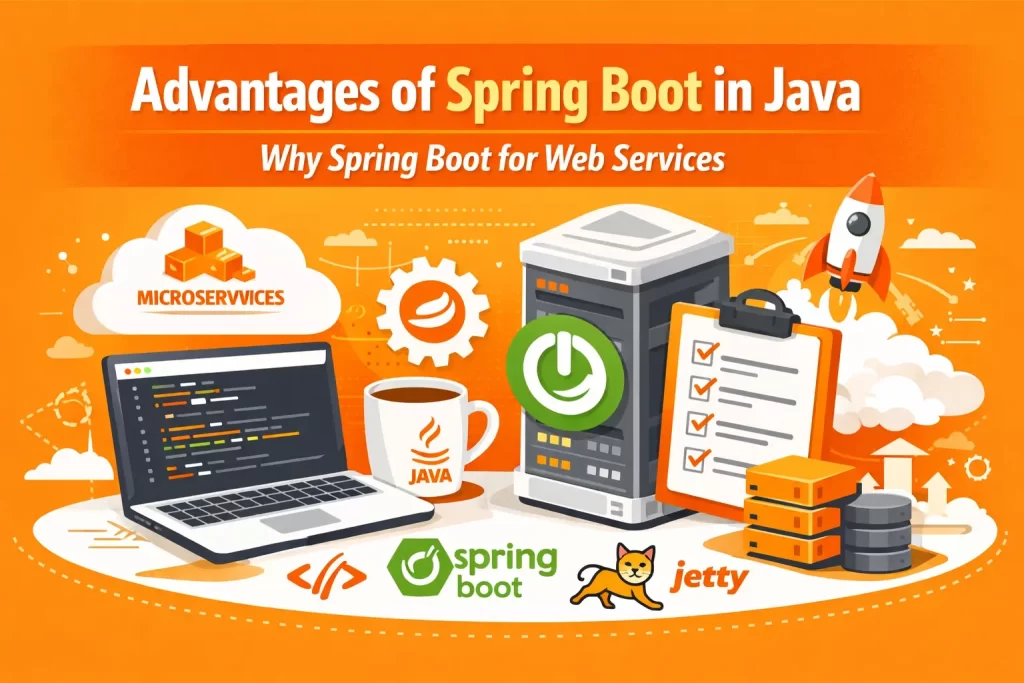
Spring Boot also comes with embedded servers like Tomcat and Jetty, which means you do not need to set up a separate application server to run your application. You can simply run your Spring Boot application as a standalone program, which makes the entire process much simpler.
Overview of the Java Framework
A Java framework is basically a pre-written set of tools and libraries that help developers build applications faster. Instead of writing everything from zero, developers use a framework to handle common tasks like connecting to a database, managing security, and handling web requests.
The Spring framework is one of the most widely used Java frameworks in the world. It covers almost every part of Java application development, from web layers to data access to security. The Spring ecosystem includes many modules like Spring MVC, Spring Security, Spring Data, Spring JDBC, Spring ORM, Spring Cloud, and of course, Spring Boot.
Each of these modules serves a specific purpose. For example, Spring MVC handles web requests, Spring Security manages authentication and authorization, and Spring Data JPA makes database operations easier. Spring Boot brings all of these together in one place and makes them easy to use without complex setup.
Why is Spring Boot a Popular Java Framework?
Spring Boot has become a popular Java framework for several strong reasons. First, it removes the need to write boilerplate code, which is code that you have to repeat again and again without adding any real value. Second, it supports auto-configuration, which sets up your project automatically based on what you need.
Third, Spring Boot makes it very easy to build and deploy applications, whether you are building a simple web app or a large-scale system using microservices architecture. Fourth, it is production-ready right out of the box, meaning it includes built-in tools for monitoring, logging, and managing your application in a live environment.
These reasons together make Spring Boot the go-to choice for developers who want to build reliable, scalable, and maintainable Java applications without unnecessary complexity.
What is Java Spring and Spring Boot?
To truly understand the advantages of Spring Boot, you first need to know what Java Spring is and how Spring Boot fits into the picture. Many beginners get confused between the two because they sound similar and are closely related. However, they are not the same thing, and knowing the difference helps you make better decisions in your application development journey.
Java Spring, commonly known as the Spring framework, is a powerful and comprehensive framework for building Java applications. It was created to solve one of the biggest problems in early Java development, which was that building enterprise applications required too much complex code and configuration. The Spring framework introduced a cleaner way to write Java code by using concepts like dependency injection and aspect-oriented programming. This made Java applications easier to build, test, and maintain.
The Spring framework is not just one tool. It is a collection of many Spring modules that work together. You have Spring MVC for handling web requests, Spring Security for protecting your application, Spring Data for managing databases, Spring JDBC for database connectivity, and Spring ORM for object-relational mapping. Together, these modules form the Spring ecosystem, which covers almost every need a developer might have during software development.
Spring Boot is developed based on the Spring framework. It does not replace Spring. Instead, it makes working with Spring much easier and faster. Think of it this way — the Spring framework gives you all the tools you need, but you have to set everything up yourself. Spring Boot takes those same tools and sets them up for you automatically through auto-configuration, so you can focus on writing your business logic instead of spending hours on setup.
Here is a simple comparison between Spring and Spring Boot to help you see the difference clearly:
| Feature | Spring Framework | Spring Boot |
| Configuration | Manual XML and Java-based configuration required | Auto-configuration handles setup automatically |
| Setup Time | Takes more time to set up | Quick to get started with minimal setup |
| Server | Requires an external application server | Comes with embedded servers like Tomcat and Jetty |
| Deployment | Needs to be deployed to an external server | Runs as a standalone JAR file |
| Boilerplate Code | More boilerplate code needed | Greatly reduces boilerplate code |
| Beginner Friendly | Steeper learning curve | Much easier for beginners to get started |
| XML Configuration | Heavy use of XML configuration | Little to no XML configuration needed |
| Production Readiness | Needs extra setup for production | Built-in production-ready features |
As you can see from the table, Spring Boot simplifies almost every part of the development process while still giving you the full power of the Spring framework underneath. This is exactly why most Java developers today choose Spring Boot when starting a new Spring project.
How Spring Boot is Used for Web Application Development?
Spring Boot plays a major role in modern web application development. Here are the key points that explain how it is used:
- ☑️ Spring Boot makes it easy to build and run web applications by providing a ready-to-use structure, so developers do not have to set up the project from scratch every time they start something new.
- ☑️ It works seamlessly with Spring MVC, which handles all the web requests and responses in a Spring Boot application. This means building web apps with proper routing and controllers becomes very straightforward.
- ☑️ Spring Boot comes with embedded servers like Tomcat and Jetty built right into the application. Because of this, developers can run their web application directly without setting up a separate application server.
- ☑️ It supports both REST APIs and full web applications, making it a flexible choice for different types of web application development, from simple websites to complex enterprise applications.
- ☑️ Spring Boot integrates easily with Spring Data JPA and Spring JDBC, which allows developers to connect their web application to a database with very little configuration.
- ☑️ Spring Boot’s auto-configuration feature detects what your web application needs and sets it up automatically, saving a lot of time during the early stages of development.
- ☑️ It also supports Spring Security out of the box, which means you can add login, authentication, and authorization to your web app without writing complex security code from scratch.
- ☑️ Developers can deploy a Spring Boot web application as a single JAR file, which makes the entire deployment process clean, fast, and hassle-free compared to traditional Spring applications.
What are the Advantages of Spring Boot?
Spring Boot has changed the way Java developers build applications. It takes away most of the complicated setup work and lets developers focus on what actually matters, which is writing good code and delivering working applications faster. Whether you are building a small web app or a large enterprise system, the advantages of Spring Boot make the entire process much smoother and more efficient.
Here is a clear overview of why developers prefer Spring Boot over other options:
| Advantage | What it Means for Developers |
| Auto-Configuration | Spring Boot automatically configures your application based on the dependencies you add, removing the need for manual setup |
| No XML Configuration | Developers can avoid writing lengthy XML configuration files and use simple annotations instead |
| Embedded Server Support | Built-in servers like Tomcat and Jetty mean you can run your application without setting up a separate server |
| Faster Development | Ready-made Spring Boot starters and smart defaults help developers get started quickly and build faster |
| Reduces Boilerplate Code | Spring Boot cuts down on repetitive code, so developers spend more time on business logic |
| Microservices Ready | Spring Boot is designed to build and deploy microservices easily, making it ideal for scalable systems |
| Production-Ready Features | Built-in tools for health checks, monitoring, and logging make Spring Boot applications ready for live environments |
| Easy Deployment | Applications can be packaged as a single JAR file and deployed anywhere without complex steps |
| Large Community Support | A strong developer community means plenty of resources, guides, and solutions are always available |
| Seamless Spring Integration | Spring Boot integrates smoothly with the entire Spring ecosystem including Spring MVC, Spring Security, Spring Data, and Spring Cloud |
Each of these advantages of Spring Boot plays an important role in making it the most preferred Java framework for modern application development. In the sections ahead, we will look at each of these benefits in more detail so you get a complete picture of what makes Spring Boot so powerful.
Key Spring Boot Features that Simplify Development
Spring Boot comes packed with features that make the life of a developer much easier. Here are the key Spring Boot features that directly simplify the development process:
- ☑️ Auto-Configuration is one of the most powerful Spring Boot features. It automatically configures your Spring Boot application based on the dependencies present in your project, so you do not have to manually set up every single component.
- ☑️ Spring Boot Starters are pre-packaged dependency bundles that group together everything you need for a specific task. For example, if you want to build a web application, you simply add the Spring Web starter and it brings in all the required libraries in one go.
- ☑️ Embedded Server Support means Spring Boot comes with built-in servers like Tomcat and Jetty. You do not need to install or configure a separate application server, which saves a lot of setup time and makes running your application straightforward.
- ☑️ Spring Boot CLI allows developers to quickly prototype and test Spring Boot applications from the command line using simple Groovy scripts, which speeds up the early stages of development.
- ☑️ Spring Boot Actuator gives developers a set of production-ready features like health checks, application metrics, and monitoring tools that are ready to use without any extra configuration.
- ☑️ Annotation-Based Configuration lets developers configure their Spring Boot application using simple annotations instead of writing complex XML configuration files, which makes the code cleaner and easier to read.
- ☑️ Spring Initializr is a web-based tool that helps developers generate a ready-to-use Spring Boot project structure in seconds, making it very easy to get started with Spring Boot from day one.
- ☑️ Opinionated Defaults mean Spring Boot makes smart decisions about how your application should be set up, so developers spend less time making configuration choices and more time building features.
- ☑️ Seamless Integration with Spring Ecosystem allows Spring Boot to work smoothly with Spring MVC, Spring Security, Spring Data JPA, Spring JDBC, Spring Cloud, and other Spring modules without any extra effort.
- ☑️ Easy Dependency Management through tools like Maven and Gradle means Spring Boot handles version compatibility between libraries automatically, reducing the chances of dependency conflicts in your project.
Why Spring Boot is a Popular Java Framework for Microservices?
Microservices architecture has become the standard way of building large and scalable applications in modern software development. Instead of building one big application, microservices break it down into smaller, independent services that work together. Spring Boot fits perfectly into this approach, and here is why it has become the most popular Java framework for building microservices:
| Reason | How it Helps with Microservices |
| Standalone Applications | Each Spring Boot application runs independently as a standalone JAR file, which is exactly how individual microservices are meant to work |
| Embedded Server Support | Built-in servers like Tomcat and Jetty mean each microservice carries its own server, removing the need for a shared application server |
| Spring Cloud Integration | Spring Boot works seamlessly with Spring Cloud, which provides all the tools needed for building microservices like service discovery, load balancing, and API gateways |
| Lightweight and Fast | Spring Boot applications are lightweight by nature, which makes creating microservices that start quickly and use fewer resources very easy |
| Auto-Configuration | Each microservice can be configured automatically based on its own dependencies, making it easy to manage multiple services independently |
| REST API Support | Spring Boot makes building REST APIs straightforward, and microservices heavily rely on REST APIs to communicate with each other |
| Easy Deployment | Spring Boot microservices can be packaged and deployed inside containers like Docker very easily, which fits well with modern microservices architecture |
| Independent Scaling | Since each Spring Boot microservice runs on its own, individual services can be scaled up or down based on demand without affecting the rest of the system |
| Spring Security Integration | Each microservice can have its own security setup using Spring Security, making it easier to protect individual services in a microservices system |
| Microservices for Mobile | Spring Boot also supports building microservices for mobile backends, making it a flexible choice for teams building APIs that serve both web and mobile applications |
All these reasons together explain why Spring Boot has become the go-to choice for teams working with microservices architecture. It gives developers everything they need to build, run, and manage independent services without unnecessary complexity, which is exactly what modern scalable systems demand.
How Spring Boot Simplifies Web Services and MVC Architecture?
Spring Boot has made building web services and working with MVC architecture much simpler than it used to be with the traditional Spring framework. Here are the key points that explain how Spring Boot simplifies web services and MVC architecture:
- ☑️ Spring Boot comes with built-in support for building web services right out of the box. Developers do not need to do any extra setup to start creating REST APIs or web-based services for their applications.
- ☑️ It integrates seamlessly with Spring MVC, which is the module responsible for handling web requests and responses in a structured way. This integration makes building web applications with a clean and organized structure very straightforward.
- ☑️ Spring Boot’s auto-configuration automatically sets up Spring MVC when it detects the Spring Web dependency in your project, so developers can jump straight into writing controllers and handling requests without any manual configuration.
- ☑️ The MVC pattern, which stands for Model, View, and Controller, is fully supported in Spring Boot. This separation of business logic, data, and user interface makes web application development cleaner and easier to manage.
- ☑️ Spring Boot makes it very easy to create RESTful web services using simple annotations like
@RestController and @RequestMapping, which removes the need for complex configuration and keeps the code clean and readable. - ☑️ It supports both traditional web applications that return HTML pages and modern REST APIs that return JSON data, giving developers the flexibility to build different types of web services using the same framework.
- ☑️ Spring Boot works smoothly with embedded servers like Tomcat and Jetty for serving web requests, which means developers do not need to configure a separate web server to run their web services.
- ☑️ Error handling, request validation, and response formatting are all made simpler in Spring Boot through built-in support and annotations, which reduces the amount of extra code developers need to write for their web services.
- ☑️ Spring Boot also supports integration testing for web services, allowing developers to test their REST APIs and MVC controllers easily without needing a fully running server, which speeds up the overall development and testing process.
Spring Boot with Spring MVC for Web Applications
Spring Boot and Spring MVC work together so naturally that most developers do not even realize how much heavy lifting is being done behind the scenes. Spring MVC is the module within the Spring ecosystem that handles the flow of web requests in a structured and organized way. When you combine it with Spring Boot, building web applications becomes a much faster and cleaner experience.
Spring MVC follows the Model, View, and Controller pattern. In this pattern, the Model holds the data, the View is what the user sees, and the Controller is the part that handles the incoming web requests and decides what data to show and where to send the user. This separation of responsibilities makes the code easier to manage, test, and scale over time.
When you add the Spring Web starter to your Spring Boot application, Spring Boot automatically configures Spring MVC for you through its auto-configuration feature. This means all the necessary components like the dispatcher servlet, view resolvers, and message converters are set up without you having to write a single line of configuration code. You can go straight to building your controllers and handling web requests right away.
Writing a controller in a Spring Boot application is very simple. You use the @RestController annotation for REST APIs or the @Controller annotation for traditional web pages. From there, you map specific URLs to specific methods using the @RequestMapping annotation or more specific ones like @GetMapping and @PostMapping. This annotation-based approach keeps your code clean and easy to read.
Spring Boot with Spring MVC also makes it easy to handle form submissions, validate user input, manage sessions, and return different types of responses like JSON, XML, or HTML pages. All of these tasks that would normally require a lot of setup in a traditional Spring application are handled smoothly in a Spring Boot application with very little extra effort.
Another big benefit is that Spring Boot’s embedded server support means your Spring MVC based web application is ready to run the moment your code is written. Whether you are using Tomcat or Jetty as your embedded server, the web application starts up quickly and serves requests without needing any external server configuration.
Overall, the combination of Spring Boot and Spring MVC gives developers a solid, reliable, and easy-to-use foundation for building all kinds of web applications, from simple websites to complex enterprise-level systems.
Embedded Servers like Tomcat and Jetty in Spring Boot
One of the standout features of Spring Boot is that it comes with embedded servers built right into the application. This means you do not need to install, configure, or manage a separate application server to run your Spring Boot application. The server is already packaged inside your application and starts up automatically when you run it. Here is a detailed look at how embedded servers work in Spring Boot and what each option brings to the table:
| Topic | Tomcat | Jetty |
| What it is | Tomcat is the default embedded server that comes with Spring Boot when you add the Spring Web starter | Jetty is a lightweight alternative embedded server that can be used in place of Tomcat in a Spring Boot application |
| How it works | Tomcat starts automatically when you run your Spring Boot application and handles all incoming web requests without any external setup | Jetty works the same way as Tomcat but is known for being more lightweight and using fewer resources |
| Default Usage | Spring Boot uses Tomcat as the default embedded web server, so no extra configuration is needed to get it running | To use Jetty, you need to exclude Tomcat from your dependencies and add the Jetty dependency in your project |
| Performance | Tomcat handles high traffic well and is a mature, battle-tested server trusted in many enterprise applications | Jetty performs better in situations where low memory usage and fast response times are more important |
| Best Use Case | Tomcat is the best choice for most standard Spring Boot web applications and REST APIs | Jetty works best for applications that need to handle a large number of long-running connections or WebSocket-based communication |
| Configuration | Tomcat can be customized through application properties in Spring Boot without touching any external server files | Jetty can also be configured through application properties, keeping everything inside your Spring Boot application |
| Deployment | With Tomcat embedded, your Spring Boot application is packaged as a single JAR file that runs anywhere Java is installed | With Jetty embedded, the same single JAR packaging applies, making deployment just as simple and clean |
| Community Support | Tomcat has a very large community and extensive documentation, making it easy to find help and resources | Jetty also has strong community support and is widely used in production environments around the world |
Both Tomcat and Jetty serve the same core purpose of handling web requests inside your Spring Boot application. The choice between them depends on the specific needs of your project. For most developers, Tomcat works perfectly well as the default option. But if your application has specific performance or resource requirements, switching to Jetty is a simple and straightforward process in Spring Boot.
Spring Boot vs Traditional Spring Framework
When Java developers talk about Spring Boot vs the traditional Spring framework, the conversation always comes back to one thing — simplicity vs control. Both are powerful in their own way, but they serve developers differently depending on the kind of project being built. Understanding this comparison helps you make a smarter choice for your next application development project.
The traditional Spring framework has been around for a long time and has proven itself as a rock-solid foundation for building Java applications. However, setting it up and managing it requires a lot of manual work. Spring Boot was introduced specifically to solve this problem by making the Spring framework easier and faster to work with, without removing any of its core strengths.
Here is a detailed comparison between Spring Boot and the traditional Spring framework:
| Comparison Point | Traditional Spring Framework | Spring Boot |
| Configuration | Requires extensive manual configuration through XML files and Java-based configuration classes | Uses auto-configuration to set up the application automatically based on added dependencies |
| XML Configuration | Heavy use of XML configuration files to define beans and application settings | Little to no XML configuration needed, annotations handle most of the setup |
| Setup Time | Takes significantly more time to set up before you can start writing actual application code | Minimal setup time, developers can start building features almost immediately |
| Embedded Server | No embedded server, requires an external application server like Tomcat or Jetty to be installed separately | Comes with embedded servers like Tomcat and Jetty built right into the application |
| Deployment | Application needs to be packaged as a WAR file and deployed to an external server | Application is packaged as a standalone JAR file that can run anywhere Java is installed |
| Boilerplate Code | Requires a lot of boilerplate code to get basic functionality working | Significantly reduces boilerplate code through smart defaults and Spring Boot starters |
| Dependency Management | Developers need to manually manage dependencies and ensure version compatibility | Spring Boot handles dependency management automatically and ensures all versions are compatible |
| Microservices Support | Building microservices with traditional Spring requires additional setup and configuration | Spring Boot is designed with microservices in mind and works seamlessly with Spring Cloud |
| Production Readiness | Extra configuration is needed to add monitoring, health checks, and metrics | Built-in production-ready features through Spring Boot Actuator with no extra setup required |
| Learning Curve | Steeper learning curve due to the amount of configuration and setup required | Much easier for beginners to get started with thanks to smart defaults and less configuration |
| Community and Resources | Large community with years of documentation and resources available | Even larger and more active community focused specifically on Spring Boot application development |
| Testing Support | Supports testing but requires more setup to write and run integration tests | Makes writing integration tests straightforward with built-in test support and annotations |
As this comparison clearly shows, Spring Boot takes everything that makes the traditional Spring framework great and wraps it in a much more developer-friendly package. It does not replace the Spring framework but instead builds on top of it to remove unnecessary complexity. This is exactly why most new Spring applications today are built using Spring Boot rather than starting from the traditional Spring framework setup.
How Spring Boot Reduces XML Configuration?
In the traditional Spring framework, XML configuration files were used to define almost everything, from beans to database connections to server settings. This meant developers had to write and manage large XML files even before writing a single line of business logic. Spring Boot changes this completely by replacing XML configuration with annotation-based configuration. Instead of writing XML, developers simply use annotations like @SpringBootApplication, @RestController, and @Component directly in their Java code. Spring Boot’s auto-configuration then takes care of the rest by reading the dependencies in your project and setting everything up automatically. This shift from XML to annotations makes the code cleaner, easier to read, and much faster to write, which is one of the biggest reasons developers prefer Spring Boot over the traditional Spring framework.
Getting Started with Spring Boot Easily
Getting started with Spring Boot is one of the simplest experiences in Java application development. You begin by visiting Spring Initializr, which is a free web-based tool that generates a ready-to-use Spring Boot project structure in just a few clicks. You select your preferred build tool, either Maven or Gradle, choose the dependencies you need through Spring Boot starters, and download the generated project straight into your development environment. Once the project is set up, you can start writing your application code right away without worrying about any complex configuration. Spring Boot’s auto-configuration handles all the setup behind the scenes, and the embedded server like Tomcat or Jetty starts up automatically when you run your application. This simplicity is what makes Spring Boot the first choice for beginners who are just entering the world of Java development as well as experienced Java developers who want to build and ship applications faster.
Real-Time Use Cases of Spring Boot in Modern Web Applications
Spring Boot is not just popular in theory. It is actively used in real-world projects across many industries. From startups to large enterprises, teams around the world rely on Spring Boot to build reliable and scalable applications. Here are some real-time use cases along with practical project ideas that show how Spring Boot is used in modern web application development:
1. Building REST APIs for Web and Mobile Applications
One of the most common uses of Spring Boot is building REST APIs that serve data to both web and mobile applications. Spring Boot makes creating clean and well-structured REST APIs very straightforward using Spring MVC and simple annotations.
- ☑️ Project Idea: Build a product catalog REST API for an e-commerce platform that serves product details, pricing, and stock information to both a web app and a mobile app.
2. Enterprise Web Applications
Large companies use Spring Boot to build enterprise applications that handle complex business logic, manage large amounts of data, and serve thousands of users at the same time. Spring Boot’s production-ready features make it a natural fit for enterprise-level systems.
- ☑️ Project Idea: Build an employee management system for a large organization that handles attendance, payroll, leave management, and performance tracking all in one application.
3. Microservices Architecture
Spring Boot is widely used for building microservices where each service handles a specific part of the application independently. Combined with Spring Cloud, it becomes a complete solution for managing and scaling microservices in production environments.
- ☑️ Project Idea: Build an online food delivery platform where separate microservices handle user management, restaurant listings, order processing, payment handling, and delivery tracking independently.
4. Banking and Financial Applications
The banking and finance industry relies heavily on Spring Boot for building secure and reliable applications. Spring Security integration makes it easy to add strong authentication and authorization to financial systems.
- ☑️ Project Idea: Build a personal finance management application that allows users to track their income, expenses, investments, and generate monthly financial reports securely.
5. E-Commerce Platforms
Spring Boot is a popular choice for building e-commerce platforms because it handles everything from product management to order processing to payment integration smoothly and efficiently.
- ☑️ Project Idea: Build a full e-commerce platform with features like user registration, product search, shopping cart, order management, and payment gateway integration using Spring Boot and Spring Data JPA.
6. Healthcare Applications
Healthcare organizations use Spring Boot to build patient management systems, appointment booking platforms, and medical record systems that require high reliability and strong data security.
- ☑️ Project Idea: Build a hospital management system that manages patient records, doctor appointments, billing, and medical history with role-based access control using Spring Security.
7. Real-Time Chat and Notification Systems
Spring Boot supports WebSocket-based communication, which makes it suitable for building real-time chat applications and live notification systems that need to push updates to users instantly.
- ☑️ Project Idea: Build a real-time customer support chat system for a business where support agents and customers can communicate instantly through a web-based chat interface.
8. Cloud-Based Applications
Spring Boot works very well with cloud platforms and integrates smoothly with Spring Cloud, making it a great choice for building cloud-native applications that need to scale dynamically based on user demand.
- Project Idea: Build a cloud-based document management system where users can upload, store, share, and manage documents securely with automatic scaling based on usage.
Limitations of Using Spring Boot in Large Applications
While Spring Boot works very well for most projects, there are a few limitations that developers may notice specifically when working with large and complex applications.
- ☑️ In very large applications with many modules and dependencies, the startup time of a Spring Boot application can be slower compared to lighter frameworks. This is because Spring Boot loads and configures a lot of components at startup, which takes more time as the application grows bigger.
- ☑️ Large Spring Boot applications can consume more memory compared to applications built with minimal frameworks. This can become a concern when running multiple instances of the application in a production environment where server resources need to be managed carefully.
- ☑️ As a Spring Boot application grows larger, managing and organizing the auto-configuration behavior can become more complex. Developers may need to override or customize certain auto-configurations, which requires a deeper understanding of how the Spring framework works underneath.
- ☑️ In large enterprise applications with very specific performance requirements, the default settings that Spring Boot provides may not always be the most optimal. Developers may need to spend extra time fine-tuning configurations to get the best performance out of their application.
- ☑️ Debugging issues in a large Spring Boot application can sometimes be challenging because of the many layers of auto-configuration and Spring Boot’s opinionated defaults. Tracing a problem back to its root cause can take more effort than it would in a simpler, manually configured application.
- ☑️ Large teams working on big Spring Boot applications need to have a solid understanding of the entire Spring ecosystem including Spring MVC, Spring Security, Spring Data, and Spring Cloud to work effectively. This means the learning curve becomes steeper as the size and complexity of the application increases.
- ☑️ Upgrading to newer versions of Spring Boot in large applications can sometimes introduce compatibility issues with existing dependencies and custom configurations, which requires careful testing and validation before the upgrade can be safely rolled out to production.
Conclusion: Why Spring Boot is the Best Choice for Java Developers
Spring Boot has truly changed the way Java developers build applications. From removing the need for complex XML configuration to providing embedded servers like Tomcat and Jetty, from simplifying microservices architecture to making web application development faster and cleaner, the advantages of Spring Boot speak for themselves. It takes the full power of the Spring framework and wraps it in a package that is easy to use, quick to set up, and ready for production from day one.
Whether you are building a simple REST API, a large enterprise application, or a complex microservices-based system, Spring Boot gives you everything you need in one place. Its auto-configuration, Spring Boot starters, seamless integration with the Spring ecosystem, and production-ready features make it the most practical and reliable choice for modern Java application development.
The few limitations that come with Spring Boot are minor compared to the massive benefits it brings to the table. With a strong and active developer community, regular updates, and wide industry adoption, Spring Boot is only going to grow stronger in the years ahead. It is no surprise that it has become the most popular Java framework for teams of all sizes across every industry.
If you are a Java developer looking to stay relevant and build applications that meet modern standards, learning Spring Boot is not just a good idea, it is a necessary step forward in your software development career.
If you are looking to master Spring Boot from the ground up, Payilagam is the right place to start. Known as the Best Software Training Institute in Chennai, Payilagam offers hands-on, practical training that takes you from the basics of the Spring framework all the way to building real-world Spring Boot applications with confidence. With experienced trainers, real project experience, and a curriculum designed around industry needs, Spring Boot Training in Chennai at Payilagam gives you the skills and confidence to crack interviews and build production-ready applications from day one. If you are serious about building a strong career in Java development, Payilagam is where your journey begins.
FAQs on Spring Boot
What are the advantages of Spring Boot?
Spring Boot comes with many advantages that make Java application development faster and easier. It offers auto-configuration that sets up your application automatically, embedded servers like Tomcat and Jetty that remove the need for a separate application server, Spring Boot starters that bundle dependencies together, and significant reduction in boilerplate code. It is also production-ready out of the box with built-in monitoring and health check features, supports microservices architecture seamlessly, and integrates smoothly with the entire Spring ecosystem including Spring MVC, Spring Security, Spring Data, and Spring Cloud.
Why is Spring Boot popular for microservices?
Spring Boot is popular for building microservices because each Spring Boot application runs as a standalone JAR file, which is exactly how individual microservices are meant to operate. It integrates seamlessly with Spring Cloud, which provides all the tools needed for managing microservices like service discovery, load balancing, and API gateways. Its lightweight nature, embedded server support, and easy deployment make it the most practical choice for teams working with microservices architecture.
What is the difference between Spring and Spring Boot?
The Spring framework is the foundation that provides all the core tools and modules for Java application development, but it requires manual configuration and setup. Spring Boot is built on top of the Spring framework and makes working with it much easier by providing auto-configuration, embedded servers, and smart defaults that remove the need for complex setup. In simple words, Spring is the engine and Spring Boot is the ready-to-drive car built around that engine.
Does Spring Boot require XML configuration?
No, Spring Boot does not require XML configuration. One of the biggest advantages of Spring Boot is that it replaces the heavy XML configuration of the traditional Spring framework with simple annotation-based configuration. Spring Boot’s auto-configuration handles most of the setup automatically, and developers can use annotations like @SpringBootApplication, @RestController, and @Component directly in their Java code instead of writing and managing XML files.
How to get started with Spring Boot?
Getting started with Spring Boot is very simple. Visit Spring Initializr, select your build tool like Maven or Gradle, choose the Spring Boot starters you need, and download the generated project. Open it in your preferred development environment, and you are ready to start writing your application code right away. Spring Boot’s auto-configuration and embedded server support mean your application is ready to run almost immediately without any complex setup. For structured and practical learning, joining a Spring Boot Training in Chennai at Payilagam, the Best Software Training Institute in Chennai, is a great way to fast-track your learning and build real-world skills from day one.