
Become an Expert Android Developer
Android Training in Chennai
From Basic to Expert Level Project Oriented Training
100% Practical Oriented Training
Hackathons and Tech Meetup and Mock Interviews
Internship Support
Unlimited Job Placement Support
Excellent Placement Assistence!
Start attending interviews from day one and keep going untill you secure your dream job – no stress,no boundaries












Become a Android Developer
Android Developer Certification Course in Chennai at Payilagam is the best option for those looking to kickstart their career in Android application development. With a focus on mobile app development, this Android training program covers all aspects of becoming a successful Android developer. As a leading training institute in Chennai, Payilagam provides comprehensive placement support to help students land their dream job as an Android app developer upon completion of the course.
Module 1: Introduction
- OOP Concepts (Basic + Fundamental of OOP).
- Benefits of OOP Programming.
Module 2: Introduction to JAVA
- What is Java
- Features of Java.
- Advantages of Java.
- JDK, JVM Architecture.
Module 3: Java Installation
- Java Installation
- Eclipse IDE Installation
- My First Java Program
- Sample Java Program
Module 4: Data types, Variables and Operators
- Java Tokens, Alphabets (Character Set).
- Keywords, Java Reserved Keywords, Identifiers, Constants,Data types, Operators.
Module 5: Control-flow Statements
- Control-Flow Statements
- Decision-Making Statements
- Switch and IF else
- nested–– if
Module 6: Conditional Statements
- Looping statements – while
- for
- do
- while and break, continue.
Module 7: Classes and Objects
- What is Class, Declaring a class, Rules for Naming Class
- Creating an Object
- new keyword
Module 8: Exploring Methods
- Method Calling from main() method
- Return values from called method
- Significance of void, return keywords
- Argument Passing, Local Variable, Global Variable
- static, non-static variables and Methods
Module 9:Polymorphism – Introduction
- Introduction to Polymorphism
- Methods with different no. and type of arguments
- Method Overloading – Compile Time Polymorphism
Module 10:Encapsulation – Introduction
- Create one more class in same package– Class 2
- Call methods present in Class 1 from Class 2
- Significance of Access Modifiers – private, public and default
Module 11:Encapsulation – Part 2
- Create one more class in another package – Class 2
- Try to call methods present in Class 1 from Class 2
- Significance of Access Modifier – protected.
Module 12:Inheritance
- Need for Inheritance
- IS-A relationship
- Usage of extends keyword
- Simple, Multilevel and Hierarchical Inheritance
- Create child class in another package– Class 2
- Significance of Access Modifier – protected.
Module 13:Polymorphism – Method Overriding
- Method Overriding
- Type Casting
- super and this keywords
- super() and this() keywords
Module 14:Constructor
- What is Constructor
- How Constructor is being called
- Rules for Constructor
- Constructor Overloading
Module 15:Getting inputs at runtime
- Scanner Class and its methods
- Converting all their previous programs with Scanner Class
Module 16:Arrays
- Need for Array
- Types of Arrays
- Array Declaration – Two Ways
- 2D, 3 Dimensional arrays
- Int array, char array, String array
- Converting all their previous programs with Scanner Class
Module 17:String
- String Class
- String Declaration – two ways
- Heap Memory, String Constant Pool Memory
- Difference between String literal and String Object
- Difference between == operator and equals method
- toString() method, hashCode() method
Module 18:Abstraction – Introduction
- Details about abstract keyword
- Abstract Class
- Abstract Method
- Creating Object for abstract class not possible – Why
- Dynamic Binding / Late Binding
- final abstract class not possible – How
Module 19:Inheritance – Interface
- What is Interface
- Difference between Abstract class and Interface
- Usage of implements keyword
- Interface, Sub Interface
- Dynamic Binding / Late Binding
Module 20:Exception Handling
- What is Exception
- Difference between Exception and Error
- Syntax for Exception Handling Mechanism.
- try Block, Catch Block, Exception , Checked Exceptions
- Catch Block (or) Multiple Catch.
- Throw, Throws, The finally Block
- User Defined Exceptions.
Module 21:Utility Classes – Introduction
- Collection Framework
- Collection Interfaces
- The List Interface and its implementation classes
- The Set Interface and its implementation classes
- The Queue Interface and its implementation classes
- Map Interface and Its Implementation Classes
Module 22:Utility Classes – List Interface
- ArrayList and its methods
- LinkedList and its methods
- Difference between ArrayList and LinkedList
- Iterator Methods
Module 23:Utility Classes – List Interface – Logical Programs
- Getting input from user and Sorting the ArrayList
- Searching in ArrayList
- Replacing element in ArrayList
Module 24:Utility Classes – Map Interface – Logical Programs
- Find duplicate character in a given String using HashMap
- Find unique characters in a given String using HashMap
- Find count of characters in a given String using HashMap
Module 25:Generics
- Need for Generics
- Simple Generics
- Sub Typing in generics
Module 27:Multi Threading
- Threaded Application
- Thread states
- Runnable interface and Thread class
- Thread Priority
- Interrupting Threads (sleep(), join())
- Synchronization
- Intro. About Inter thread communication
Module 28:File IO
- File Class
- How To read a File – FileReader, BufferedReader
- How to write in a file – FileWriter, BufferedWriter
Module 29:Java New Features
- What is Functional Interface?
- Lambda Expression
Module 2: COMMUNICATION B/W ACTIVITIES
- Sharing Data between activities
- Examples
Module 3: STORAGE OPTION IN ANDROID
- Shared Preferences in details with Example
- Sqlite Introduction
- Content Providers and its usage in detail
Module 6: ALERT DIALOGS IN ANDROID
- Popup in Android
- Toast and SnackBar in details
Module 7: ADVANCED UI IN ANDROID
- Basic Listview in android
- Customization of view
- Usage Of Array Adapter in Listview
- Recycler view and Navigation Drawer
Module 9: NETWORK LIBRARIES IN ANDROID
- Web API Introduction
- HTTP Methods
- Integration with any third party API
- Data transfer to and from API
Module 10: VOLLEY LIBRARIES
- Library Integration in details
- Real time example with WEB API Integration.
Module 11: MAP API
- Map API Introduction
- Usage of Latitude and Longitude
Module 12: ANDROID DESIGN SUPPORT LIBRARY
- Tabs and Widgets
- Material Design Concepts
Module 13: ANDROID AUTHENTICATION
- Android app authentication against data in API
- Session management
- Single sign-on
Module 14: ANDROID NOTIFICATION
- Android push notification
- Email sending from app without server
- SMS Reading
Module 15: ANDROID PROJECT
- Create an Android app and upload in the Play store
QUANTITATIVE AND REASONING APTITUDE
Module 1: Number Systems & Basic Math Magic
- Introduction to Quantitative
- Aptitude
- Number Systems
- Divisibility Rules
- Calculation of Remainder
- HCF and LCM
- Unit Digit Concept
- Calculating Number of
- Zeros
Module 2: Arithmetic - Your Daily Math Fix
- Ratio and Proportion
- Partnership
- Problems on Ages
- Percentage
- Profit and Loss
- Simple and Compound
- Interest
- Average
- Time and Work
- Time, Speed, and Distance
Module 4: Advanced Topics - Level Up Your Game
- Probability
- Permutations and Combinations
Module 5: Reasoning Skills - Crack the Code
- Number Series
- Letter Series
- Coding-Decoding
- Odd One Out
- Blood Relations
- Direction Sense
- Syllogism
- Seating Arrangements
- Order and Ranking
- Truth and Lie Puzzles
- Clocks and Calendars
- Venn Diagrams
Module 6: Non-Verbal Reasoning - Visual Puzzles
- Mirror Images
- Dot Position
- Paper Folding and Cutting
- Figure Patterns
Module 7: Data Interpretation - Decode the Data
- Introduction to Data
- Interpretation
- Tables
- Bar Graphs
- Pie Charts
- Line Graphs
Module 8: Data Sufficiency - Is It Enough?
- Introduction to Data Sufficiency
- Data Sufficiency Problems
PROFESSIONAL SKILLS
Module 1: Basic Communication
- What is Communication?
- Communication v/s English
- Grammar Basics
- Forming Sentences
- Verbal
Module 2: Interview Skills
- Resume Building
- Self-Introduction
- HR QnA
- Cracking Group Discussions
- JAM Round
- Face to Face Interviews
- Professional Grooming
- Confidence Building Activities
Module 3: Corporate Skills
- Email Writing
- Presentation Skill
- Networking & LinkedIn
- Corporate Etiquette
Build Projects during the Course and Build your Portfolio
Learn the latest tools and technologies used in the industry and gain valuable hands-on experience through working on real-world projects.

A responsive personal portfolio website built using only HTML and CSS. Showcases skills, experience, and projects with a clean layout.
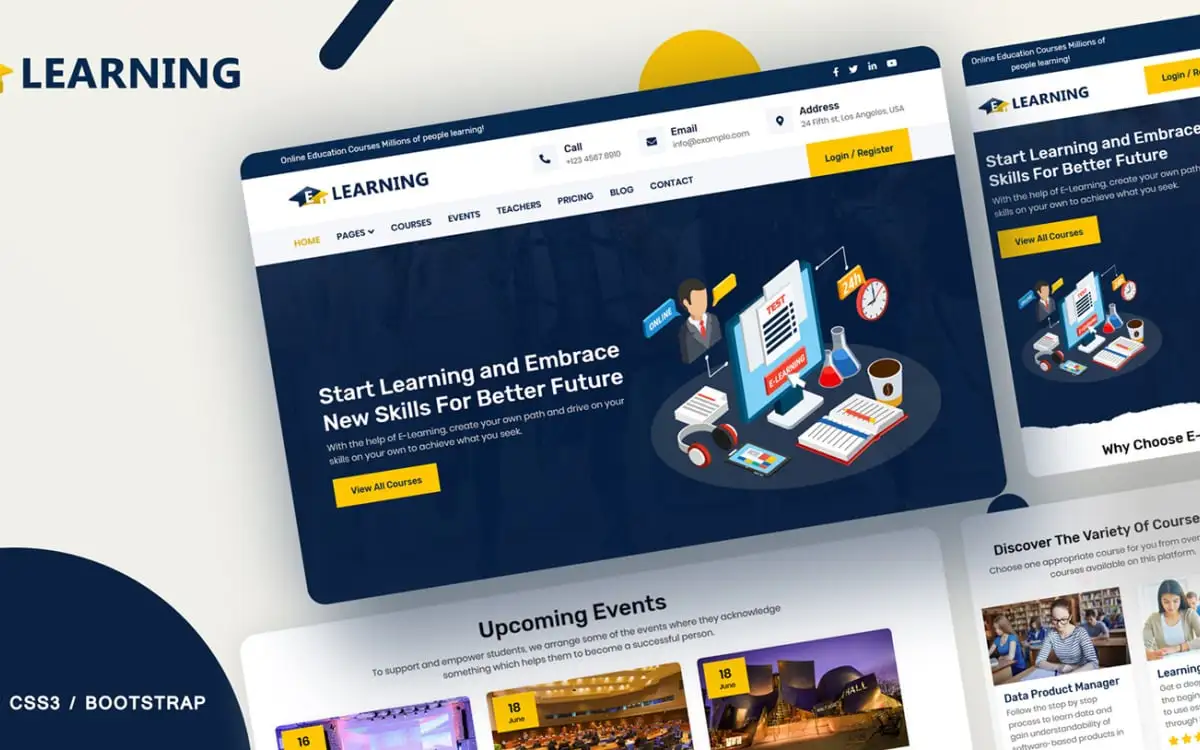
A multi-page company website created for startups or software firms, featuring sections like Services, About, and Contact.

A landing page for restaurants showcasing food imagery, business hours, and location with responsive HTML and Tailwind CSS.

A quiz application with multiple-choice questions, score tracking, and result screen using HTML, CSS, and JavaScript.
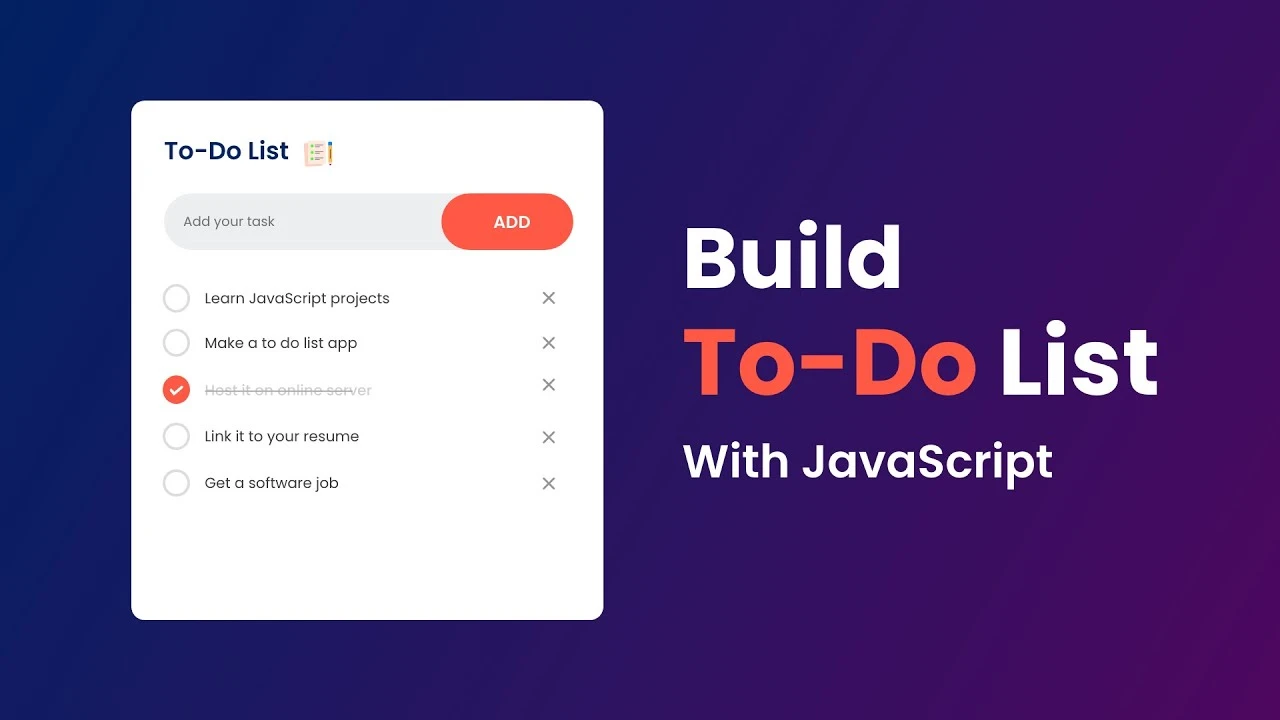
This project offers a simple yet effective task manager with add, complete, and delete functionality. Built using HTML, CSS, and JavaScript, it supports local storage to retain tasks even after a refresh.

Stay focused with this minimalist Pomodoro Timer. Clean transitions, real-time countdown, session switching — a modern, distraction-free productivity tool.

A weather forecast app using React.js that fetches live data to show temperature, humidity, and weather icons based on user input.

A real-time character counter built in React. It shows the number of characters typed and highlights state updates and dynamic rendering.

A complete interview prep platform built with React and Tailwind CSS. Includes coding rounds, MCQs, scoring, and a leaderboard.
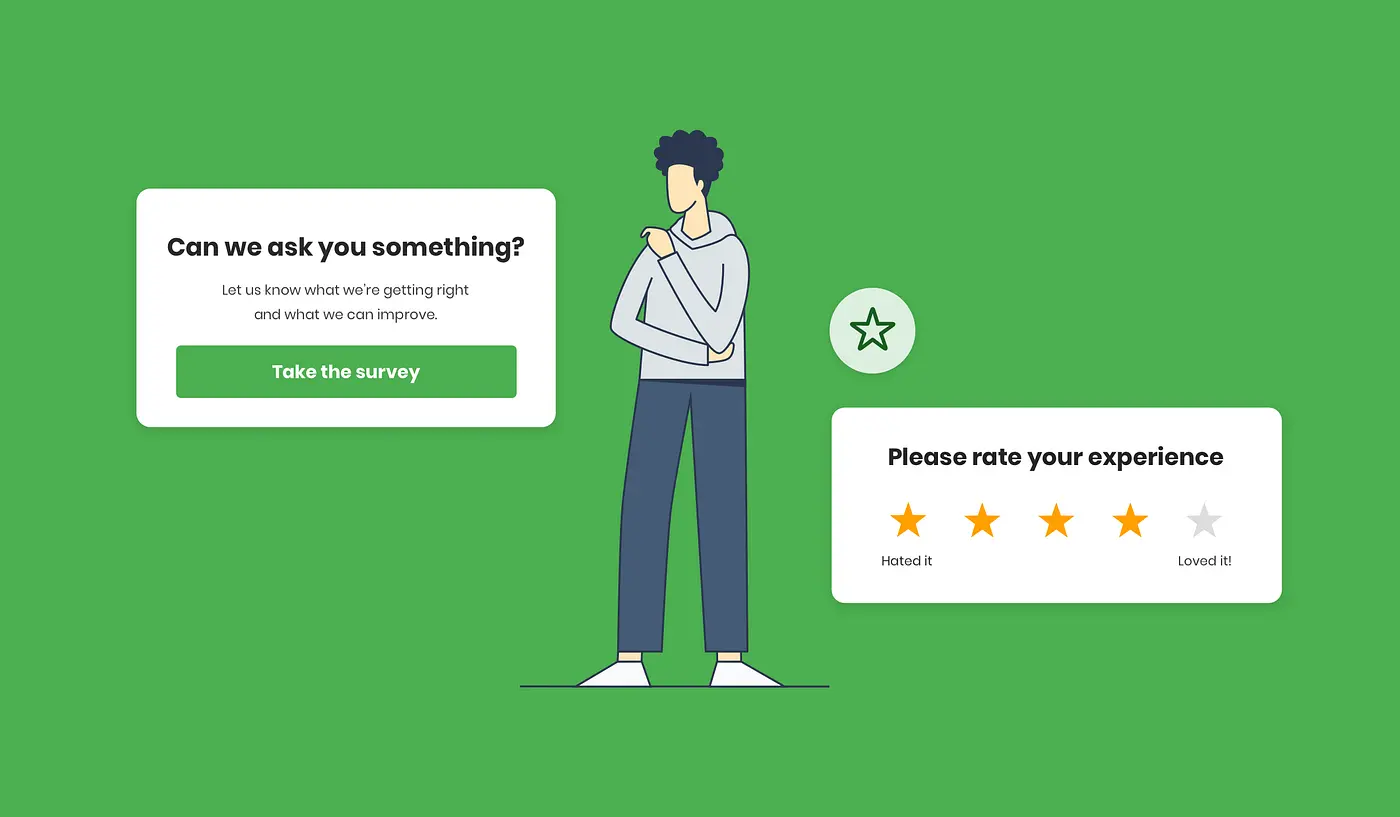
A full-stack feedback app using Node.js, Express, and MongoDB. Users submit suggestions stored securely in a backend-managed system.
Build a Strong Career Foundation
Equip Yourself with Advanced Tools and Technologies
Get engaged yourself in learning the best, Advanced Tools and Technologies to enhance your career opportunities on par with top professionals.
Essential Tools for Modern Development
- Linux
- Android Studio
- Git
Learn
Practice
Push and Write
Hackathons, Meetups
Get Placed
Learning starts from listening and Questioning
Practising gives Perfection in design and development
Push code regularly to git and write your learnings as a blog
Create your own network through attending Hackathons, Meetups regularly
Display your portfolio and get ready for your dream job!
Course Fee
With more than 12 Years in the field of IT Training in Chennai, Payilagam offers seamless training in both Class Room and Online Training with excellent placement opportunities until you get place.
Enjoy Fun Filled Learning with Placement Assistance
Get the best learning environment where your career is redesigned. Learn to unlearn.
₹23999
₹26999
Prepayment
What's Included - Explore Our Unique Offerings
ANDROID DEVELOPER CERTIFICATION
Your Path to Certification Begins Here
Govt. Registered Training Provider
Get Certificate from government registered training institute in Chennai
Easily Sharable
Share your learning with our Certificate through unique URL or Code Linkedln, Resumes

Trainee Centric
Real Time Training: Learning is a dialogue, not a monologue-with us, you’re always part of the conversation.
Expert
Expert Guidance: Learn from IT Professionals, get involved in Internship from them to speedup your career growth
Friendly &
Individualized Help: Real-time, personalized help with technical issues, course content, and concept doubts.
Project Oriented
Hands-On Projects & Quizzes: practice,project : Get yourself engaged in real time Projects in each phase of our Full Stack Training
Interview
Placement Orientation: Mock Interviews and Interview focused special sessions will make trainees to excel in their Interviews
Hackathon and
Continuous Drives: Attending Hackathons and Meetups, Sharing dias with technical people will make our trainees energetic and enthusiastic
Frequently Asked Questions
These are the Frequently Asked Questions on our Full Stack Java Training to know our process and support.
How do I get enrolled in a Course in Payilagam?
It is very simple. Visit our website, go through all the courses, select the one which suits best for your career path, Fill the Enquiry form. Want to get swift reply? A quick call / whatsapp to our Career Councillor is also an easy way for enrollment.
What are the Prerequisites for Full Stack Java, Full Stack Python and React Courses?
No prerequisite is needed. Our courses will be in Mother Tongue and are well tailored to meet the requirements from the basics. Thus anyone with interest can reach good heights.
Shall I ask for a Free Demo session before enrolling for the course?
Yes, we encourage every trainee to have a 1:1 session with the trainer before joining. Knowing in advance, How the session will be conducted is good for Trainees.
Will there be any registration fee for the course?
Separate registration fee will not be there. If trainees pay any fee in advance, it will be adjusted against their Course fee.
Is it hard to learn Android App Development?
Android app development can be challenging for beginners, but with dedication and practice, it becomes easier over time. One of the advantages is that Android is an open source platform, providing access to a wide range of resources and tools for developers. However, mastering the various components and APIs of Android can take time, requiring patience and continuous learning.
What are the career option that I will have after completing the course?
After completing the course, you will have a variety of career options to choose from. Some possible paths include becoming a software developer, data analyst, web designer, project manager, or IT consultant. These roles allow you to work in various industries and sectors, giving you the flexibility to explore different opportunities and specialize in areas that interest you.
what are the prerequisites to learn android app development?
In order to learn Android app development, it is important to have a basic understanding of Java programming language. Familiarity with XML and Android Studio is also essential. Additionally, having a strong grasp of object-oriented programming concepts such as classes, objects, and inheritance is recommended. Finally, a willingness to continuously learn and adapt to new technologies is crucial in this ever-evolving field.
How is the job market for the Android App development field today?
The job market for Android app development is thriving today. With the increasing popularity of Android devices and the growing demand for mobile applications, companies are constantly looking for skilled Android app developers to create innovative and user-friendly apps. This has led to a high demand for professionals in this field, offering lucrative job opportunities and competitive salaries.
Do the android developers have a scope?
Android developers have a vast scope in today’s tech-savvy world. With the increasing popularity of Android devices and applications, the demand for skilled Android developers is on the rise. Companies are constantly looking for individuals proficient in Android development to create innovative and user-friendly apps. This creates ample opportunities for Android developers to grow and advance in their careers.
What kind of projects a trainee will do in the Course?
We believe in Projects based training. In each phase of the course, trainees will get involved in Mini Projects and Projects. Main goal of these projects is to apply what they learnt in different domains and technologies.
Are the projects Individual or Team Based?
It is of both, Individual and Team Based. Individual Projects are for show casing your expertise where as Team Based Projects are for Sharing your knowledge, getting ideas from others, to make you ready for real IT environment.
How can one show these projects?
We train them git, Version Control System and ask the trainees to push code regularly in git. All Web based Projects will be hosted here, Thus Trainees can show these projects everywhere, including Interviews.
Will I receive a Certificate after the course?
Upon successfully completing the course, Payilagam awards you a certification that acknowledges your expertise and proficiency in the course, you did. This certificate includes your blog link and git link and through these, every one can understand your consistent work, commitment, and in-depth understanding of the course, helping you stand out in the job market.
Is Payilagam Certicicate recognized one?
Yes, Payilagam is a Government-Registered Training Institute and it is highly regarded by Industrial experts.
What type of Placements Payilagam offers?
Payilagam, being in the Software training sector for more than 12 years in Chennai, gives excellent Placement Assistance in IT, Software Organizations in and around Chennai.
When can I start attending Interviews?
From Day 1, One can start attending interviews. We strongly believe attending interviews during the course itself, will make the trainee more active and aware about current needs.
How many interviews can we attend?
Attending interviews is for getting placed. hence, we dont fix any number on that. Until the trainee gets placed, attending interviews is supported.
How do Payilagam make trainees placement ready?
Through Regular Mock Interviews will make our Trainees to get to their strength and areas to improve. Separate Aptitude Training, Communication sessions will make them ready for placements.
Does Payilagam support Open Source?
Yes, Payilagam stands with Open Source Communities. Payilagam travels closely with familiar Open Source Communities including Kaniyam, Tamil Linux Community, Wikipedia.
What is unique in Payilagam Training?
Payilagam believes in activity based training. Mere Lecturing technical sessions cannot give 100% Training. Participating Hackathon Events, Open Source Tech Meetups, Writing Tech blogs, Being member of tech forums are part of our Training along with regular class room and online trainings.
Payilagam Learner Support
Reach out to our experts anytime. We’re here to assist you 24/7.