What Is Web Development?
- 1. Every website has different features depending on what people need. A college website displays course information, an online store allows customers to purchase products, and a job portal helps candidates apply for vacancies. Creating these websites and making their features work is known as web development.
- 2. To understand web development, think about an online shopping website. Customers can browse products, search for items, add products to their cart and place orders. Some features are visible on the screen, while others work in the background to process requests and manage information.
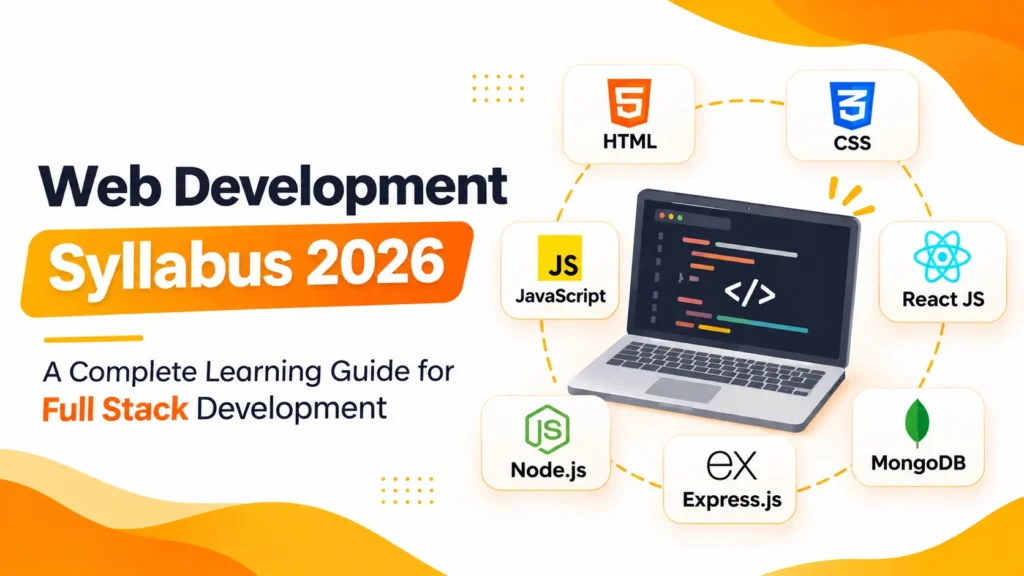
- 3. Frontend development deals with everything visitors see and use on a website. Developers use HTML to organise webpage content, CSS to design layouts and JavaScript to make pages interactive. React JS is also used to build interfaces with components that can be reused across different pages.
- 4. Backend development takes care of the work happening behind the screen. For example, when someone submits a registration form, the backend receives the details, checks the information and communicates with the database. Node.js and Express.js can be used to handle these operations, while MongoDB helps store and retrieve the required data.
- 5. A developer who works with both frontend and backend technologies is known as a full-stack developer. Full-stack development involves connecting the user interface, server and database so that the application works as a complete system.
- 6. For beginners, learning these technologies in the correct order makes the process easier to understand. The web development syllabus covered in this guide begins with HTML and CSS, followed by JavaScript and React JS. It then moves into Node.js, Express.js, MongoDB, API integration and deployment. Each stage includes practical exercises and projects that help learners apply what they have studied.
Complete Web Development Syllabus for Beginners
Learning web development becomes easier when you follow a proper learning path instead of trying to understand every technology at once. You should first learn how to create a webpage, then understand how to make it interactive, and finally learn how to connect it with a server and database.
The web development syllabus at Payilagam follows this learning sequence. It starts with HTML and CSS, moves to JavaScript and React JS, and then covers backend technologies such as Node.js, Express.js and MongoDB. The training also includes practical projects, assignments and full-stack application development. Let’s look at each technology and the topics covered in the syllabus:
HTML and CSS Syllabus
- 1. Introduction to HTML syntax, Introduction to CSS
- 2. Block-level vs Inline elements
- 3. Common elements: <div>, <span>, <p>, <a>, <br>, <hr> & So on
- 4. Flex Properties, Input Types, Nesting elements correctly
- 5. Basic selectors: element, class, ID
- 6. Grouping and combining selectors, Attribute selectors
- 7. Combinators:descendant, child (>), adjacent sibling (+), sibling (~)
- 8. Global attributes: id, class, title, style, lang
- 9. Ordered Lists: <ol>, <li>, Unordered Lists: <ul>, <li>
- 10. Description Lists: <dl>, <dt>, <dd>
- 11. Data-specific attributes: href, src, alt, type, value, placeholder
- 12. Boolean attributes: checked, disabled, readonly, required
- 13. <form> element and its attributes (action, method, etc.)
- 14. Input fields: <input>, <textarea>, <select>, <option>, <button>
- 15. Fieldsets, legends, and labels
- 16. Form validation (required, pattern, minlength, maxlength)
- 17. Understanding content, padding, border, and margin
- 18. Using box-sizing: border-box
- 19. Visualizing box dimensions with dev tools, Margin collapsing
- 20. Creating tables with <table>, <tr>, <th>, <td>
- 21. Table structure: <thead>, <tbody>, <tfoot>
- 22. Merging cells with colspan and rowspan
- 23. Table accessibility and semantics
- 24. Nesting and styling lists
- 25. block, inline, inline-block, none, flex, grid
- 26. visibility: hidden vs display: none
- 27. Introduction to grid layout
- 28. Creating columns and rows using grid-template-columns and Grid-template-rows
- 29. Placing items with grid-column, grid-row
- 30. Grid gap, alignment, and nested grids
- 31. Static, Relative, Absolute, Fixed, Sticky
- 33. Using top, right, bottom, left with positioning
- 34. Z-index and stacking context
- 35. Media Queries for responsive designs
- 36. Images: <img>, srcset, alt, picture
- 37. Video: <video>, controls, autoplay, loop, muted
- 38. Audio: <audio>, controls, autoplay, loop, preload
- 39. Embedding YouTube and other media
- 40. Grid, Navigation Bar, Display properties
- 41. Mouse hover functionalities
- 42. Importance of semantic elements for SEO & accessibility
- 43. Elements: <header>, <nav>, <main>, <section>, <article>, <aside>, <footer>
- 44. When and where to use semantic tags
- 45. Creating a Nav Bar, Internal Linking Multiple HTML Pages, Border Radius
Practical Projects
- Facebook / Instagram Login Page, Google Landing Page, Forms Using HTML & CSS, Resume, YouTube grid, Product Card, ILUGC Website, Portfolio Website
JavaScript Syllabus
- 1. Understand var, let, and const when and why to use each
- 2. Explore JavaScript’s powerful dynamic typing system
- 3. Work with strings, numbers, booleans, null, undefined, and more
- 4. Arithmetic, assignment, comparison, and logical operators
- 5. Master the building blocks of computation and condition
- 6. Decision-making with if, else, else if
- 7. Switch Statement
- 8. Ternary operator
- 9. Write clean, readable branching logic
- 10. for, while, and dowhile loops
- 11. Introduction to forEach() for working with arrays
- 12. Function declarations and Function expressions
- 13. Arrow functions: cleaner syntax, smarter scopes
- 14. Parameters, return values, and function composition
- 15. Callback function, Closure, Constructor function
- 16. Introduction to Object
- 17. Nested objects, object methods
- 18. Create and manipulate object literals
- 19. Understand this in different contexts
- 20. Work with arrays: push, pop, shift, unshift, splice
- 21. Use powerful array methods: map(), filter(), reduce() for real-world data tasks
- 22. Selecting Elements: Use document.getElementById, ClassName,
- 23. TagName, GetElementsByClassName, GetElementsByTagName, querySelector & So On
- 24. Change text, classes, styles, attributes, creating new elements, removing existing elements dynamically
- 25. Event Handling: OnClick(), OnMouseHover(), OnDoubleClick(), Add Event listeners, & So on
- 26. Synchronous, Asynchronous
- 27. Callback and callback hell
- 29. Promise, async/await
- 30. Application programming interface (Fetch and Axios API)
Practical Projects
- Counter App, Password Hide/Show, RunAwayButton, Typing Speed Checking, To-Do list with local storge, image slider, Calculator, Form validation, weather application, product card
React JS Syllabus
- 1. What is React? Why React?
- 2. SPA vs MPA
- 3. Setup using Vite or Create React App
- 4. JSX syntax and rules
- 5. Functional Components
- 6. Props and Component Reusability
- 7. Conditional rendering
- 8. Lists and keys
- 9. useState, useEffect, useRef, useContext
- 10. State lifting
- 11. Form handling with controlled components
- 12. BrowserRouter, Routes, Route
- 13. Link and NavLink
- 14. Nested routing
- 15. Dynamic routing with URL params
- 16. useNavigate and programmatic routing
- 17. HTTP methods and REST principles
- 18. Using fetch and Axios, API calls with useEffect
- 19. Handling loading, error, and empty states
- 20. Search and filtering from API data
- 21. useReducer for complex state management
- 22. useMemo and useCallback for optimization
- 23. Custom hooks, Debouncing and throttling with hooks
- 24. Understanding prop drilling
- 25. Context API with custom hooks
- 26. Redux Toolkit: Slices, store, useDispatch/useSelector, Async thunks
- 27. React Query / TanStack Query (Bonus)
- 28. CSS Modules
- 29. Tailwind CSS
- 30. Styled-components
- 31. Responsive design strategies
- 32. Component reusability, React.memo and pure components
- 33. Lazy loading and code splitting using React
- 34. lazy and Suspense
- 35. Error boundaries, Folder structure and naming conventions
- 36. Building React apps for production
- 37. Hosting on Netlify, Vercel, or GitHub Pages
- 38. Using environment variables (.env)
- 39. Introduction to CI/CD using GitHub Actions
- 40. Above project will be hosted using vercel
Practical Projects
- Counter Application, password hide/show, typing speed check, multi page web app, toggle theme, weather app, e-commerce web app, form validation, quiz application
Node.js Syllabus
- 1. What is Node.js — V8 engine, event loop, non-blocking I/O
- 2. Global objects: process, __dirname, __filename
- 3. CommonJS modules: require() and module.exports
- 4. ES Modules in Node: import/export syntax
- 5. Built-in modules: fs (readFile, writeFile, appendFile), path, os npm init, package.json, devDependencies, scripts, nodemon Run first Node.js script from terminal
- 6. Read/write/delete files using the fs module
- 7. Build a custom helper module and Require it in another file
- 8. Creating an HTTP server with the built-in HTTP module req and res objects – routing manually by URL and method
- 9. Serving HTML, JSON responses; status codes & headers
- 10. EventEmitter class – emit() and on() pattern
- 11. Readable & writable streams; piping streams
- 12. dotenv package – environment
- 13. variables for dev vs production
- 14. Build a manual file server serving static assets
- 15. Custom event logger using EventEmitter
- 16. Stream a large file to HTTP response using pipe
Practical Projects
- CLI notes manager: add, list, read, delete notes, stored as JSON via process.argv arguments, stored as JSON via process.argv arguments, Projects 2 & 3: Static file server, HTML/CSS/images, 404 handling, event-driven app logger writing, timestamped logs to file
Express.js Syllabus
- 1. Installing Express, project folder structure (MVC)
- 2. app.listen(); res.send(), res.json(), res.status()
- 3. Route parameters (req.params), query strings (req.query)
- 4. Request body parsing: req.body with express.json()
- 5. express.Router() for modular, grouped routes
- 6. Middleware chain: custom, morgan (logging), helmet (security)
- 7. Error-handling middleware: 4-parameter signature
- 8. Build a basic Express server and test in Postman
- 9. Create modular routes with express.Router for different resources
- 10. Add morgan + custom request logger middleware
- 11. Password hashing with bcrypt – saltRounds, hash, compare
- 12. JWT: jsonwebtoken – sign, verify, token expiry
- 13. Auth middleware – protect routes with token verification
- 14. httpOnly cookies with cookie-parser; CORS configuration
- 15. Rate limiting with express-rate-limit
- 16. Multer for multipart/form-data file uploads; express.static()
- 17. Centralized error handler; custom error classes; consistent error
- 18. Build register/login endpoints with bcrypt + JWT
- 19. Add auth middleware to protect a user profile route
- 20. Upload image file, save to disk, return public URL
Practical Projects
- API for notes: full CRUD (GET all, GET by ID, POST, PUT, DELETE), with in-memory array, tested in Postman, User auth API + blog API, with category filtering & pagination + image, upload API with Multer
MongoDB and Mongoose Syllabus
- 1. SQL vs NoSQL — key differences; when to use each
- 2. MongoDB Atlas cloud setup; MongoDB Compass GUI
- 3. CRUD: insertOne/Many, find, findOne, updateOne/Many, deleteOne/Many, upsert
- 4. Query operators: $eq, $gt, $lt, $in, $nin, $and, $or, $regex
- 5. Mongoose: connect, Schema definition, Model creation, Validation
- 6. Model methods: save(), find()
- 7. findById(), findByIdAndUpdate(), findByIdAndDelete()
- 8. Embedding vs referencing documents – when to use each populate() for referenced relationships between collections
- 9. One-to-many & many-to-many schema design patterns
- 10. Mongoose virtual fields, timestamps (createdAt, updatedAt)
- 11. Aggregation pipeline: $match, $group, $sort, $limit, $skip
- 12. $lookup (join collections), $unwind, $project, $count, $sum
- 13. Indexes: single, compound, unique, TTL; explain() for performance analysis
- 14. Build users + posts schema and test populate() in Postman
- 15. Write an aggregation to get total orders per month
- 16. Use explain() to compare indexed vs non-indexed query performance
Practical Projects
- Student records API – Full, Mongoose CRUD, filter by subject or grade range using query operators, Blog API with populate, e-commerce product catalog with search & sort + analytics dashboard with aggregation
Full Stack Development Syllabus: React, Node.js and MongoDB Integration
- 1. Connect React frontend to Express backend with Axios
- 2. Axios base URL configuration and request interceptors
- 3. CORS setup for development and production environments
- 4. JWT auth flow end-to-end
- 5. React form fi Express fi MongoDB fi JWT fi React state
- 6. Environment variables in React (.env with Vite) and Node
- 7. Protected React routes using stored JWT token
- 8. File upload: React form fi Multer fi store path in MongoDB fi return URL to React
- 9. Wire up React app to live REST API endpoints
- 10. Build complete login flow across all three layers
- 11. Upload image from React component and display in UI
- 12. Plan schema design and API routes before writing code
- 13. Feature scoping what is achievable in one week
- 14. Deploy frontend to Vercel or Netlify with build settings
- 15. Deploy backend to Render or Railway (free tier)
- 16. Connect MongoDB Atlas in production via environment variables
- 17. GitHub Actions CI/CD: auto-deploy on push to main
- 18. Portfolio prep: README, live URL, clean code, demo video
- 19. Students pitch their capstone project Idea (Day 1)
- 20. Daily stand-ups and mid-week code review sessions
- 21. Final demo day – live presentation to class
Practical Projects
- Integration Project: Full stack app with auth, CRUD, and image upload – all four layers, Connected and working together, Capstone Project: Student-choice full MERN app (e-commerce, job board, chat app, or project manager): deployed with live URL
Skills You Will Gain After Completing the Web Development Syllabus
- 1. Frontend Development Skills
- 2. Backend Development Skills
- 3. Database and Deployment Skills
Who Can Learn Web Development?
- 1. Freshers and College Students
- 2. Non-IT Graduates
- 3. Working Professionals and Career Changers
Career Opportunities After Learning Web Development
- 1. Frontend Developer
- 2. React JS Developer
- 3. Backend Developer
- 4. Node.js Developer
- 5. Full Stack Developer
Learn Full Stack Web Development at Payilagam
Learning full stack development requires more than understanding individual programming languages. You should know how to create a website, develop its backend, manage application data and connect all these parts to make a complete web application. At Payilagam, the training follows this learning approach, starting with the basics and gradually moving towards full stack application development. If you are looking for a Full Stack Web Development Course in Chennai, Payilagam provides practical, project-oriented training covering HTML, CSS, JavaScript, React JS, Node.js, Express.js and MongoDB. Each technology is taught through dedicated modules, practical assignments and projects that help you understand how it is used in real development work. During the training, you will work on different projects, including login pages, portfolio websites, weather applications, REST APIs, authentication systems and e-commerce applications. You will also learn how to connect a React frontend with an Express backend, integrate MongoDB, handle user authentication and deploy full stack applications. Payilagam focuses on individual learning, industry-relevant topics and practical development from the beginning. Students also receive mock interview preparation, internship support and placement assistance to help them prepare for IT career opportunities. Whether you are a fresher, college student, non-IT graduate or working professional, you can start learning full stack web development step by step and build the technical foundation required to work on web applications. Learn! Build! Get Hired!
Frequently Asked Questions About Web Development Syllabus
What topics are included in a web development syllabus?
A web development syllabus generally covers the technologies required to build websites and web applications. It starts with HTML and CSS for webpage structure and styling, followed by JavaScript for interactive features. It also includes React JS for frontend development, Node.js and Express.js for backend development, and MongoDB for database management. A full-stack syllabus may also cover API integration, authentication, practical projects and application deployment.
What is the difference between frontend and backend development?
Frontend development focuses on the parts of a website that users can see and interact with, such as navigation bars, buttons, forms and page layouts. HTML, CSS, JavaScript and React JS are commonly used for frontend development.
Backend development handles the operations that happen behind the website. It processes user requests, manages application logic, communicates with databases and sends responses to the frontend. Node.js and Express.js are used for backend development, while MongoDB can store application data.
Is JavaScript necessary for web development?
Yes, JavaScript is an important technology in web development. HTML creates the structure of a webpage, and CSS controls its appearance, while JavaScript adds functionality. Developers use JavaScript to handle button clicks, validate forms, update webpage content, fetch information from APIs and create interactive features. It is also used with React JS and Node.js for frontend and backend development.
Is React JS included in the web development syllabus?
Yes. React JS is included in the web development syllabus. It covers React fundamentals, JSX, functional components, props, state management, Hooks, React Router and API integration using Fetch and Axios. The syllabus also introduces Redux Toolkit, Context API, responsive styling, code optimisation and deployment. Practical projects include multi-page web applications, weather applications, e-commerce applications and quiz applications.
Does web development include Node.js and Express.js?
Yes. Node.js and Express.js are important parts of the backend development syllabus. Node.js covers modules, file handling, HTTP servers, EventEmitter, streams and environment variables. Express.js covers routing, middleware, REST APIs, authentication, JWT, password hashing, file uploads and error handling. These technologies help developers build server-side applications and APIs.
Is MongoDB necessary for full-stack development?
MongoDB is not compulsory for every full-stack application, but it is an important database technology in the MERN stack. It helps developers store, retrieve, update and delete application data. The syllabus covers MongoDB Atlas, MongoDB Compass, CRUD operations, query operators, Mongoose, relationships, aggregation pipelines and indexes. These concepts help learners understand how application data is managed.
How many projects should beginners build while learning web development?
There is no fixed number of projects that every beginner must complete. However, building projects after learning each technology helps you understand how the concepts work in practice. Beginners can start with a login page, calculator, portfolio website and form validation application. Later, they can move to React applications, REST APIs, authentication systems and full-stack projects. The Payilagam syllabus includes practical projects and assignments across its different modules.
Can non-IT students learn full-stack web development?
Yes. Non-IT students can learn full-stack web development even if they have no previous programming experience. Starting with HTML and CSS helps them understand how webpages are created. They can then progress to JavaScript, React JS, Node.js, Express.js and MongoDB. Regular coding practice and completing projects can help them gradually develop the required technical skills.
What is the difference between MERN stack and full-stack development?
Full-stack development refers to working with both frontend and backend technologies, along with database integration. MERN stack is one particular technology combination used for full-stack development. It includes MongoDB for the database, Express.js and Node.js for backend development, and React JS for frontend development. Other full-stack applications can use different technologies depending on the project requirements.
What career opportunities are available after learning web development?
After learning web development and gaining sufficient practical experience, you can explore different roles in the IT industry. Some common career options include Frontend Developer, React JS Developer, Backend Developer, Node.js Developer and Full Stack Developer. The role you pursue depends on your technical knowledge, project experience and ability to solve development problems. Building a portfolio with completed projects can also help demonstrate your skills during job interviews.