Android Version Names A to Z: Complete Android Version History
Introduction to Android and Its Operating System
Android is the world’s most widely used mobile operating system, powering billions of smartphones, tablets, smart TVs, wearables, and other smart devices. Developed and maintained by Google, Android is known for its flexibility, open-source nature, and continuous innovation. At its core, Android is built on the Linux kernel and designed to offer a smooth, customizable, and secure user experience. Over the years, it has evolved far beyond basic calling and messaging. Each new Android version has introduced improvements in performance, security, user interface, battery optimization, and app capabilities—making Android more powerful with every release.
From the early days of Android 1.0 to the latest modern versions, Android’s journey reflects how mobile technology itself has grown. Understanding Android version history is especially useful for developers, testers, interview candidates, and tech enthusiasts, as version-specific features and limitations are common interview discussion points. In this blog, we’ll walk through the complete Android version history from Android 1.0 to Android 17, explaining how Android evolved over time, which versions were game changers, and why certain releases are still important today.
Android Names Version History – From 1.0 to Android 17
Android version history shows how the platform steadily evolved from a basic smartphone OS into a powerful, feature-rich ecosystem. Each Android release focused on improving user experience, system stability, security, and support for modern hardware and apps.
Android started with version 1.0 in 2008, offering core smartphone features like notifications, web browsing, and basic apps. As smartphones became more advanced, Android versions introduced touch-friendly UI improvements, app performance enhancements, multitasking, better connectivity, and stronger security controls.
In its early years, Android versions were named after desserts (Cupcake, Donut, Froyo, KitKat, etc.), which helped users easily identify major releases. Later, Android moved to numeric version naming, focusing more on platform maturity, privacy, and long-term stability rather than branding.
From Android 1.x to Android 4.x, the emphasis was on usability and system foundation. Android 5 to Android 8 focused on design consistency, performance, and background processing. Android 9 onward shifted strongly toward privacy controls, user permissions, battery optimization, and AI-driven features.
Android Version List – Early Android Releases
The early Android versions laid the foundation for what would later become a powerful and flexible mobile operating system. These releases focused mainly on core smartphone functionality, system stability, and basic app support rather than advanced features or visual design.
When Android was first introduced by Google, the goal was to create an open and adaptable platform that device manufacturers and developers could build upon. The initial versions may look simple by today’s standards, but they introduced several concepts that are still essential in modern Android.
Early Android releases established:
- ☑️ The notification system
- ☑️ Basic multitasking support
- ☑️ App installation through Android Market (now Google Play Store)
- ☑️ Integration with Google services like Gmail and Maps
These versions were primarily used on early smartphones with limited hardware capabilities, small screens, and basic touch input. As a result, the focus was more on functionality and reliability rather than design polish.
Android 1.0 and Android 1.1
Android 1.0 marked the official public release of the Android operating system in 2008. It introduced the core features required for a smartphone OS and set the technical foundation for future Android versions. Although it lacked visual polish, Android 1.0 focused on functionality and tight integration with Google services.
Some key features introduced in Android 1.0 included:
- ☑️ A pull-down notification bar
- ☑️ Web browsing using a built-in browser
- ☑️ Google services such as Gmail, Google Maps, and YouTube
- ☑️ Android Market for downloading apps
- ☑️ Basic multitasking support
Shortly after, Android 1.1 was released as a minor update. It did not introduce major new features but focused on bug fixes, stability improvements, and performance enhancements. This version addressed early issues related to email, messaging, and system reliability.
Both Android 1.0 and Android 1.1 were designed for very early smartphones with limited hardware capabilities. Despite their simplicity, these versions introduced concepts—like notifications and background apps—that remain core to Android even today.
These early releases played a crucial role in shaping Android’s architecture and proved that an open mobile platform could compete with established mobile operating systems of that time.
Android 1.5 and Android 1.6
Android 1.5, also known as Cupcake, was the first Android version to receive a public dessert-based name. This release marked an important step forward by making Android more user-friendly and visually refined compared to earlier versions.
Key improvements in Android 1.5 (Cupcake) included:
- ☑️ On-screen virtual keyboard, reducing reliance on physical keyboards
- ☑️ Support for third-party widgets on the home screen
- ☑️ Video recording and playback support
- ☑️ Better UI responsiveness and smoother transitions
Following this, Android 1.6 (Donut) focused on expanding Android’s reach across more devices and screen sizes. It improved compatibility with different hardware configurations, which helped Android grow beyond a small set of smartphones.
Notable features of Android 1.6 (Donut):
- ☑️ Support for multiple screen resolutions and densities
- ☑️ Faster camera and gallery performance
- ☑️ Improved text-to-speech functionality
- ☑️ Enhanced search experience across apps and the web
Android 1.5 and 1.6 helped Android move from an experimental platform to a more consumer-ready operating system. These versions laid the groundwork for wider device adoption and prepared Android for its rapid growth phase.
Growth Phase of Android OS
The growth phase of Android marked a turning point where the operating system began gaining widespread adoption across different smartphone brands and global markets. During this period, Android shifted from basic functionality to better performance, faster browsing, and improved user experience.
As hardware capabilities improved, Android versions released during this phase focused on making devices smoother, quicker, and more capable of handling multimedia and internet-based applications. System optimizations, better memory management, and enhanced connectivity played a major role in Android’s rapid expansion.
This phase also saw Android becoming more appealing to developers. Improved APIs and development tools made it easier to build richer apps, which in turn strengthened the Android app ecosystem. As more apps became available, Android devices gained popularity among users worldwide.
Overall, the growth phase helped Android establish itself as a strong competitor in the smartphone market, setting the stage for more advanced versions that would later redefine mobile operating systems.
Android 2.2 Froyo and Android 2.3
Android 2.2, popularly known as Froyo (Frozen Yogurt), focused heavily on performance and speed improvements. This version made Android devices noticeably faster and more efficient, which played a key role in increasing user satisfaction during Android’s growth phase.
Key highlights of Android 2.2 Froyo included:
- ☑️ Significant performance boost through the JIT (Just-In-Time) compiler
- ☑️ Support for mobile hotspot and USB tethering
- ☑️ Faster web browsing with improved JavaScript performance
- ☑️ Installation of apps on external storage (SD card support)
Following Froyo, Android 2.3 (Gingerbread) refined the user experience and added support for newer hardware technologies. It introduced a cleaner interface and improved power management, helping devices run more efficiently.
Notable features of Android 2.3 Gingerbread:
- ☑️ Enhanced UI design with improved readability
- ☑️ Better battery and power management
- ☑️ Support for NFC (Near Field Communication)
- ☑️ Improved gaming performance and audio effects
Android 2.2 and 2.3 played a major role in making Android faster, more reliable, and more hardware-aware. These versions helped Android gain strong momentum and prepared the platform for the major design and usability changes that followed.
Android Versions That Shaped the OS
This phase represents some of the most influential Android releases that significantly changed how users interacted with their devices. Android versions introduced during this time focused on design consistency, smoother user experience, and better support for tablets and smartphones alike.
As Android matured, these releases moved beyond incremental improvements and brought major UI overhauls, unified design language, and enhanced system performance. Many features introduced in this phase became long-term standards across future Android versions.
These versions helped:
- ☑️ Standardize the Android user interface
- ☑️ Improve multitasking and app performance
- ☑️ Create a more consistent experience across devices
- ☑️ Expand Android beyond smartphones to tablets and larger screens
Because of their impact, these Android versions are often considered milestones in Android’s evolution and are frequently referenced when discussing how the operating system became more polished and user-friendly.
Android 3.0 and Android 4.0
Android 3.0, known as Honeycomb, was the first Android version designed specifically for tablets. It introduced a completely new user interface optimized for larger screens, marking Android’s first serious step into the tablet market.
Key features of Android 3.0 (Honeycomb) included:
- ☑️ System bar with navigation and notification controls
- ☑️ Action bar for app-level navigation and actions
- ☑️ Improved multitasking with visual previews
- ☑️ Optimized UI for large displays
Following Honeycomb, Android 4.0 (Ice Cream Sandwich) unified the Android experience across smartphones and tablets. This release combined the tablet-focused innovations of Android 3.0 with smartphone usability, creating a consistent design language across devices.
Notable improvements in Android 4.0 (Ice Cream Sandwich):
- ☑️ Modernized user interface with the Holo design theme
- ☑️ On-screen navigation buttons
- ☑️ Improved notifications with actionable controls
- ☑️ Enhanced multitasking and performance
Android 3.0 and Android 4.0 played a crucial role in shaping Android’s visual identity and usability standards. These versions laid the foundation for a more polished, consistent, and scalable Android ecosystem.
Android 4.1 and Android 4.4
Android 4.1, released as part of the Jelly Bean series, focused on making Android smoother and more responsive. This version introduced performance enhancements that noticeably improved everyday interactions, helping Android feel faster and more refined.
Key improvements in Android 4.1 (Jelly Bean) included:
- ☑️ Project Butter for smoother UI animations and transitions
- ☑️ Enhanced notification system with expandable notifications
- ☑️ Improved voice search and Google Now integration
- ☑️ Better touch responsiveness and system stability
Later, Android 4.4 (KitKat) optimized Android to run efficiently on a wider range of devices, including those with lower hardware specifications. This move helped Android reach more users without sacrificing performance.
Notable features of Android 4.4 (KitKat):
- ☑️ Improved memory management for low-RAM devices
- ☑️ Immersive mode for full-screen experiences
- ☑️ Transparent status and navigation bars
- ☑️ Enhanced system performance and efficiency
Android 4.1 and Android 4.4 were critical in making Android smoother, lighter, and more accessible. These versions strengthened Android’s reputation for performance while expanding its presence across diverse device categories.
Modern Android Versions and Feature Expansion
As Android entered its modern phase, the focus shifted toward feature richness, better background processing, stronger security, and improved power efficiency. These versions aimed to deliver a more polished user experience while supporting increasingly powerful hardware and complex applications.
During this phase, Android introduced deeper system-level optimizations, smarter resource management, and tighter control over how apps run in the background. This helped improve device performance, battery life, and overall system stability.
Modern Android versions also placed greater emphasis on:
- ☑️ Improved multitasking and notification handling
- ☑️ Better support for high-resolution displays and advanced hardware
- ☑️ Enhanced security features and permission controls
- ☑️ Smoother animations and refined UI behavior
This period marked Android’s transition from a fast-growing platform to a mature and feature-complete operating system, capable of competing at the highest level in the smartphone ecosystem.
Android 7.0 and Android 8.0
Android 7.0, also known as Nougat, introduced several user-facing and system-level enhancements that significantly improved multitasking and overall usability. This version focused on making Android more efficient while giving users better control over how they interact with apps.
Key features of Android 7.0 (Nougat) included:
- ☑️ Split-screen multitasking for running two apps at the same time
- ☑️ Direct reply support from notifications
- ☑️ Improved Doze mode for better battery life
- ☑️ Enhanced performance through background process optimization
Building on this, Android 8.0 (Oreo) refined system performance and introduced stricter controls on background activity. This help ed reduce battery drain and improved app stability, especially on devices with limited resources.
Notable improvements in Android 8.0 (Oreo):
- ☑️ Background execution limits for apps
- ☑️ Picture-in-Picture (PiP) mode for supported apps
- ☑️ Notification channels for better notification control
- ☑️ Faster boot times and smoother system behavior
Android 7.0 and Android 8.0 played a key role in shaping modern Android usage by improving multitasking, battery efficiency, and system organization. These versions made Android feel more responsive and better suited for everyday, heavy usage.
Android Version 9 to Android 11
Android versions from 9 to 11 marked a clear shift toward user privacy, security, and smarter system behavior. These releases focused on giving users more transparency and control over how apps access data and system resources. With each update, Android strengthened its permission model, improved background activity management, and refined the overall user experience. This phase reflects Android’s move toward a more user-centric and privacy-aware operating system.
Android 9 and Android Version 10
Android 9 (Pie) introduced a strong focus on intelligent system behavior and digital well-being. This version aimed to help users interact with their devices more efficiently while reducing unnecessary battery and resource usage.
Key features of Android 9 (Pie) included:
- ☑️ Adaptive Battery and Adaptive Brightness powered by machine learning
- ☑️ Gesture-based navigation system
- ☑️ App usage limits and Digital Wellbeing tools
- ☑️ Improved security with restrictions on background microphone and camera access
Following this, Android Version 10 marked a major shift toward privacy-first design. It removed dessert-based names and adopted a numeric-only naming convention, signaling a more mature and globally consistent Android branding.
Notable improvements in Android 10:
- ☑️ System-wide dark mode
- ☑️ Enhanced privacy controls with location access options (Allow all the time, only while using the app, or deny)
- ☑️ Gesture navigation refinements
- ☑️ Better support for foldable devices and new screen form factors
Android 9 and Android 10 helped Android become smarter, more privacy-conscious, and better aligned with modern user expectations. These versions laid the groundwork for even stricter privacy controls introduced in later releases.
Android 11
Android 11 continued Android’s strong focus on privacy, communication, and user control. This version refined many of the changes introduced in Android 10 and made everyday interactions more streamlined and secure. One of the most noticeable changes in Android 11 was improved handling of conversations. Notifications from messaging apps were organized into a dedicated section, making it easier for users to stay connected without distractions.
Key features of Android 11 included:
- ☑️ One-time permissions for sensitive data like location, camera, and microphone
- ☑️ Built-in screen recording without third-party apps
- ☑️ Chat bubbles for supported messaging apps
- ☑️ Improved media controls integrated into the quick settings panel
Android 11 also strengthened background permission restrictions, ensuring apps could not silently access sensitive data. These improvements made Android more transparent and trustworthy from a user perspective.
Latest Android Versions
The latest Android versions focus on refinement, long-term stability, enhanced privacy, better performance, and support for modern hardware. Instead of dramatic UI changes, recent releases emphasize smoother user experiences, smarter system behavior, and stronger security protections.
As Android has matured, each new version builds carefully on the previous one. The goal is to improve consistency across devices while supporting newer technologies such as foldables, large screens, AI-powered features, and advanced connectivity standards.
These newer versions are designed to:
- ☑️ Improve system efficiency and battery optimization
- ☑️ Strengthen privacy and permission handling
- ☑️ Enhance customization options
- ☑️ Provide better support for modern apps and devices
Android 14, Android 15, Android 16, and Android 17
The most recent Android versions represent a phase of polish, maturity, and future readiness. Instead of radical changes, these releases focus on improving system reliability, privacy controls, performance consistency, and support for evolving device form factors.
Android 14 emphasized user experience refinement and system stability. It improved battery efficiency, accessibility features, and background task management, making devices feel smoother and more predictable during daily use.
Android 15 name continued this trend by strengthening privacy protections, enhancing system-level customization, and optimizing performance for modern hardware. It also focused on better app compatibility and long-term platform stability.
Looking ahead, Android 16 and Android 17 represent Android’s forward-looking direction. These versions are expected to further improve:
- ☑️ AI-driven system intelligence
- ☑️ Security and data protection
- ☑️ Support for foldables, large screens, and emerging hardware
- ☑️ Performance optimization for next-generation apps
Together, Android 14 through Android 17 show how Android has evolved into a stable, secure, and future-ready operating system, focusing more on consistency and reliability than frequent visual overhauls.
Android Version List Summary
The Android version journey shows a clear and steady evolution from a basic mobile operating system to a powerful and mature platform. Each phase of Android development introduced improvements that built upon previous releases, shaping the experience users know today.
Here’s a high-level summary of how Android versions progressed over time:
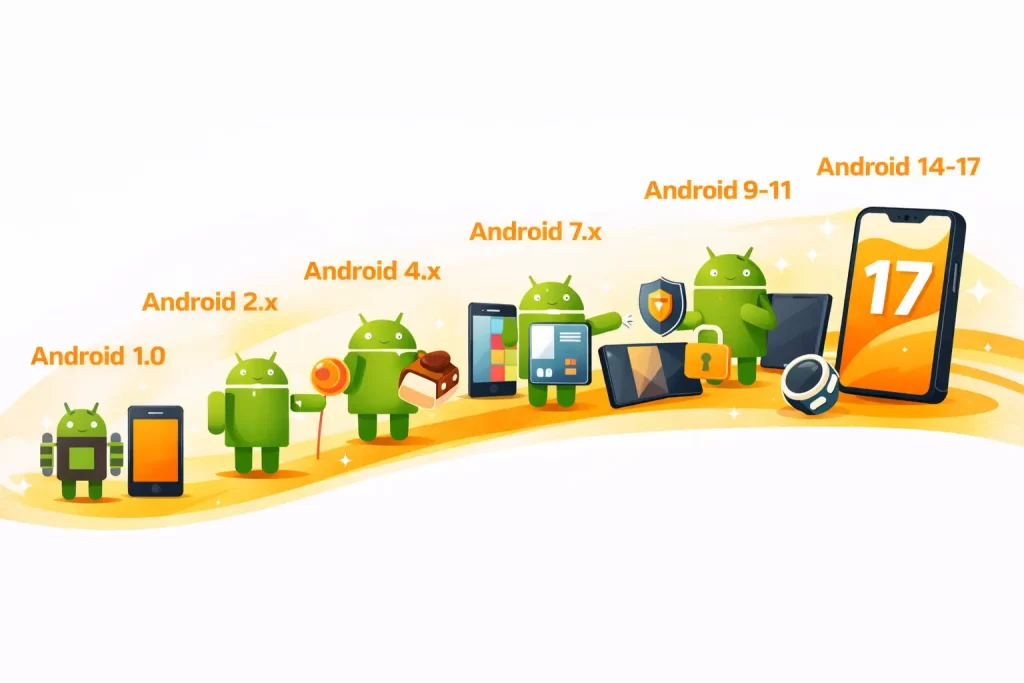
- ☑️ Early versions (Android 1.0 – 1.6) focused on core smartphone functionality and system foundations
- ☑️ Growth phase (Android 2.x) improved performance, speed, and hardware support
- ☑️ Shaping phase (Android 3.x – 4.x) introduced major UI changes and design consistency
- ☑️ Modern versions (Android 7.x – 8.x) enhanced multitasking, battery efficiency, and background processing
- ☑️ Privacy-focused releases (Android 9 – 11) strengthened permissions, security, and user control
- ☑️ Latest versions (Android 14 – 17) emphasize stability, refinement, and future-ready features
This structured evolution highlights how Android adapted to changing user expectations, hardware advancements, and industry standards over time.
Android Version Timeline
| Android Version | Internal Codename | Release Year |
|---|---|---|
| Android 1.5 | Cupcake | 2009 |
| Android 1.6 | Donut | 2009 |
| Android 2.0 – 2.1 | Eclair | 2009 |
| Android 2.2 | Froyo | 2010 |
| Android 2.3 | Gingerbread | 2010 |
| Android 3.x | Honeycomb | 2011 |
| Android 4.0 | Ice Cream Sandwich | 2011 |
| Android 4.1 – 4.3 | Jelly Bean | 2012 |
| Android 4.4 | KitKat | 2013 |
| Android 5.0 – 5.1 | Lollipop | 2014 |
| Android 6.0 | Marshmallow | 2015 |
| Android 7.0 – 7.1 | Nougat | 2016 |
| Android 8.0 – 8.1 | Oreo | 2017 |
| Android 9 | Pie | 2018 |
| Android 10 | Android 10 | 2019 |
| Android 11 | Android 11 | 2020 |
| Android 12 | Android 12 | 2021 |
| Android 13 | Android 13 | 2022 |
| Android 14 | Android 14 | 2023 |
| Android 15 | Android 15 | 2024 |
| Android 16 | Android 16 | 2025 |
Android OS and Its Impact on Android Phones
The evolution of the Android operating system has had a direct and lasting impact on how Android phones look, perform, and function today. With every new version, Android phones have become more powerful, secure, and capable of handling complex user needs.
As Android evolved, smartphone manufacturers were able to experiment with better hardware, larger displays, improved cameras, and advanced sensors. Android’s flexibility allowed brands to customize the user interface while still benefiting from core system improvements delivered through each version update.
Over the years, Android OS advancements have influenced Android phones in several key ways:
- ☑️ Improved performance and smoother user interactions
- ☑️ Better battery optimization and power management
- ☑️ Stronger security and privacy controls for user data
- ☑️ Support for modern features like foldable screens, high refresh rate displays, and AI-powered functions
Android versions also shaped how apps are built and optimized. As the OS matured, developers gained access to better APIs and tools, resulting in richer apps and more seamless experiences across different devices.
Overall, Android OS updates played a crucial role in transforming Android phones from basic communication devices into all-in-one smart devices, capable of supporting productivity, entertainment, and everyday digital tasks.
Final Thoughts on Android Version Evolution
The evolution of Android versions reflects how mobile technology itself has grown over the years. Starting as a simple operating system with basic smartphone features, Android gradually transformed into a powerful, secure, and highly adaptable platform used across billions of devices worldwide. Each Android version contributed something meaningful—whether it was improving performance, refining the user interface, strengthening privacy, or supporting new hardware innovations. Rather than sudden changes, Android’s progress has been a steady and well-planned journey focused on long-term improvement.
From early releases like Android 1.0 to the latest versions such as Android 17, the platform has consistently adapted to user expectations and industry trends. This ongoing evolution is one of the key reasons Android continues to dominate the global smartphone market. Understanding Android’s version history not only helps in appreciating how far the platform has come but also provides clarity on why modern Android devices are more reliable, feature-rich, and future-ready than ever before.
For learners and professionals looking to build strong skills in Android, Payilagam offers industry-oriented Android Development Training in Chennai. The training focuses on core Android concepts, real-time application development, and hands-on practice aligned with current Android versions. By understanding Android version evolution alongside practical development skills, learners can better design, test, and optimize apps for different devices and OS levels, making them more confident and job-ready in today’s competitive mobile development landscape.
FAQs about Android Version Names from A to Z
What are the different Android version names?
Android versions were given different names over the years. Early releases used dessert-based names such as Cupcake, Donut, Froyo, Gingerbread, Honeycomb, Ice Cream Sandwich, Jelly Bean, KitKat, Lollipop, Marshmallow, Nougat, Oreo, and Pie. From Android 10 onward, Google moved to numeric version names.
What was the first version of Android?
Android 1.0 was the first publicly released version of Android. It was launched in 2008 and introduced basic smartphone features such as notifications, web browsing, Google services, and the Android Market.
Why did Android use dessert names?
Google used dessert names for several Android releases as a way to give major versions memorable names. The naming started publicly with Android 1.5 Cupcake and continued through Android 9 Pie.
When did Android stop using dessert names?
Android stopped using dessert names publicly with Android 10. From that release onward, Google adopted numbers as the main public version names.
What was the first Android version with a dessert name?
Android 1.5 was called Cupcake and was the first Android release to receive a public dessert-based name. It introduced features such as an on-screen keyboard, home-screen widgets, and video recording support.
What is the difference between Android 1.0 and Android 1.1?
Android 1.0 was the first public Android release and introduced the basic platform and Google services. Android 1.1 was a smaller update that mainly focused on bug fixes, stability, and performance improvements.
Which Android version introduced the dark mode feature?
Android 10 introduced a system-wide dark mode as one of its notable user-facing improvements. It also introduced stronger privacy controls and improved support for newer device form factors.
Which Android versions focused more on privacy and security?
Android 9, Android 10, and Android 11 placed greater emphasis on privacy, security, permissions, and user control. These releases introduced improvements such as stronger permission handling and restrictions on background access to sensitive features.
What are the latest Android versions covered in this blog?
The blog covers Android versions through Android 17 and discusses how recent releases focus on areas such as security, performance, privacy, AI-driven features, and support for modern devices.
Why is Android version history important for developers and testers?
Android version history helps developers and testers understand how platform features, permissions, security controls, device support, and system behavior have changed over time. This knowledge can also be useful when dealing with application compatibility and Android-related interview questions.
🚀 Ready to turn your Android knowledge into real apps?
Get started with Payilagam and explore hands-on
Android Development Training in Chennai designed to help you
build practical skills and stay aligned with modern Android versions.